

What is a DNS zone?
DNS is like a phone book for the internet. A DNS zone is one page of that book. It holds all the records for a single domain, such as where its website and email live. WHM is the Web Host Manager, the admin panel for the whole server.
When should you delete a zone?
- The domain was removed from the server.
- The domain moved to another host and its DNS is somewhere else.
- A zone was made by mistake.
Careful: if you delete the zone of a live domain, its website and email can stop working. Do not delete a zone for a domain that still uses this server. Export or write down the records first.
Steps
- Log in to WHM as root.
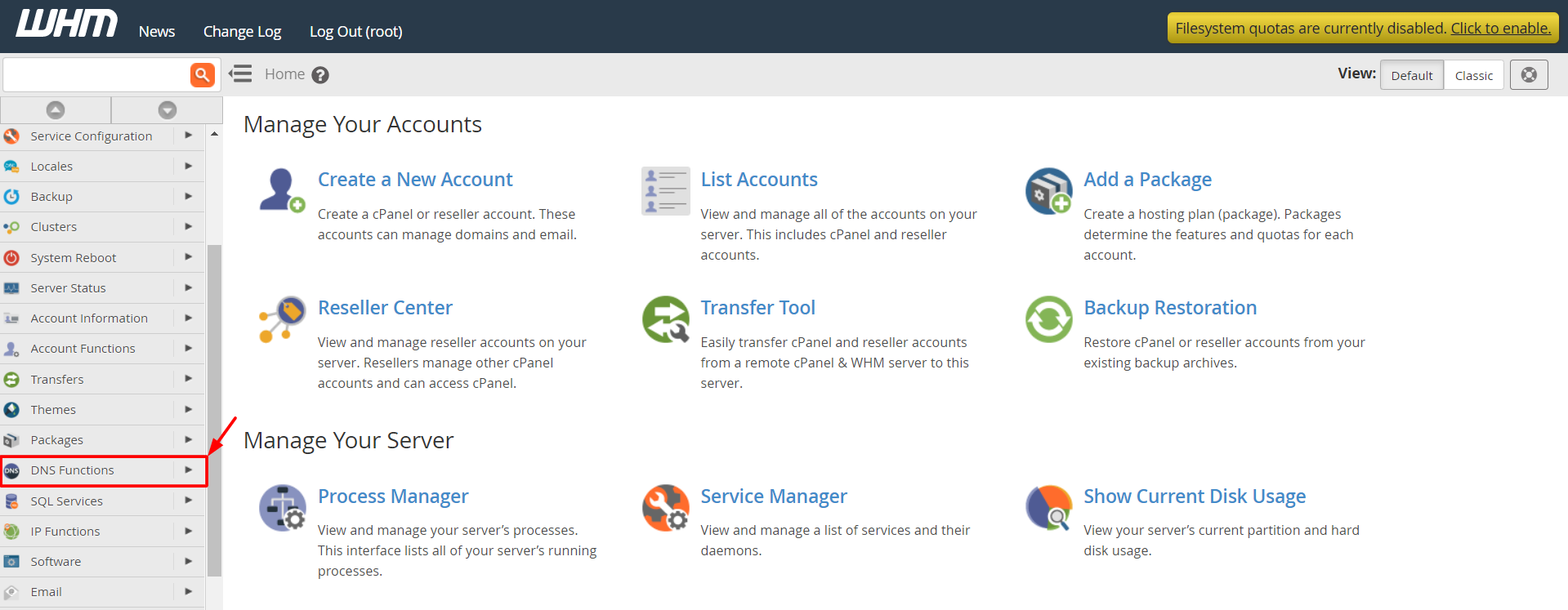
- In the search box, type Delete a DNS Zone.
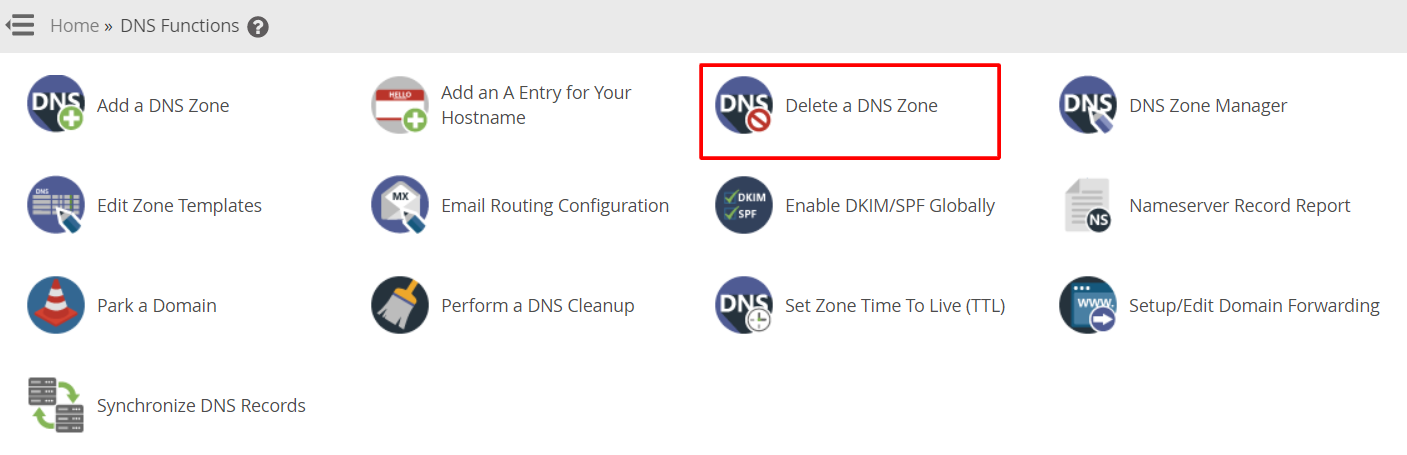
- Click Delete a DNS Zone under DNS Functions.
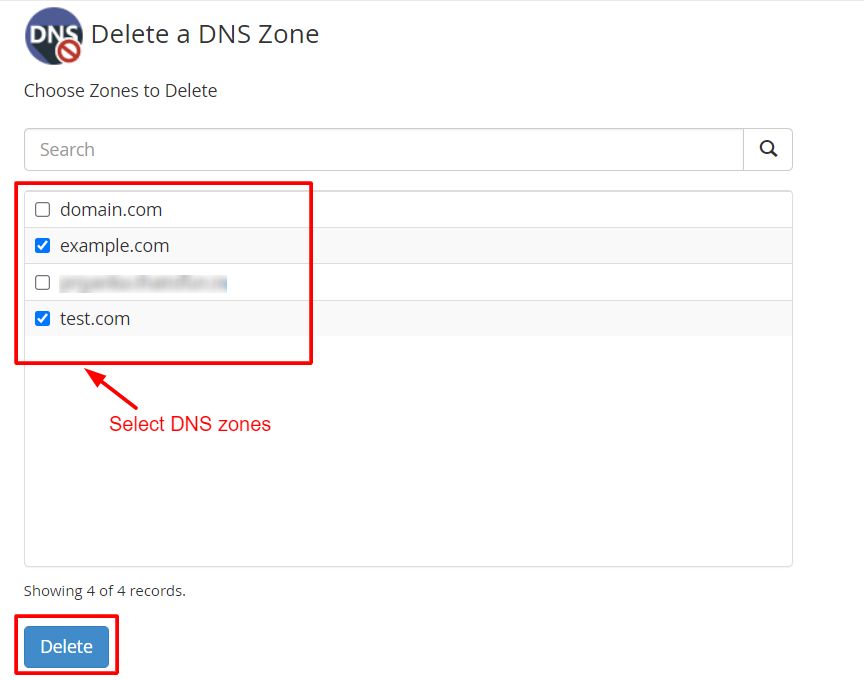
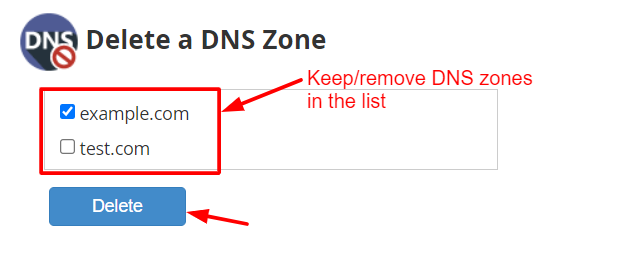
- Find the domain in the list. Tick the box next to it.
- Click Delete.
- WHM asks you to confirm. Read the name again, then click Delete once more.
- Wait for the success message.
You can also check your zones before you delete. Open Edit DNS Zone in the same menu and look at the records.
Remove an account too?
Deleting a DNS zone does not delete the hosting account. To remove the account, use Terminate an Account. This deletes the account's data, so take a backup first. Normally WHM removes the zone for you when you terminate an account.
After you delete
- Check that the domain's DNS is now handled by the right place.
- Wait a short time for old answers to expire.
Quick recap
- A DNS zone holds all records for one domain.
- Use Delete a DNS Zone under DNS Functions.
- Never delete a zone of a live site.
- Save the records before you delete.