

What is a feature list?
WHM is the Web Host Manager, the admin panel for a whole server. A feature list is a set of tools that an account may use in cPanel, such as File Manager or Backup. You give each hosting package a feature list. It works like a menu card. The card decides which dishes a guest may order.
Usually you can turn a feature on in one list and off in another. But WHM has a special list called disabled. A feature turned off here is off for everyone. No other list can turn it back on.
Before you start
Careful: switching off a feature takes it away from all accounts at once. Customers may notice missing tools. Tell them first if needed.
Steps
- Log in to WHM as root.
- In the search box, type Feature Manager.
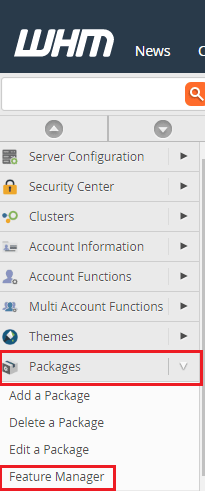
- Click Feature Manager under Packages.
- In the list of feature lists, find disabled.
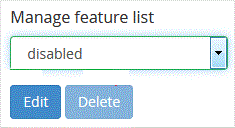
- Click Edit next to it.
- You see a list of all features with tick boxes. In this list, a ticked feature is allowed. Untick the features you want blocked for everyone.
- Scroll to the bottom and click Save.
The change applies to all accounts on the server.
Check the result
- Log in to cPanel of a test account.
- Look for the feature you blocked. It should be gone.
How to bring a feature back
- Return to Feature Manager and edit the disabled list.
- Tick the feature again.
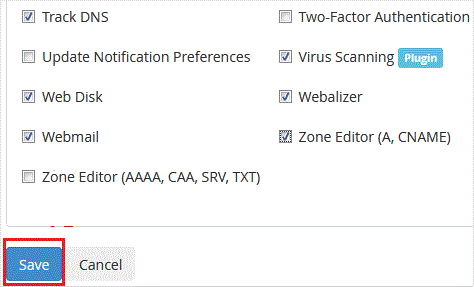
- Click Save.
- Make sure the account's own feature list also has the feature on.
Tip: If you only want to block a feature for one group of customers, edit their own feature list instead.
Quick recap
- A feature list decides which cPanel tools an account can use.
- The disabled list overrides every other list.
- Edit it under Packages then Feature Manager.
- Test with a sample account.