

What is an MX record?
MX stands for "mail exchanger". It is like a mail sorting office address. When someone sends an email to you@yourdomain.com, their mail server looks up the MX record. That tells it which mail server should take the message.
Webuzo is a control panel for hosting. A control panel is a web page where you manage your site, email and files. It is a third-party product, so ask Hostvento support whether it is part of your plan.
When do you need to change it?
- You use an outside email service and it gave you its own mail server names.
- You moved your email from one provider to another.
- You are fixing mail that does not arrive.
Before you start
Careful: a wrong MX record stops email from reaching you. Write down the current values first. Get the new values from your mail provider. If you use Hostvento mail, find the right value in your welcome email or ask support.
Steps
- Log in to Webuzo with the details in your welcome email.
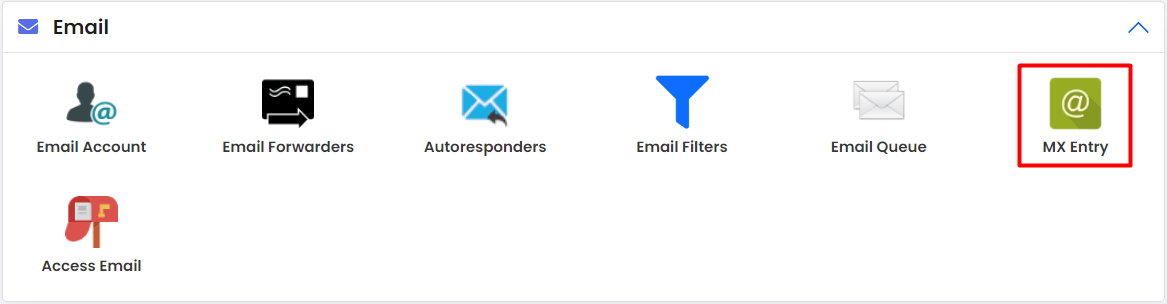
- Look for the DNS or DNS Settings option. Use the search box in Webuzo if you cannot find it. Menu names can vary by version.
- Choose your domain.
- Look through the list of records for those of type MX.
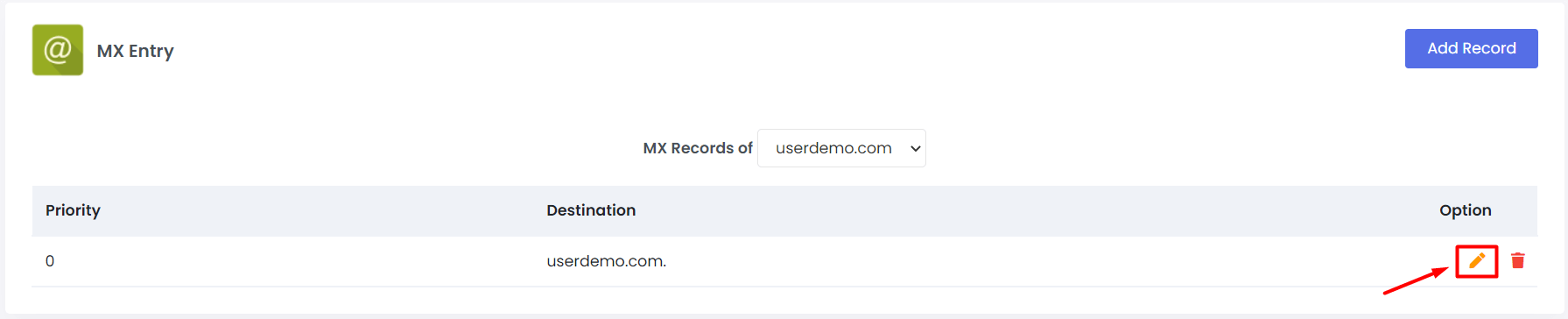
- Click the edit icon next to the MX record.
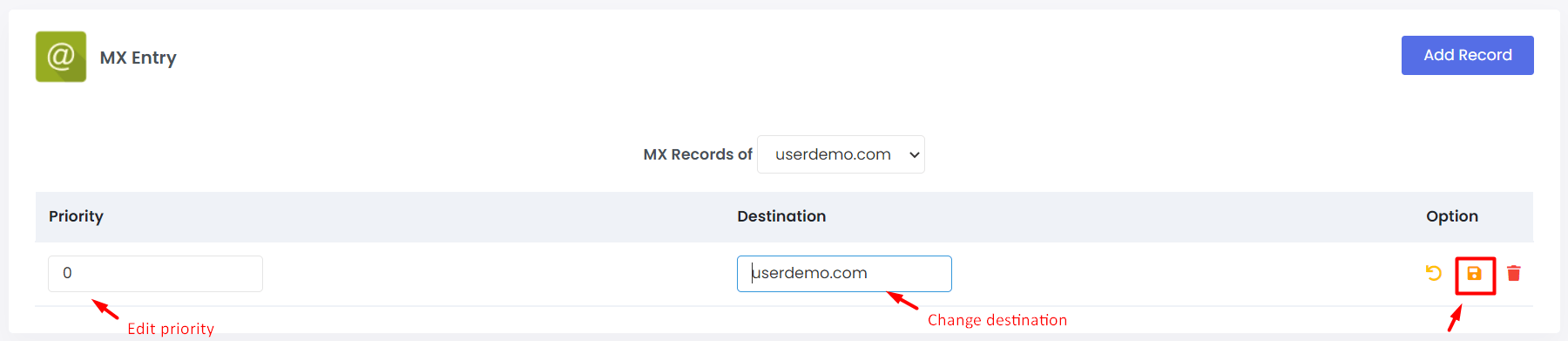
- Change the Value (or destination) to the new mail server name. A mail server name looks like
mail.example.com. Do not type an IP address here. - Set the Priority. This is a number. A lower number is tried first. If you have two servers, use 10 for the main one and 20 for the backup.
- Click Save.
- If old MX records should no longer be used, delete them. Mixed old and new records can send mail to the wrong place.
Check it
Changes can take from a few minutes to 48 hours. You can check using this command:
nslookup -type=mx yourdomain.comIt lists the mail servers for your domain. Send a test email to your address to confirm.
Quick recap
- An MX record points email to a mail server.
- Edit it from the DNS page in Webuzo.
- Use a name, not an IP, and set the priority.
- Save old values first and send a test email.