

Why does this matter?
A website can open with www in front or without it. These look like two different addresses to search engines. That can split your ranking. It is best to pick one and send the other to it.
A redirect is like a sign that says "Go to this other address." A permanent redirect uses the code 301.
The .htaccess file is a small settings file in your website folder. It works on Apache web servers. Apache is the software that serves many websites. cPanel is the control panel where you can edit the file.
Before you start
- Choose which form you want to keep.
- Take a backup of your
.htaccessfile. A typing error can make your site show an error. - If your site is WordPress, check Settings and General as well. The address there should match your choice.
Steps
- Log in to cPanel.
- Open File Manager.
- Click Settings at the top right. Tick Show Hidden Files (dotfiles). Click Save.
- Open the folder
public_html. If your site is an addon domain, open its own folder. - Right-click
.htaccessand choose Copy to make a backup. Then right-click it again and choose Edit. - Add the rules below near the top, under
RewriteEngine Onif it is already there. - Click Save Changes.
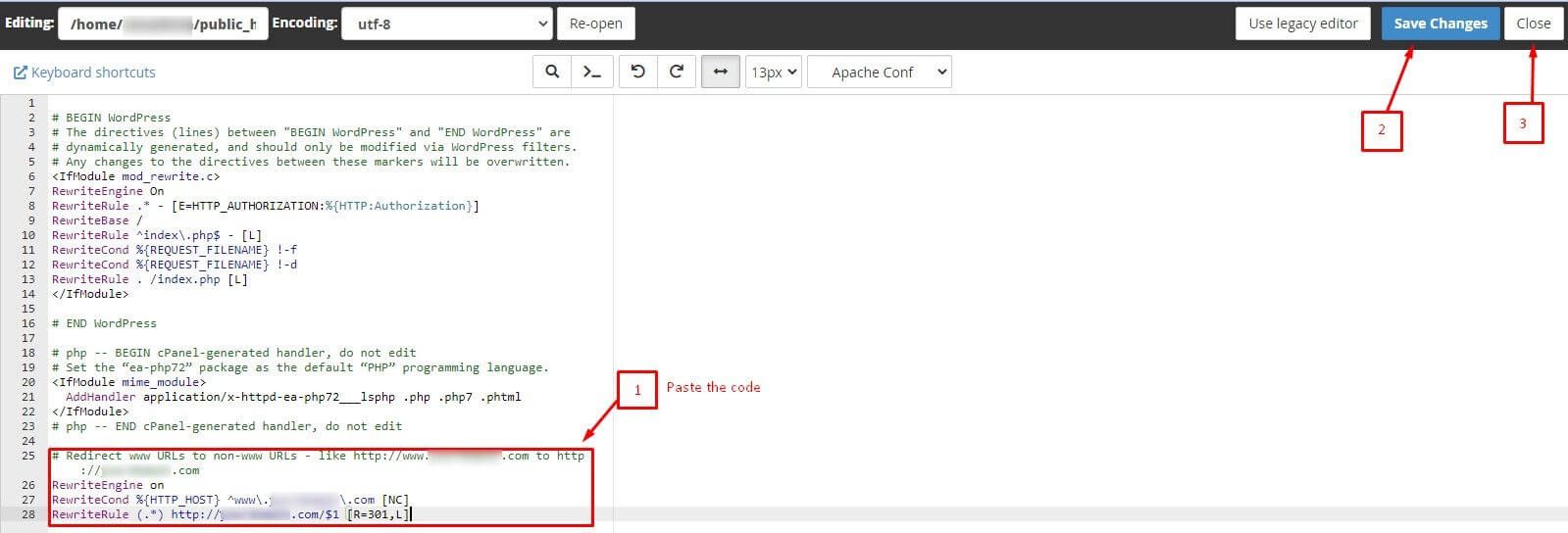
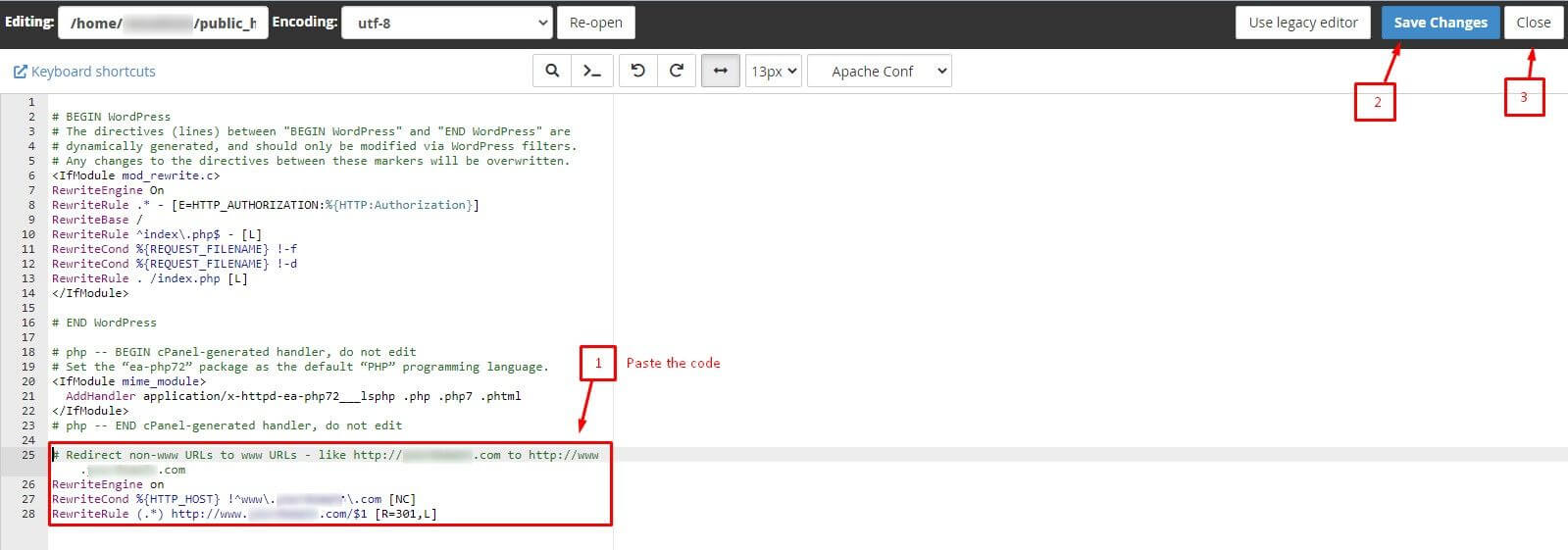
Send www to non-www
RewriteEngine On
RewriteCond %{HTTP_HOST} ^www\.example\.com$ [NC]
RewriteRule ^(.*)$ https://example.com/$1 [R=301,L]
This sends anyone who types www.example.com to example.com.
Send non-www to www
RewriteEngine On
RewriteCond %{HTTP_HOST} ^example\.com$ [NC]
RewriteRule ^(.*)$ https://www.example.com/$1 [R=301,L]
This sends anyone who types example.com to www.example.com.
Replace example.com with your own domain in each line. Use only one of the two blocks, never both. Using both makes a loop, and the page will never load.
Check it works
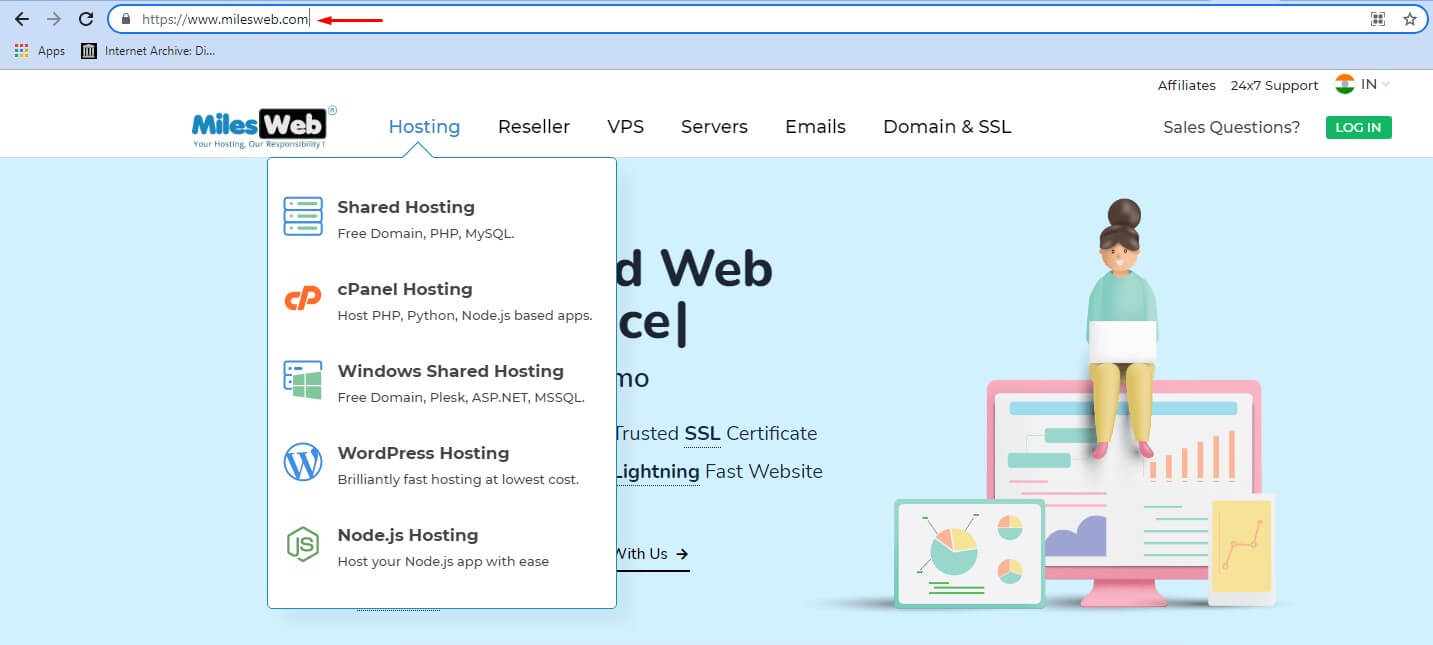
- Type both address forms into your browser.
- Check that each ends on the form you chose.
Need help? Open a ticket at https://secure.hostvento.com/submitticket.php.
Quick recap
- Pick one address form and redirect the other.
- Edit .htaccess in cPanel File Manager after a backup.

- Use only one of the two rule blocks.
- Test in a private window.