

What are name servers?
DNS is like a phone book for the internet. Name servers are the computers that hold your domain's page in that book. When someone types your website name, their device asks your name servers where the site lives. If the name servers are wrong, your site will not load from the right place.
You change them when you move to a new host. Your new host gives you the name server addresses. They often look like ns1.example.com and ns2.example.com. Look in your welcome email for yours, or ask Hostvento support.
Steps in the Hostvento client area
- Log in to your client area.
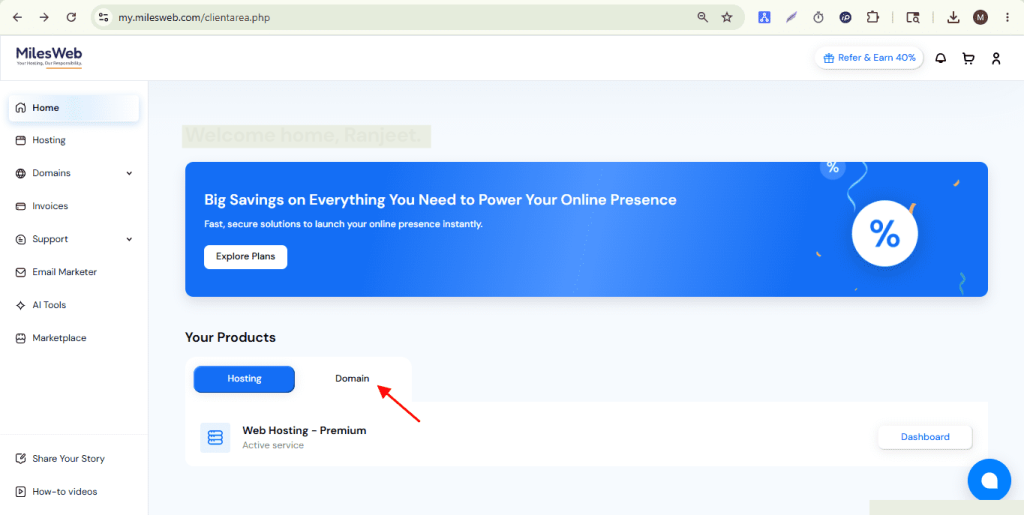
- Click the Domains menu.
- Choose My Domains.
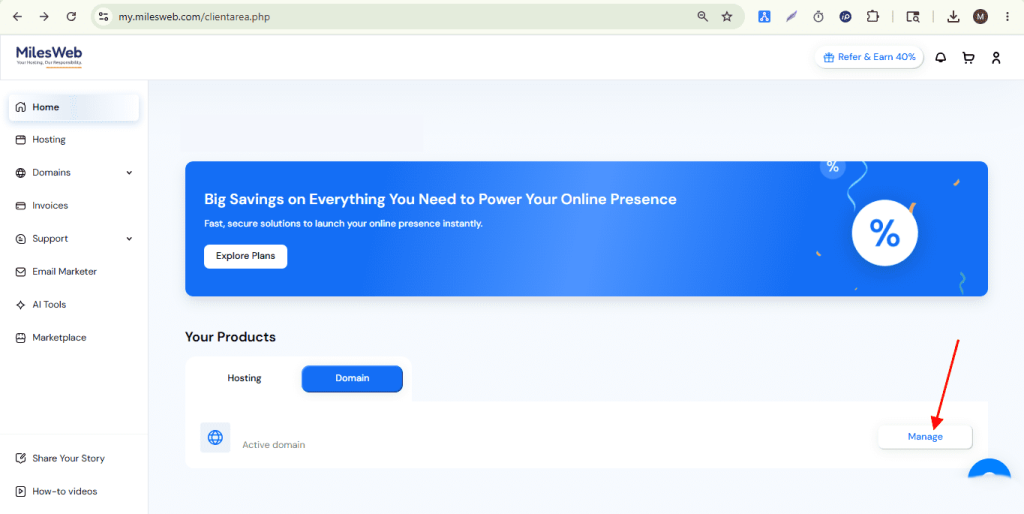
- Find your domain and click Manage Domain, or the arrow next to it.
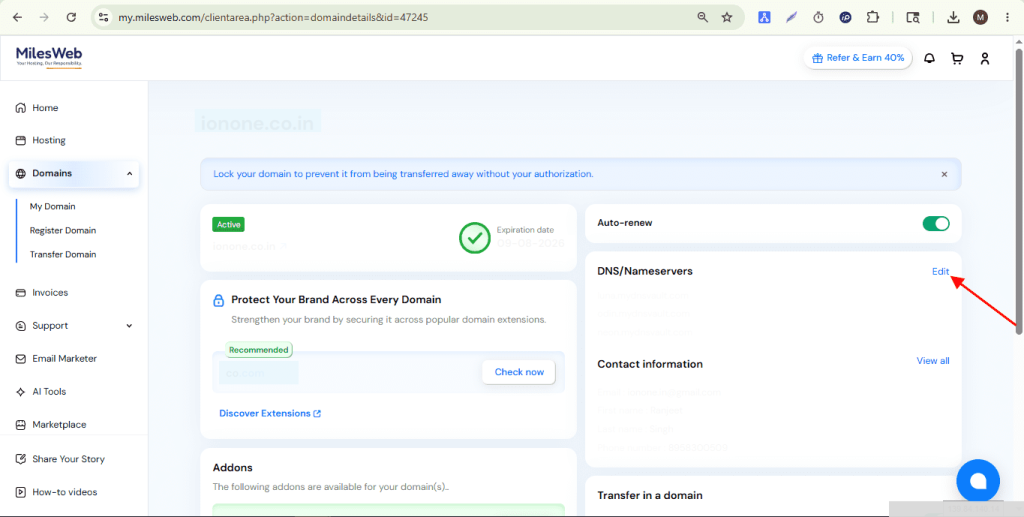
- Click Nameservers in the menu.
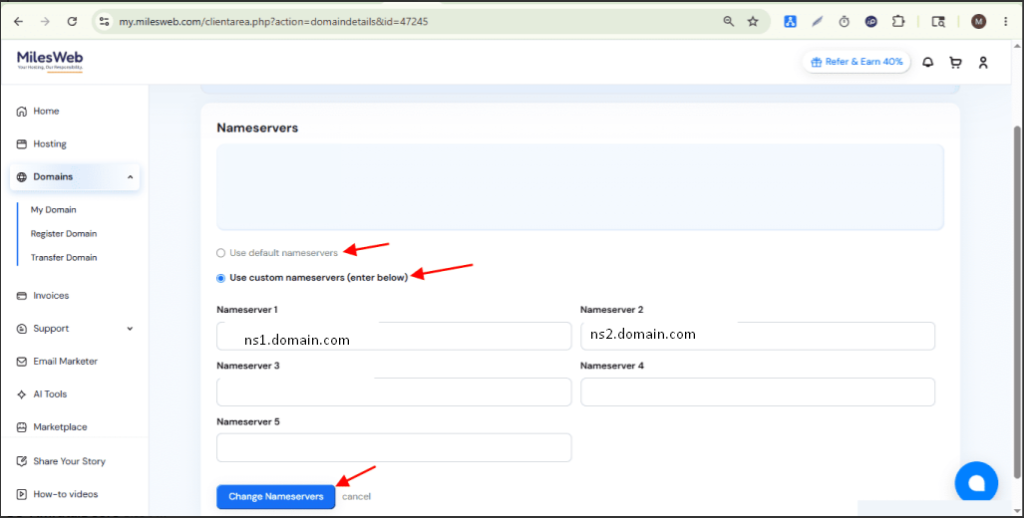
- Pick the option to use custom nameservers.
- Type each name server in its own box. Remove old ones you do not need.
- Click Change Nameservers to save.
If your domain is at another registrar
The registrar is the company where you bought the name. Log in there instead. Look for DNS, Nameservers or Domain settings. The steps are similar. Replace the old name servers with the new ones and save.
How long does it take?
The change spreads slowly across the internet. This is called propagation. It can take a few hours. Sometimes it takes up to two days. During this time, some visitors may see the old site.
Check your change
- Wait some hours.
- Visit your website in a browser.
- Use an online name server lookup tool to see the current name servers.
If something looks wrong after a day, open a support ticket.
Quick recap
- Name servers tell the internet where your domain's DNS lives.
- Get the new ones from your welcome email or support.
- Use Domains, My Domains, then Nameservers.
- Save, then wait for propagation.