

What is WHM?
WHM stands for Web Host Manager. It is the control panel for the server owner or reseller. cPanel is the panel for one website account. WHM creates and manages many cPanel accounts.
What is a parked domain?
A parked domain is an extra name that shows the same website as your main domain. It is like putting a second name tag on one door. Visitors who type either name see the same site. Newer cPanel calls this an alias.
Before you begin
- The domain must be registered.
- Its nameservers must point to your server, or its DNS must point to the server's IP address.
- The domain must not already exist on the server.
Steps
- Log in to WHM. This is usually the server address followed by
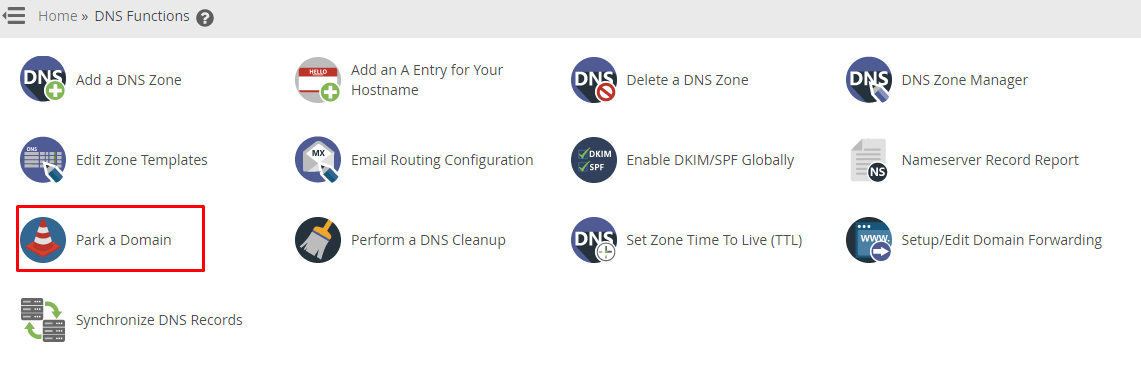
:2087. Your details are in your welcome email. - Use the search box at the top left and type Create a New Account or Park. WHM may offer a park tool, or you can use the cPanel account itself.
- To do it from the cPanel account, open List Accounts in WHM.
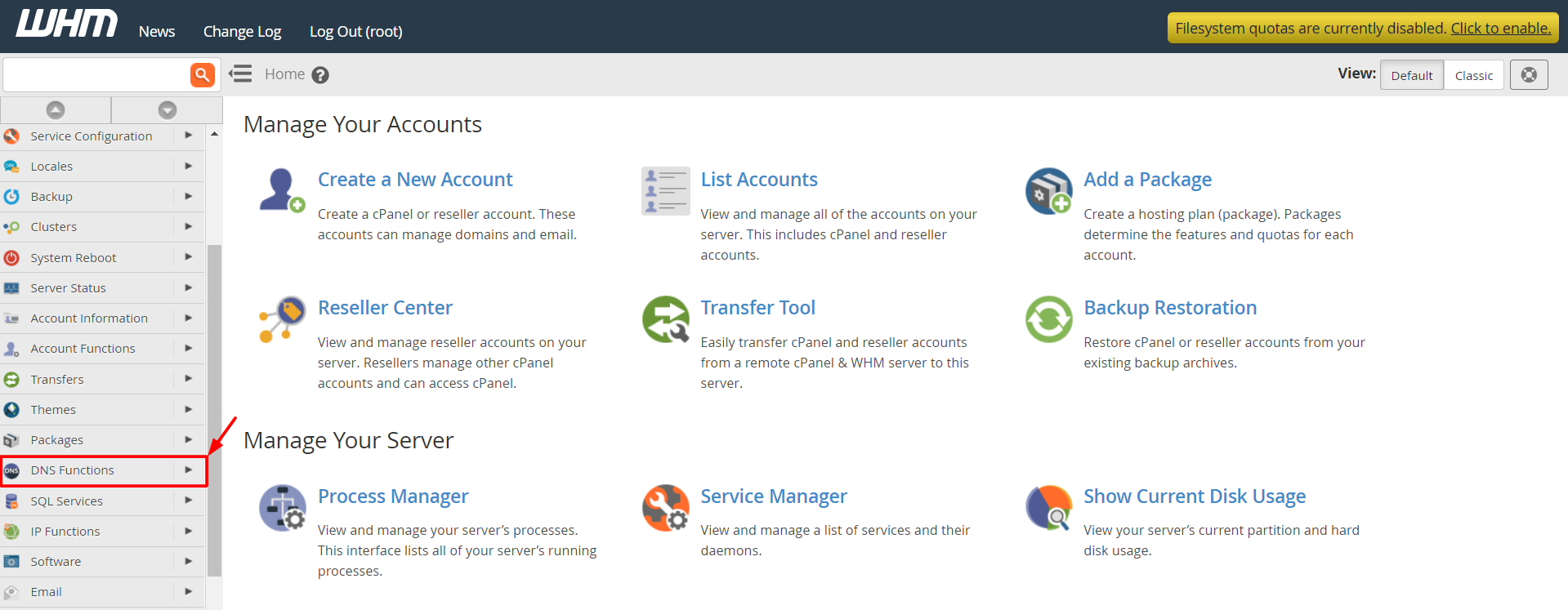
- Click the cPanel icon next to the account. This logs you in to that account.
- Open Domains. On older versions, open Parked Domains.
- Click Create A New Domain, or Add Domain.
- Type the domain you want to park.
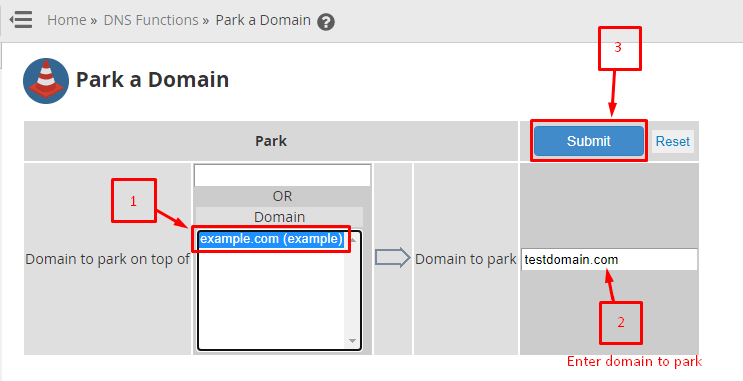
- Choose to share the document root of the main domain. A document root is the folder where the site's files live. Sharing means both names show the same files.
- Click Submit.
Menu names change between cPanel versions. If you cannot find an option, search for it.
Check it
Open the parked domain in a browser. You should see the main site. If you see an error, the DNS may not have spread yet. This can take up to 48 hours.
If it fails
The domain may already be on the server, or the account may have reached its limit. Open a support ticket if you are on Hostvento hosting and need help.
Quick recap
- WHM manages many accounts. cPanel manages one.
- A parked domain shows the same site under a second name.
- Log in to the account from WHM and use the Domains page.
- Point the domain's DNS to your server first.