

What is a subdomain?
A subdomain is a word added in front of your domain name. If your domain is yourdomain.com, then blog.yourdomain.com and shop.yourdomain.com are subdomains. Think of your domain as a building. A subdomain is a separate room with its own door. It can hold its own website.
Why use one?
- Run a blog beside your main site.
- Keep an online shop in its own space.
- Test a new design without touching the live site.
Steps
- Log in to cPanel. cPanel is a web page for managing your hosting. Your login is in your welcome email.
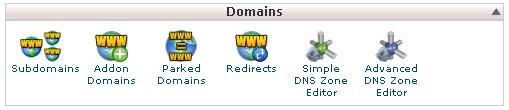
- Find the Domains section and click Subdomains. In newer versions, click Domains and then Create A New Domain.
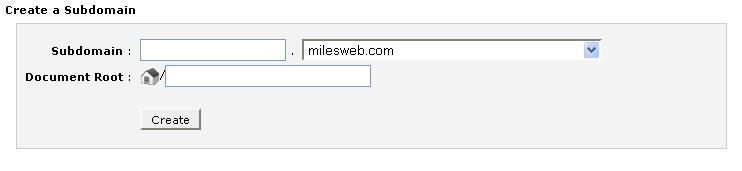
- In the Subdomain box, type the name you want, like
blog. - From the list, choose your main domain.
- Check the Document Root box. This is the folder where the subdomain's files will go. cPanel fills it in, often as
public_html/blogorblog.yourdomain.com. You can keep it. - Click Create.
cPanel shows a message when it is done. It also adds the DNS record for you. DNS is like a phone book for the internet.
Add content
- Open File Manager in cPanel.
- Go to the subdomain's document root folder.
- Upload your files, such as
index.html. - Open
blog.yourdomain.comin your browser.
If the new subdomain does not load right away, wait a little. In rare cases it takes a few hours.
Naming rules
- Use letters, numbers and dashes.
- Do not use spaces.
- Keep it short and clear.
Delete a subdomain
Warning: Deleting may remove the folder too. Take a backup first.
On the same page, find the subdomain in the list and click Remove or Manage, then the remove option.
Need help?
If you cannot find the tool, open a support ticket.
Quick recap
- A subdomain is a prefix added to your domain.
- Go to Subdomains in cPanel.
- Choose a name and the main domain, then click Create.
- Upload files into its document root.
- Back up before deleting.