

What is a URL frame?
A URL is a web address. A frame is a window that shows another page inside it. With a URL frame, a visitor types yourdomain.com, but sees content from a different address. The address bar keeps showing yourdomain.com. It is like a picture frame on your wall that shows a view from another house.
When is it used?
- Your site lives at a long address on a free service, and you want a short name.
- You want one domain to show the content of another site.
Know the downsides
- Some sites block being shown in a frame. They will appear blank.
- Search engines may not rank a framed page well.
- Links inside the frame may not change the address bar.
- Phones may show the page badly.
For most sites, a normal redirect is better. A redirect sends the visitor to the new address, and the address bar changes.
How cPanel does it
Older versions of cPanel had a Redirects tool only. Framing is usually done in the DNS zone, with a service that supports it. Some hosts give a URL Frame or Web Forwarding option in the domain management page. Since this differs, look at what your account offers.
Steps with a simple HTML frame page
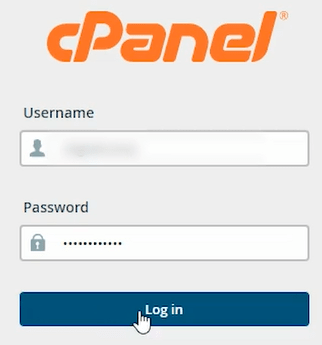
- Log in to cPanel.
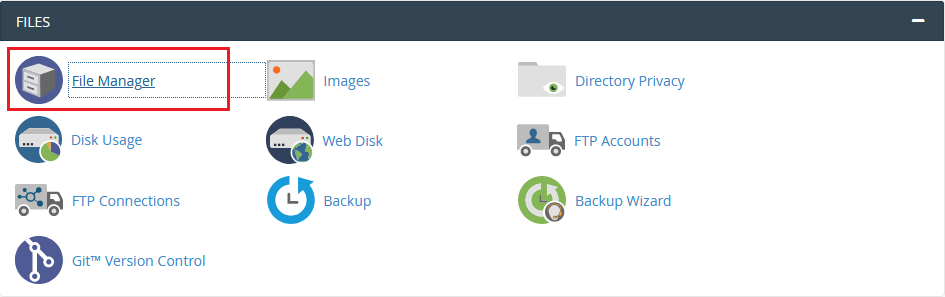
- Open File Manager.
- Go to the public_html folder of your domain.
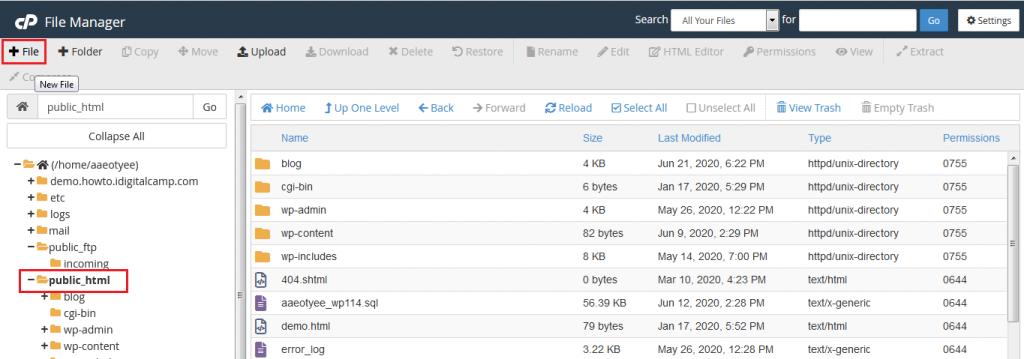
- Click + File and name it
index.html.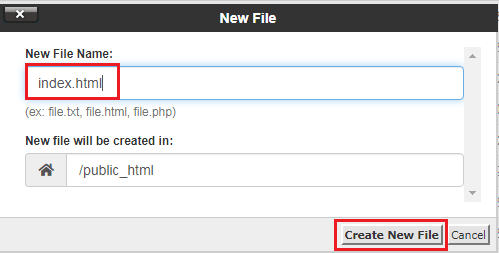
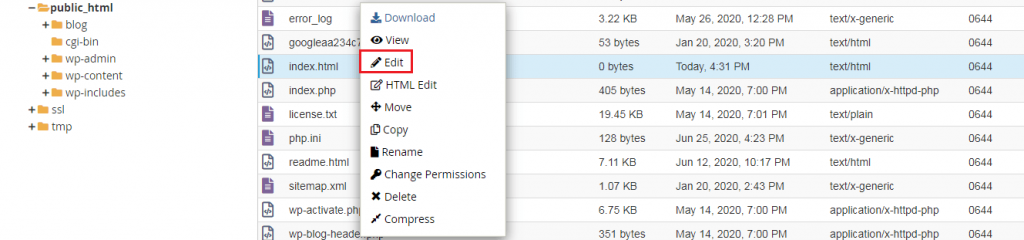
- Right-click the file and choose Edit.
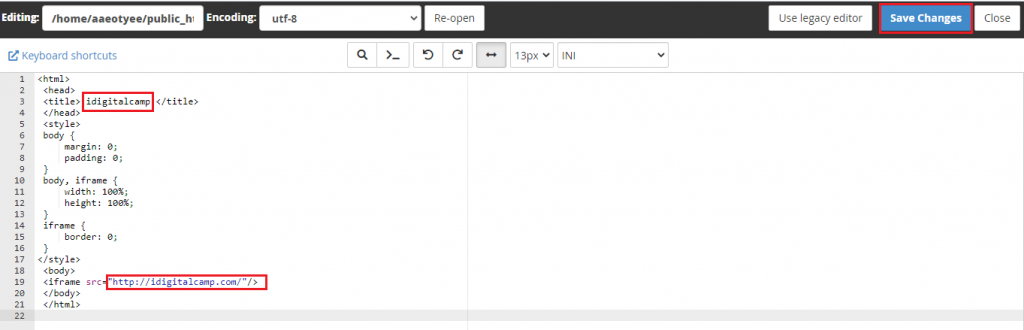
- Paste the code below. Replace the web address with the one you want to show.
<!DOCTYPE html>
<html>
<head>
<title>My Site</title>
<style>html,body,iframe{margin:0;padding:0;height:100%;width:100%;border:0}</style>
</head>
<body>
<iframe src="https://www.example.com/mypage"></iframe>
</body>
</html>
This page fills the whole window with the other site, inside an iframe. An iframe is an HTML tag that shows another page in a frame.
- Click Save Changes.
- Open your domain and test it.
index.html that is already there. Make a copy first.A normal redirect instead
- In cPanel, open Domains, then Redirects.
- Choose the type, pick the domain, and type the target address.
- Click Add.
Need help? Open a support ticket.
Quick recap
- A URL frame shows another page under your domain name.
- It has downsides for search engines and some sites block it.
- You can build one with an
index.htmland an iframe. - A redirect is usually the better choice.