

What is DirectAdmin?
DirectAdmin is a control panel. A control panel is a web page where you manage a hosting server with buttons instead of commands. It is like the dashboard of a car.
DirectAdmin has three levels: Admin, Reseller and User. Admins and resellers can change the users below them. A normal user cannot do this.
What do the words mean?
- Suspend means the account is switched off for now. The website and email stop working, but the files stay safe.
- Unsuspend means you switch the account back on.
- Delete means the account and its files are removed.
Warning: Deleting cannot be undone. Take a backup first. A backup is a spare copy of your files, kept safe in case you need them later.
Steps to suspend or unsuspend a user
- Log in to DirectAdmin as the Admin or the Reseller.

- Click Manage User Accounts (some versions call it User Administration).
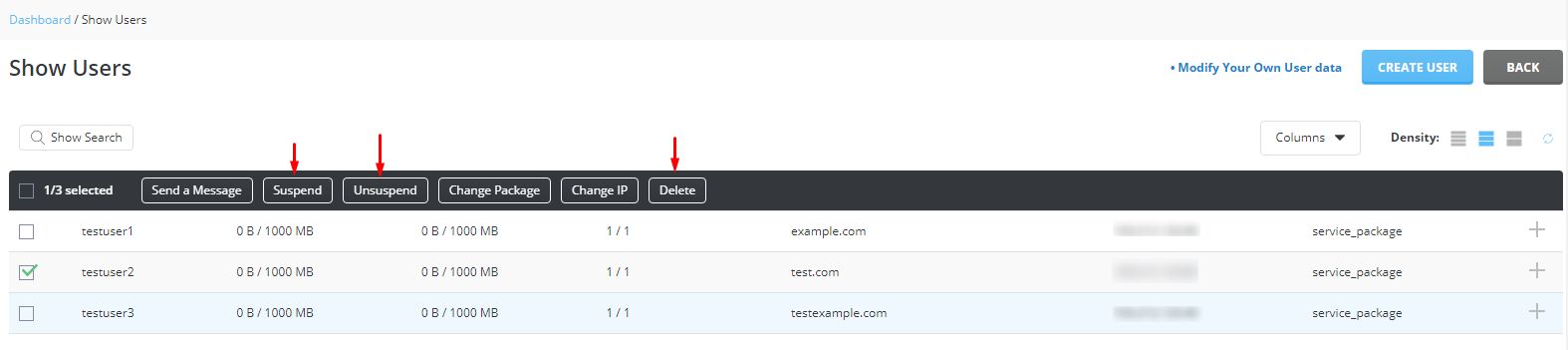
- Tick the box next to the user you want to change.
- Click the Suspend/Unsuspend button.
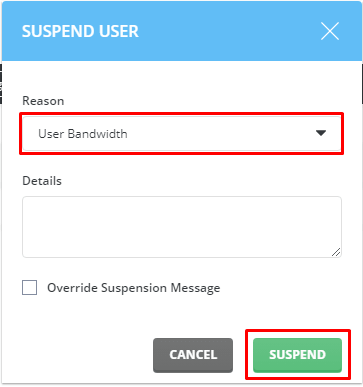
- Confirm if the page asks you.
- Check the user list. A suspended user shows a suspended mark or status.

To bring the user back, repeat the same steps. The same button switches the account on again.
Steps to delete a user
- Make a backup of the account first.
- Open Manage User Accounts.
- Tick the box next to the user you want to remove.
- Click the Delete button.

- Read the confirmation message carefully.
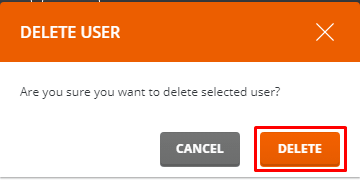
- Confirm the deletion. DirectAdmin removes the user, their domains, their email and their files.
Which one should I pick?
| Situation | Best choice |
|---|---|
| A customer has not paid yet | Suspend |
| A site is sending spam and needs checking | Suspend |
| The customer has left for good | Delete, after a backup |
Tip: Suspend first when you are unsure. You can always delete later, but you cannot get a deleted account back without a backup.
If you cannot see these buttons, you may not have Admin or Reseller access. Ask Hostvento support through a support ticket.
Quick recap
- Suspend switches an account off but keeps its files.
- Unsuspend switches it back on.
- Delete removes everything, so back up first.
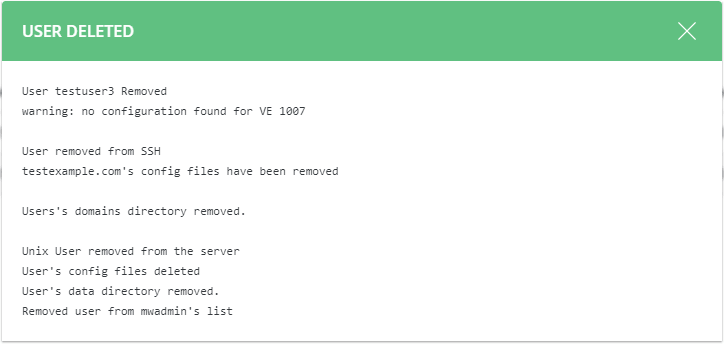
- Use Manage User Accounts as Admin or Reseller.