

What is DNS?
DNS is like a phone book for the internet. It turns a website name into a number that computers understand. That number is called an IP address.
What is propagation?
To propagate means to spread. DNS propagation is the time it takes for a DNS change to spread across the world. When you change nameservers or records, one phone book gets the new page first. Thousands of other phone books still show the old page for a while.
It is like moving house. The post office updates your address fast. But friends and shops need time to learn it.
Why does it take time?
Internet providers and devices keep a saved copy of DNS answers. This saves time on later visits. The saved copy is called a cache. Each record has a number called TTL, short for time to live. It tells others how long they may keep the copy before asking again.
Until the copy expires, some people still see the old information.
How long does it take?
- Record changes, like a new A record, often take minutes to a few hours.
- Nameserver changes can take up to 48 hours.
The time depends on the TTL and on the provider.
What you may notice
- Some visitors see the new site and some see the old one.
- Email may arrive at the old or new place for a short while.
- SSL certificates may not install until the domain points to the right server.
What can I do while I wait?
- Do not keep changing settings. Each change restarts the wait.
- Clear your own cache. On Windows, open Command Prompt and run the command below.
ipconfig /flushdnsThis empties the saved DNS answers on your computer.
- Restart your browser or try a private window.
- Try your phone on mobile data. It uses a different provider.
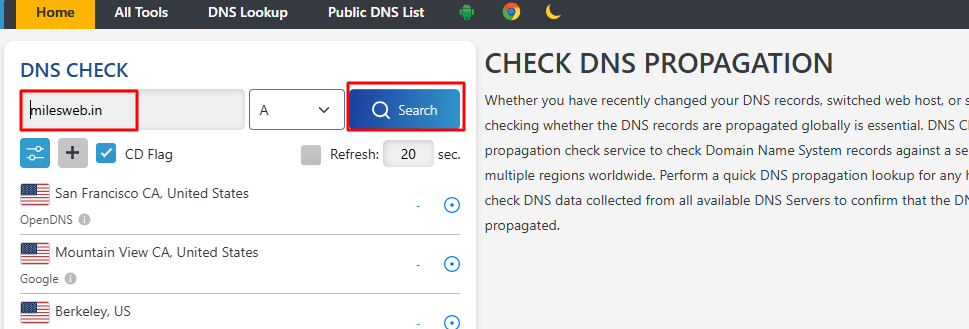
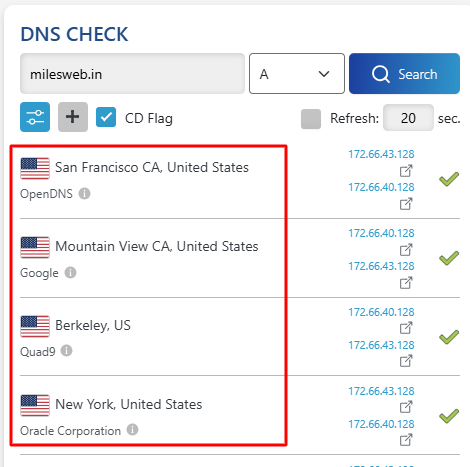
- Use a free online DNS checker to see the answers from many places.
Quick recap
- DNS propagation is the spread of a DNS change across the internet.
- It takes minutes to about 48 hours.
- Caches and TTL cause the delay.
- Be patient and avoid extra changes.