

What is an SRV record?
DNS is like a phone book for the internet. An SRV record is a special line in that phone book. It says which server and which port a service uses. A port is a numbered door on a computer.
A normal A record only says where a name lives. An SRV record also names the service and its door. Chat, calendar and voice programs often need this.
Parts of an SRV record
| Field | Meaning |
|---|---|
| Service | The name of the service, starting with an underscore, like _sip |
| Protocol | The way it talks, like _tcp or _udp |
| Priority | Lower numbers are tried first |
| Weight | Shares work between servers with the same priority |
| Port | The door number of the service |
| Target | The name of the server that runs it |
Steps in cPanel
- Get the values from the company that runs the service. They give you the service, protocol, priority, weight, port and target.
- Log in to cPanel.
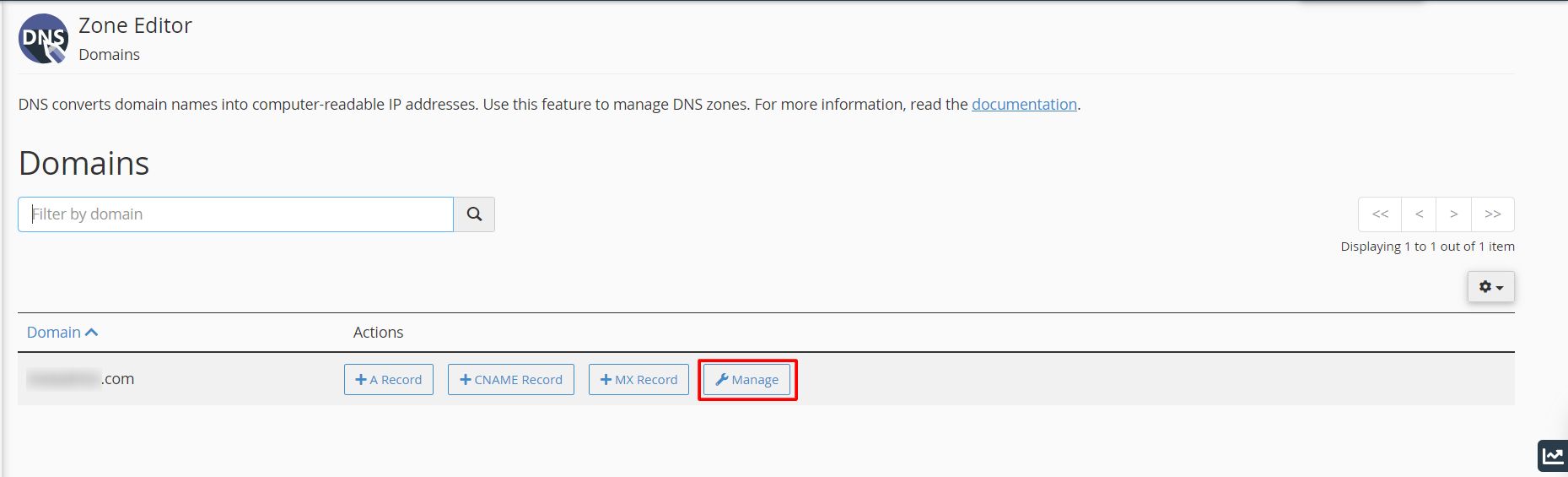
- Open Zone Editor.
- Click Manage next to your domain.
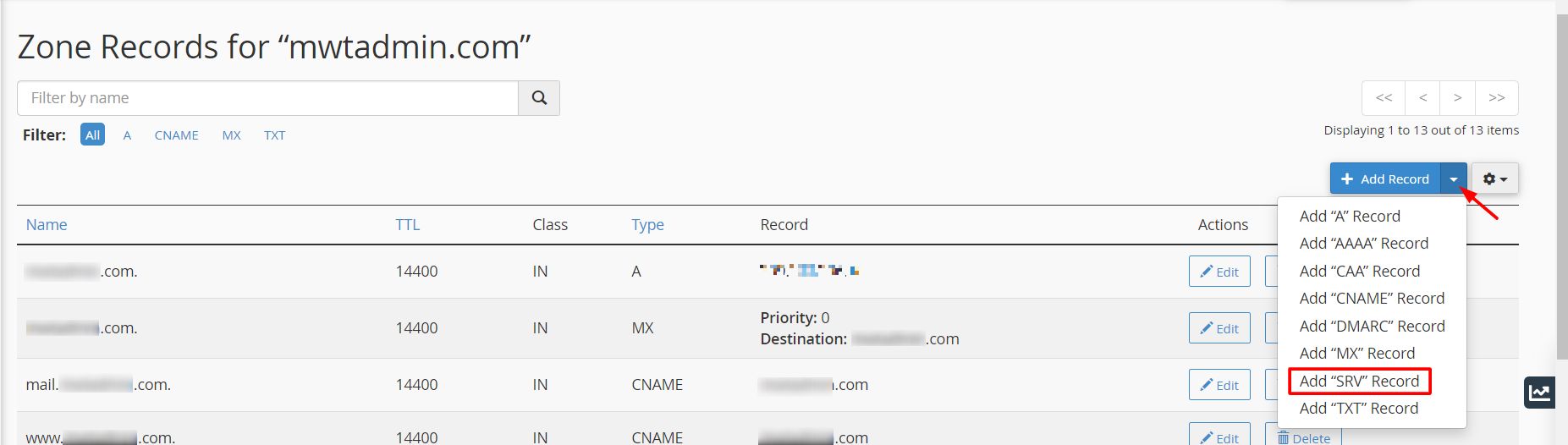
- Click Add Record and choose Add SRV Record.

- In Name, type the service and protocol, like
_sip._tcp. cPanel adds your domain name for you. - Fill in Priority, Weight, Port and Target.
- Click Add Record.

In some cPanel versions, the screen has separate boxes for Service and Protocol. Fill each one instead.
The Target must be a name, not an IP address. It must point to an A record that exists.
Check it
Run this command with your own values.
dig SRV _sip._tcp.example.com +shortThis asks DNS for the SRV record. It should print priority, weight, port and target. Changes can take a few hours to spread.
If you cannot see Zone Editor, your plan may not allow DNS changes. Ask Hostvento support.
Quick recap
- An SRV record names a service, its server and its port.
- Get the exact values from the service provider.
- Add it in cPanel under Zone Editor.
- The target must be a name, not an IP.