

Install the packages
sudo apt-get install gobjc gnustep gnustep-devel -y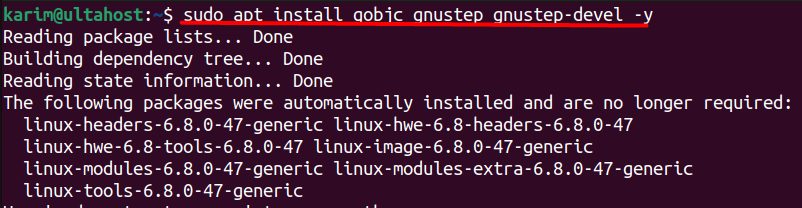
gobjcis the Objective-C front end of GCC.gnustepandgnustep-develgive you the Foundation library and tools.
Create a test program
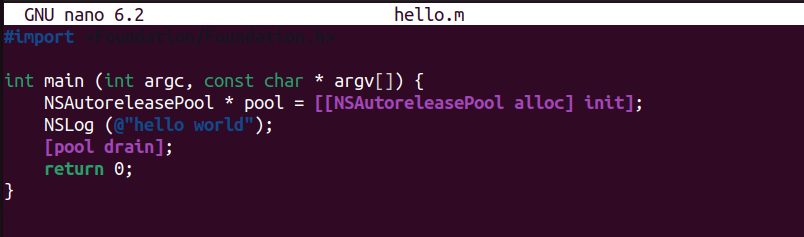
Create a file hello.m:
#import <Foundation/Foundation.h>

int main (int argc, const char * argv[]) {
    NSAutoreleasePool * pool = [[NSAutoreleasePool alloc] init];
    NSLog (@"hello world");
    [pool drain];
    return 0;
}
Load the GNUstep settings
. /usr/share/GNUstep/Makefiles/GNUstep.sh
Compile
gcc hello.m -o hello `gnustep-config --objc-flags` -lgnustep-base -lobjc
The part in backticks adds the compiler flags of GNUstep. -lgnustep-base and -lobjc link the libraries.
Run
./hello
You see a line with a time stamp and "hello world".
Features of Objective-C
- Object-oriented programming on top of C.
- Dynamic typing and binding.
- Compatible with C. You can mix C code in.
- A messaging system. Objects talk by sending messages.
- Automatic reference counting (ARC) in modern compilers.
- Frameworks. Foundation and others.
- A dynamic runtime.
- Protocols (like interfaces).
Quick recap
sudo apt-get install gobjc gnustep gnustep-devel.- Source
GNUstep.shand compile with thegnustep-configflags. - Run
./hello.