

What is Plesk?
Plesk is a control panel. That means it is a dashboard in your browser. It lets you run your website with buttons and menus. You do not need to type difficult commands. It works like the settings app on a phone.
Ask Hostvento support if Plesk is part of your plan.
Log in
- Find your Plesk address, username and password in your welcome email.
- Open the address in your browser. It often ends with
:8443. - Type your username and password.

- Click Log in.
A tour of the main menu
The menu is on the left side of the screen.
- Websites & Domains shows each site you host. It is the busiest area.
- Mail lets you make email addresses for your domain.
- Files or File Manager lets you see and upload website files.
- Databases lets you create a database. A database is where apps like WordPress store their data.
- Applications may list one-click apps you can install.
- Tools & Settings holds server settings. Hosting plans may hide it.
Common first tasks
Upload your website files
- Click Websites & Domains.
- Click File Manager under your domain.
- Open the
httpdocsfolder. This is your public website folder. - Click Upload Files and choose your files.
Create an email address
- Click Mail.
- Click Create Email Address.
- Type the name and a strong password.
- Click OK.
Make a database
- Click Websites & Domains, then Databases.
- Click Add Database.
- Type a name, then add a user and password.
- Click OK.
Staying safe
- Use a strong password. Do not share it.
- Take backups before big changes.
- Do not delete files you do not know.
Tip: Menu names may change a little between Plesk versions. If you cannot find something, look in nearby menus. You can also open a support ticket.
Quick recap
- Plesk is a dashboard for your website.
- Log in with the details from your welcome email.
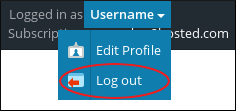
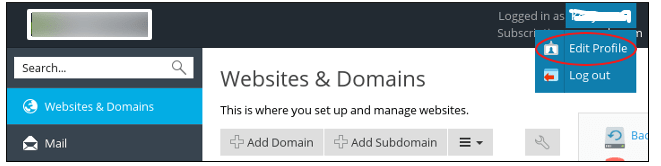
- Use Websites & Domains for files, databases and settings.
- Always back up before big changes.