

What is a third-party application?
A third-party application is a program made by another company, not by Plesk itself. In Plesk these programs are mostly called extensions. An extension is like an app on a phone. It adds a new skill to your panel, such as backups, security checks or site builders.
Plesk is a control panel, a web page where you manage your hosting.
Before you start
- Installing extensions often needs admin rights. If you are on shared hosting, you may not see this option. Ask Hostvento support whether you can install it.
- Use only extensions from trusted makers.
- Take a backup of your site first, in case something goes wrong.
Steps
- Log in to Plesk.
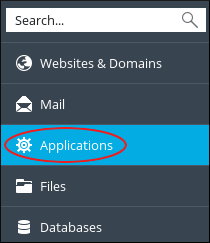
- Click Extensions in the left menu.
- Click Extensions Catalog. This is a store of extensions.
- Use the search box to find the one you want.
- Click Install next to it. Some extensions say Try or Buy. Paid ones have their own costs from their makers.
- Wait for the message that says it was installed.
- Open it from the My Extensions tab.
Add your own file
Some programs come as a downloaded file ending in .zip. To add one:
- Go to Extensions.
- Click My Extensions.
- Click Upload Extension.
- Choose the file from your computer.
- Click OK.
Tip: Remove tools you do not use. Fewer add-ons means a safer and faster panel.
If you cannot find the Extensions menu, open a support ticket.
Quick recap
- Third-party apps in Plesk are called extensions.
- Open Extensions and then Extensions Catalog.
- Click Install on the one you want.
- You can also use Upload Extension for a
.zipfile. - Back up first, and ask support if the menu is missing.