

What is a blacklist?
A blacklist is a "do not allow" list. If a domain is on it, your mail server refuses email from that domain. It is like telling the post office to return all letters from one sender. This helps fight spam, which is unwanted junk email.
This is done on the server level and is for a Plesk server where you have the right to change mail settings. On shared hosting, some options may be hidden. Ask Hostvento support if you cannot see them.
Option 1: Blacklist in Plesk Mail settings
- Log in to Plesk.
- Go to Tools & Settings.
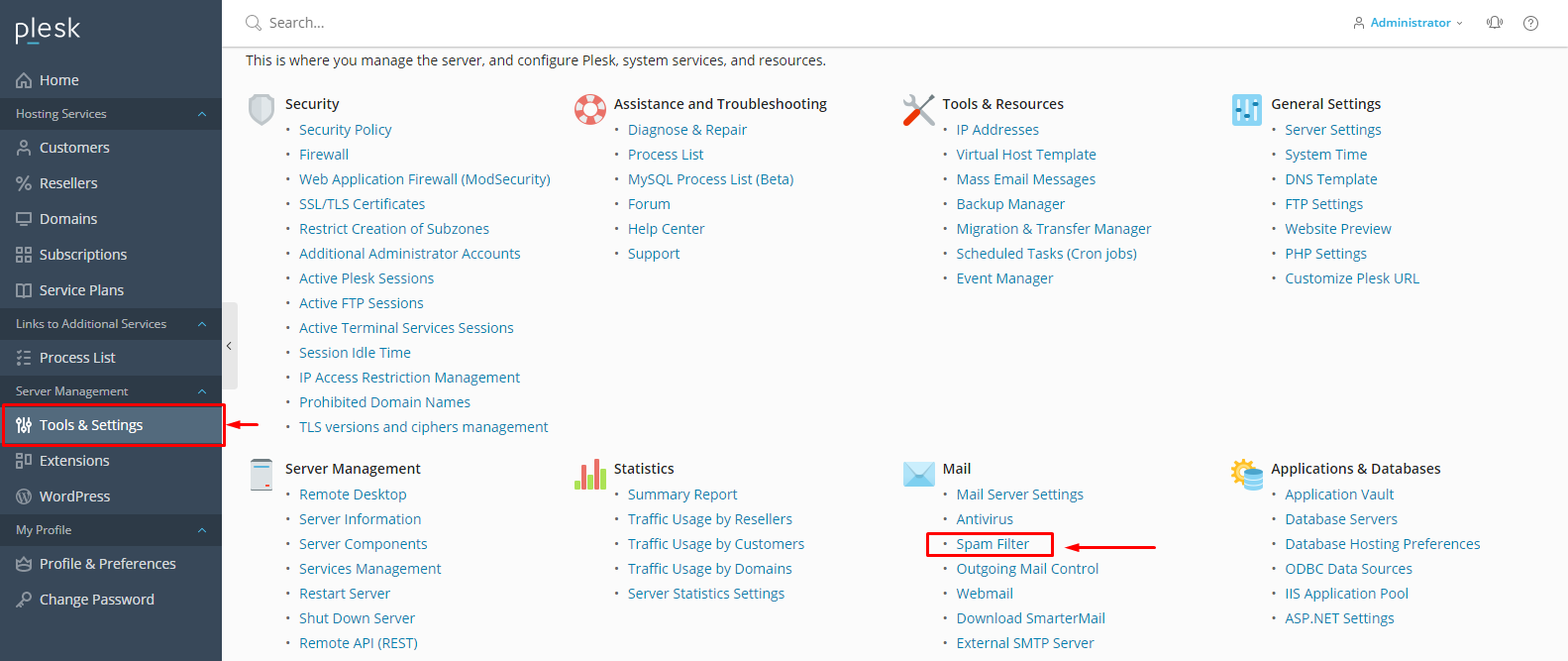
- Under Mail, click Mail Server Settings.
- Find the Spam Protection or DNS blackhole lists area.
- Look for Black List or the spam filter section. Plesk uses SpamAssassin, a free spam filter, on many servers. Open its settings.
- Find the Black list box. It may be under Spam Filter.
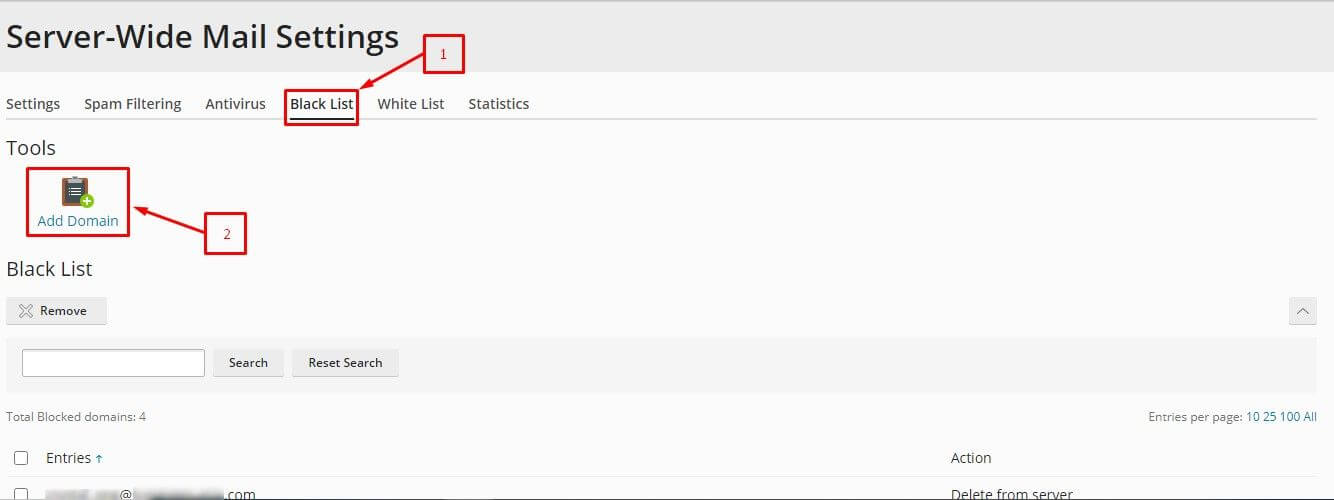
- Type the domain pattern, like
*@baddomain.com. The star means any name before the at sign. - Click Add and then OK.
Option 2: Blacklist for one mailbox
- Go to Mail in Plesk.
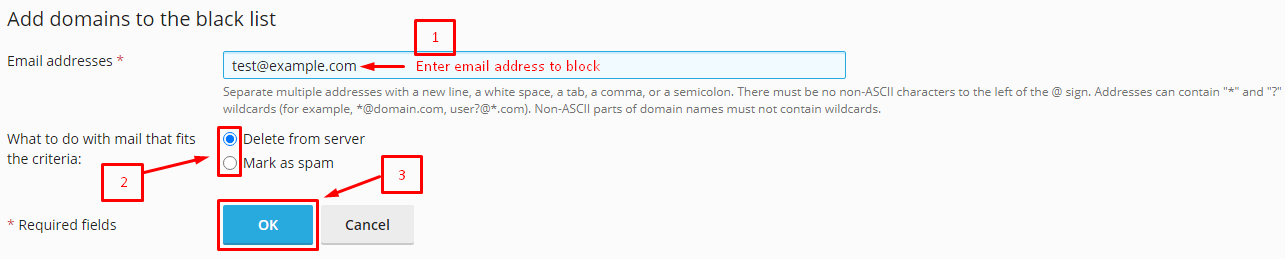
- Click the email address you want to protect.
- Open the Spam Filter tab.
- Find the Blacklist area.
- Add the domain, such as
*@baddomain.com. - Click OK.
Warning: Make sure the domain is right before you add it. Blocking the wrong domain means you will miss real email.
Test it
Ask a friend to send a test message from another account on that domain. It should not arrive in your inbox.
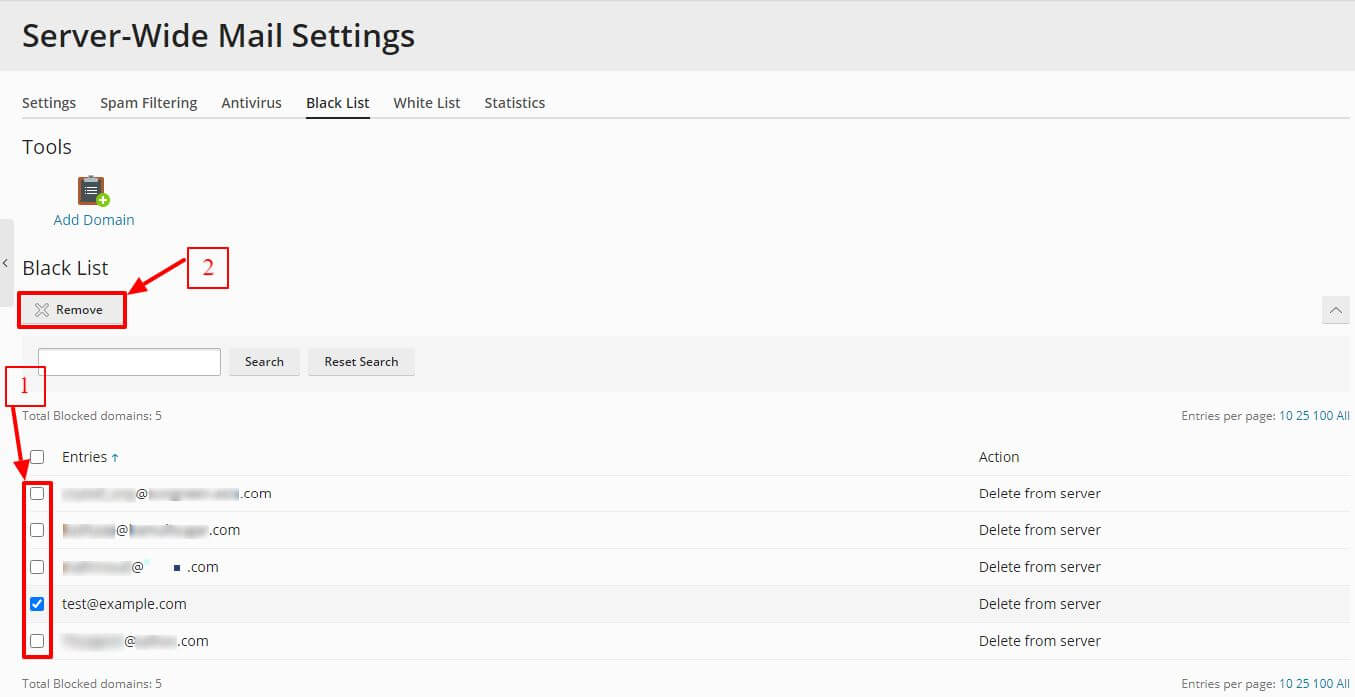
Tip: If a blocked sender is a friend, remove the entry from the blacklist list and click OK. Menu names may be a little different between Plesk versions.
Need help? Open a support ticket.
Quick recap
- A blacklist blocks email from chosen senders.
- Use the spam filter settings in Plesk to add a domain.
- Use a pattern like
*@baddomain.com. - Double-check the domain, then test it.