

What is IonCube Loader?
Some PHP software is sold in a scrambled form so nobody can copy its code. That scrambled code is called encoded. IonCube Loader is a tool that lets PHP read this encoded code. Without it, the site shows an error like "site error: the file requires the ionCube PHP Loader".
Many paid scripts and themes need it. Ask Hostvento support if IonCube is installed on your server.
Before you start
- Know which PHP version your site uses.
- IonCube must support that PHP version.
Steps in Plesk
- Log in to Plesk.
- Click Websites & Domains.
- Click PHP Settings under your domain.
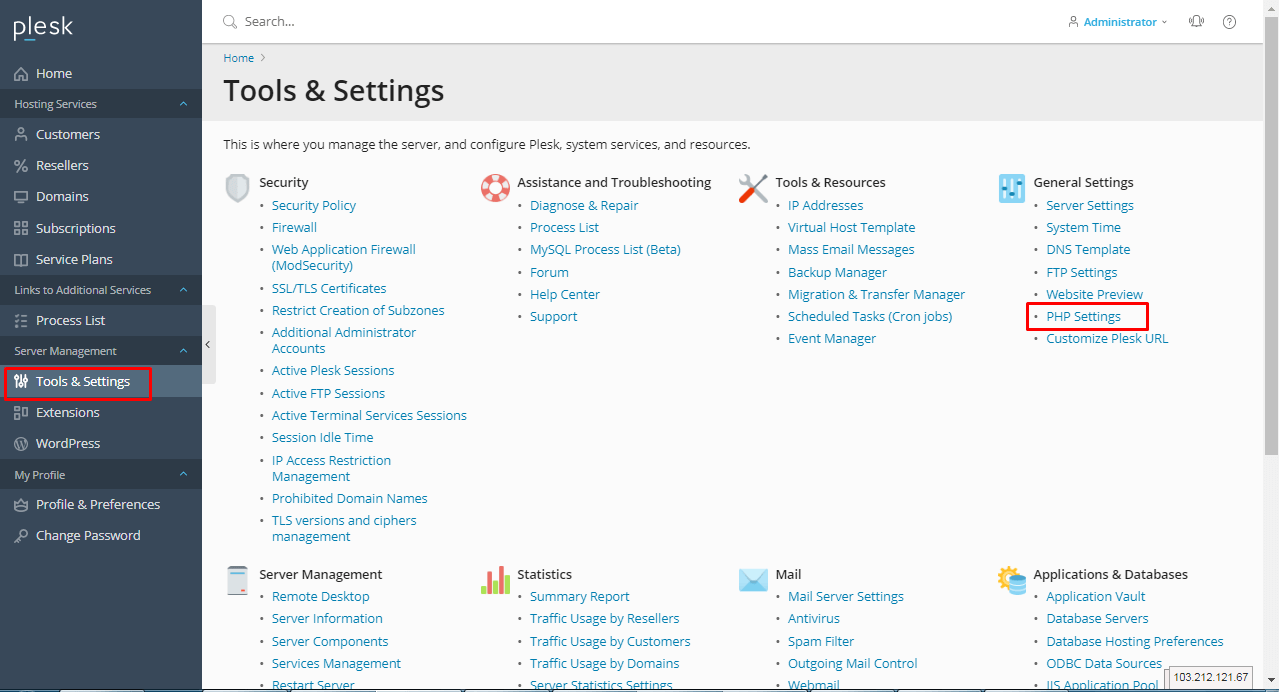
- Check the PHP version in use.
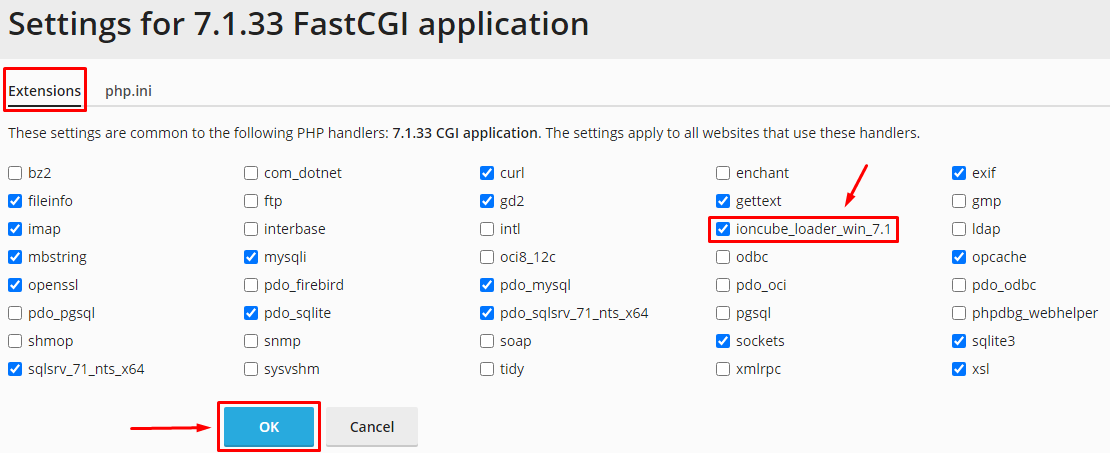
- Look for the extension list. Find
ioncube_loaderor a similar name. - Tick the box.
- Click Apply or OK.
Reload the page that showed the error. It should work now.
If you do not see IonCube
The loader may not be installed for that PHP version. Try these steps.
- Switch to another PHP version in the PHP version menu. Click OK.
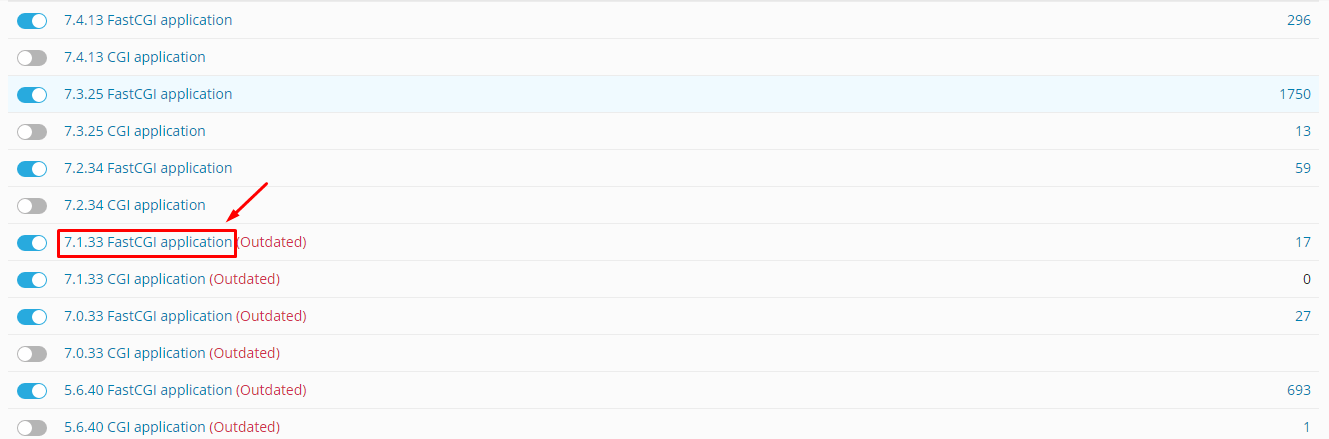
- Check the list again.
- If your script needs a certain PHP version, ask Hostvento support to install the loader.
For VPS and dedicated server owners
You have root access, so you can install it. This part needs root access. Plesk may offer a way to add it from Tools & Settings and then Updates or PHP Settings. You can also install the official loader file from the IonCube website. Follow the steps given there for your PHP version. Take a backup first.
Check that it is on
- Create a file named
info.phpin your site folder with this line.
<?php phpinfo(); ?>This line shows a page with all your PHP settings.
- Open it in your browser and look for the word ionCube.
- Delete the
info.phpfile after you check. It shows private details.
Need help? Open a support ticket.
Quick recap
- IonCube Loader lets PHP run encoded scripts.
- Turn it on in Websites & Domains > PHP Settings.
- Switch PHP version if it is missing.
- Delete
info.phpafter checking.