

What is an SSL certificate?
An SSL certificate is like a sealed envelope for your website. It hides the data that travels between your visitor and your site. Browsers show a padlock when a site has one.
Let's Encrypt is a service that gives out SSL certificates for free. Each certificate lasts about 90 days. Plesk can renew it for you.
Before you start
- Your domain name must point to your hosting. If it does not, the check will fail.
- Ask Hostvento support if Let's Encrypt is available on your plan.
Steps to get a certificate
- Log in to Plesk.
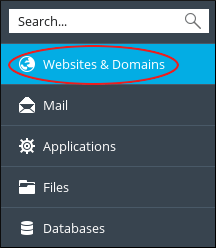
- Click Websites & Domains.
- Find your domain and click SSL/TLS Certificates.
- Click Install a free basic certificate provided by Let's Encrypt. In some versions the button is named Get it free.
- Type your email address. Let's Encrypt uses it for warnings.
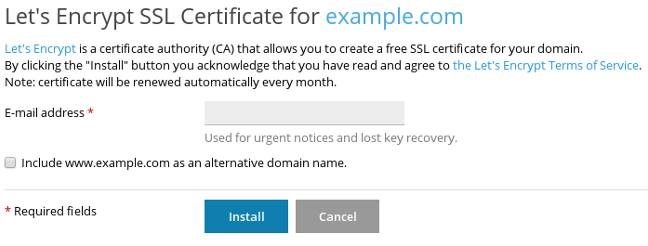

- Tick the boxes you need. Common ones secure the main domain and the
wwwversion, and also the webmail address. - Click Get it free or Install.
- Wait a moment. Plesk shows a green message when it is done.
Renewing the certificate
Plesk usually renews the certificate by itself before it ends. You do not need to do anything. To be sure, follow these steps.
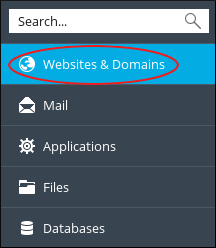
- Open Websites & Domains and click SSL/TLS Certificates for your domain.
- Look at the certificate list and check the expiry date.
- To renew by hand, open the Let's Encrypt certificate and click Reissue Certificate, if you see that button.
If it fails
- Check that your domain points to this hosting.
- Check that no redirect blocks the folder
.well-known. Let's Encrypt uses it to prove you own the domain. - Try again after a few minutes.
Tip: After the certificate is installed, turn on the redirect from http to https in Hosting Settings. Then all visitors get the padlock.
Need help? Open a support ticket.
Quick recap
- Let's Encrypt gives free SSL certificates.
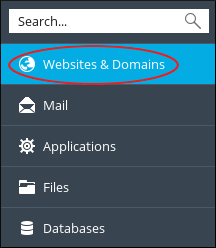
- Get one under Websites & Domains, then SSL/TLS Certificates.
- Plesk usually renews it by itself every 90 days or so.
- Your domain must point to your hosting first.