

What is a backup?
A backup is like a photo of your website at one moment. It holds your files, databases and email. If something breaks, you can go back to the photo. Make a backup before big changes, such as updates or new plugins.
Create a backup
- Log in to Plesk.
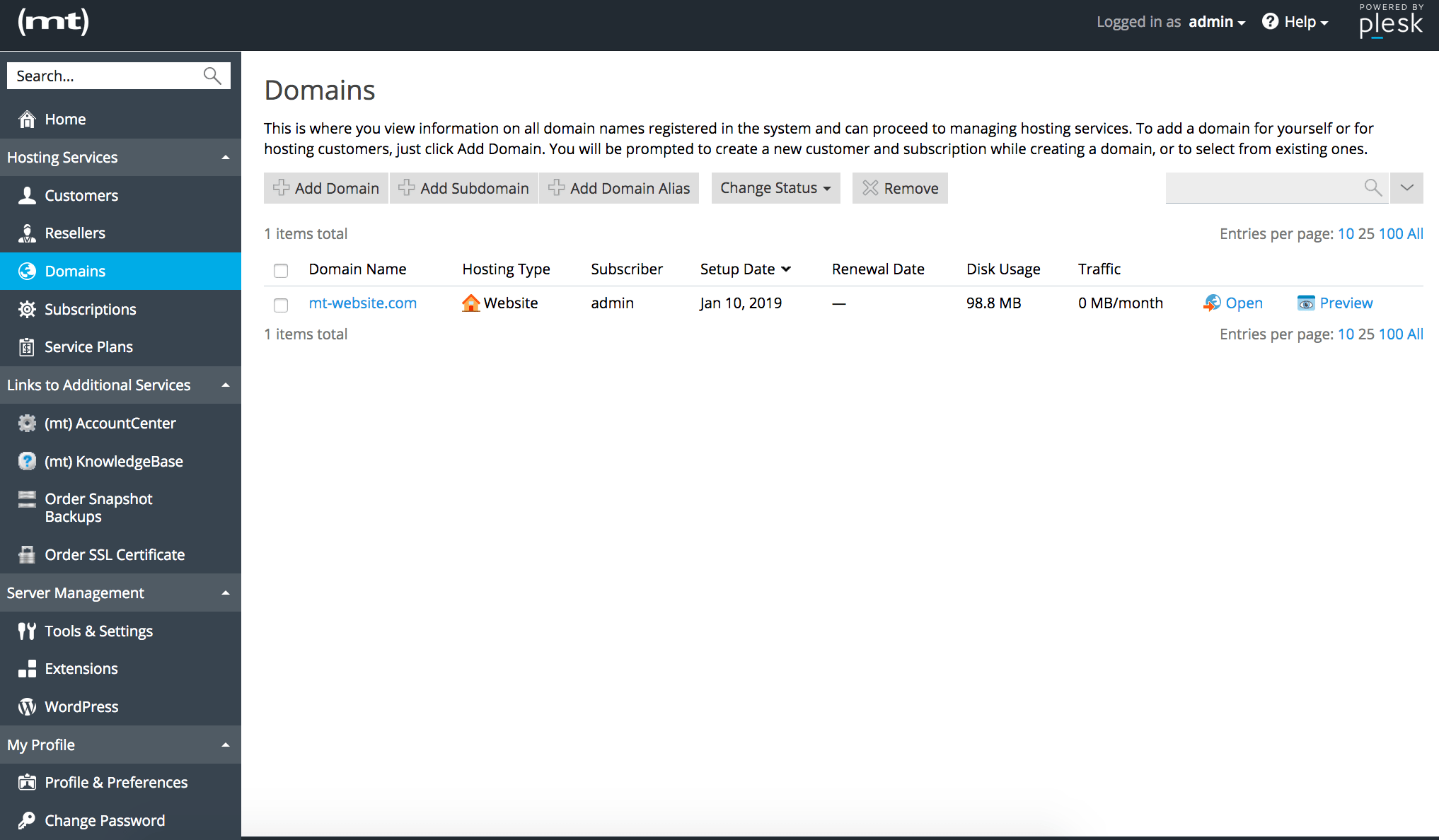
- Click Websites & Domains.
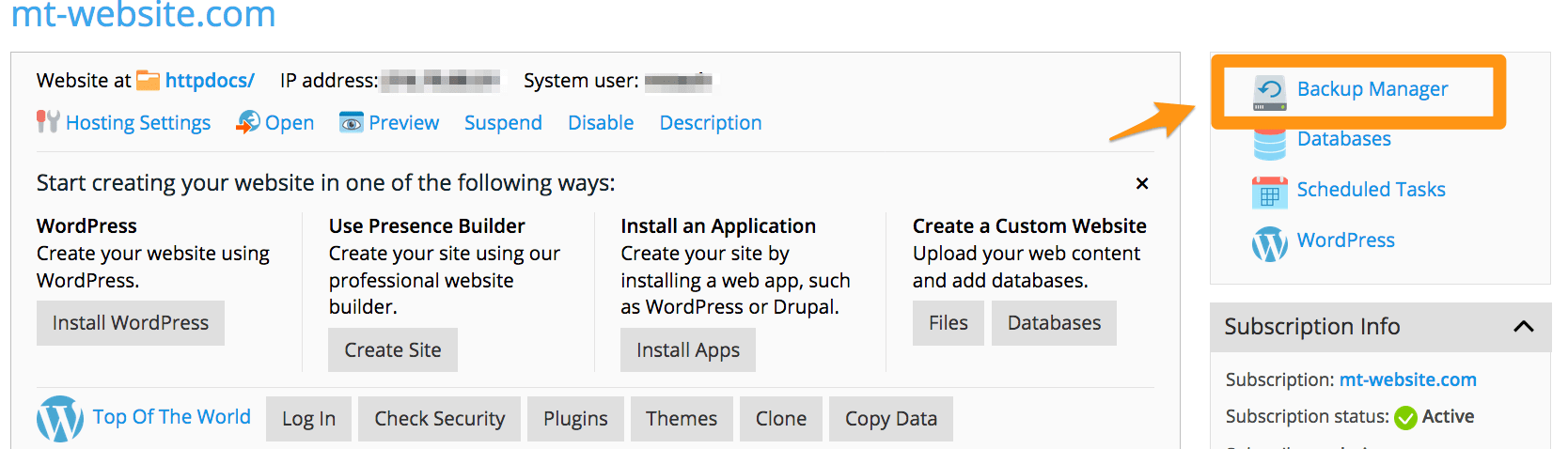
- Find your domain and click Backup & Restore. Some versions call it Backup Manager.
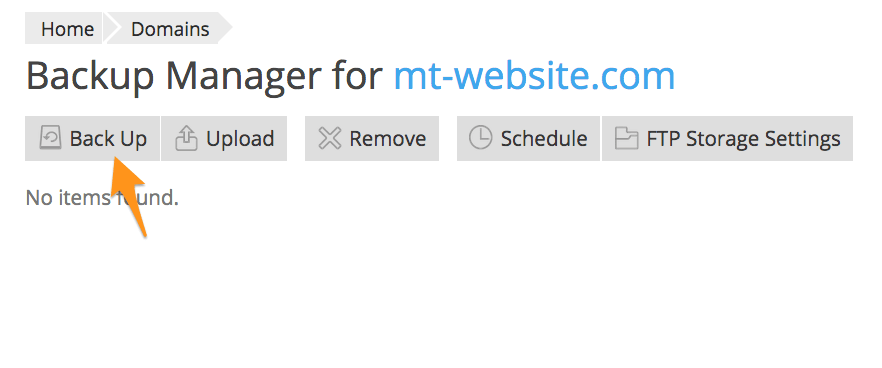
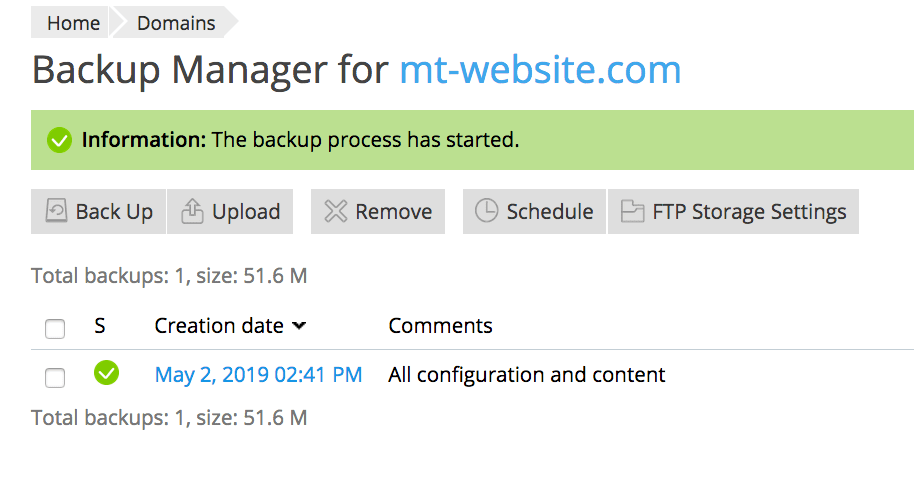
- Click Back Up.
- Choose Back up the entire subscription, or pick only some parts, like files and databases.
- Type a name or note, so you remember what this backup is.
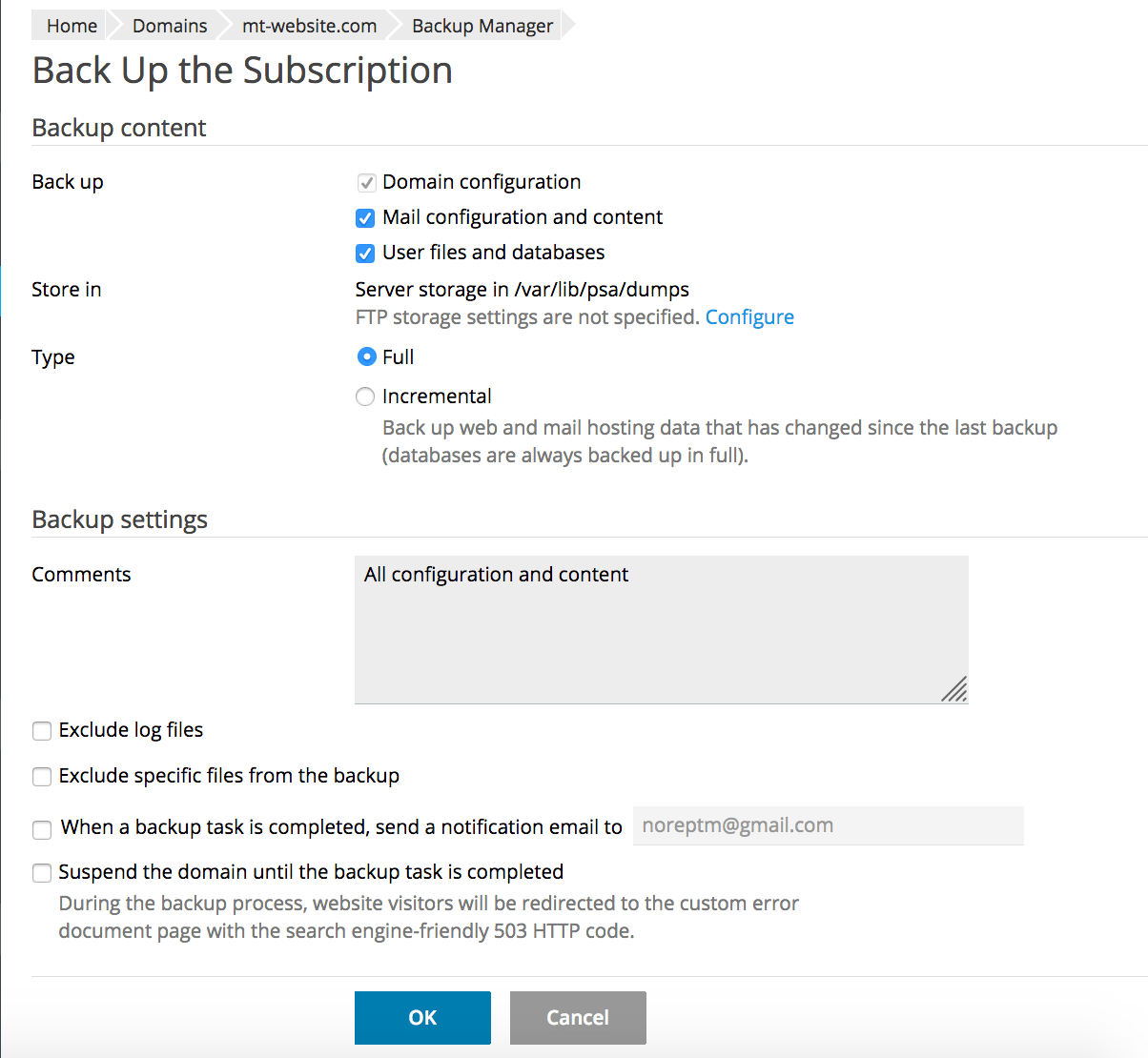
- Choose where to keep it. The server storage is the usual choice.
- Click OK. Wait until the status says the backup is done.
Download the backup
A copy kept only on the same server is not fully safe. Download one to your own computer too.
- Open Backup & Restore.
- Find your backup in the list.
- Click the download icon next to it.
Restore a backup
Warning: restoring replaces your current files and data with the older copy. Anything new since that backup is lost. Make a fresh backup first if you want to keep the present state.
- Open Backup & Restore.
- Click the name of the backup you want.
- Click Restore.
- Choose what to restore: everything, or only some items such as files or one database.
- Click OK and wait for the finish message.
Backup that is not on the server
If you have a backup file on your computer, click Upload Backup File first. Then restore it as above.
Tip: Set a schedule with Scheduled Backup Settings. Plesk then makes backups for you, for example every week. Ask Hostvento support what storage space you can use for backups.
Need help? Open a support ticket.
Quick recap
- A backup is a safe copy of your site.
- Use Backup & Restore under your domain in Plesk.
- Download a copy to your own computer.
- Restoring overwrites current data, so back up first.