

What are disk space and bandwidth?
Disk space is the storage on the server. Your files, emails and databases all take some. It is like the shelves in your cupboard.
Bandwidth is the amount of data that moves in and out of your site. Each time a visitor opens a page, data travels from the server to them. It is like the water that flows through a pipe over a month. Bandwidth is also called traffic.
Your plan may set limits for both. Your welcome email or Hostvento support can tell you your limits.
Steps
- Log in to Plesk.
- Click Websites & Domains.
- Look at the box for your domain. Many Plesk versions show Disk space and Traffic numbers right there.
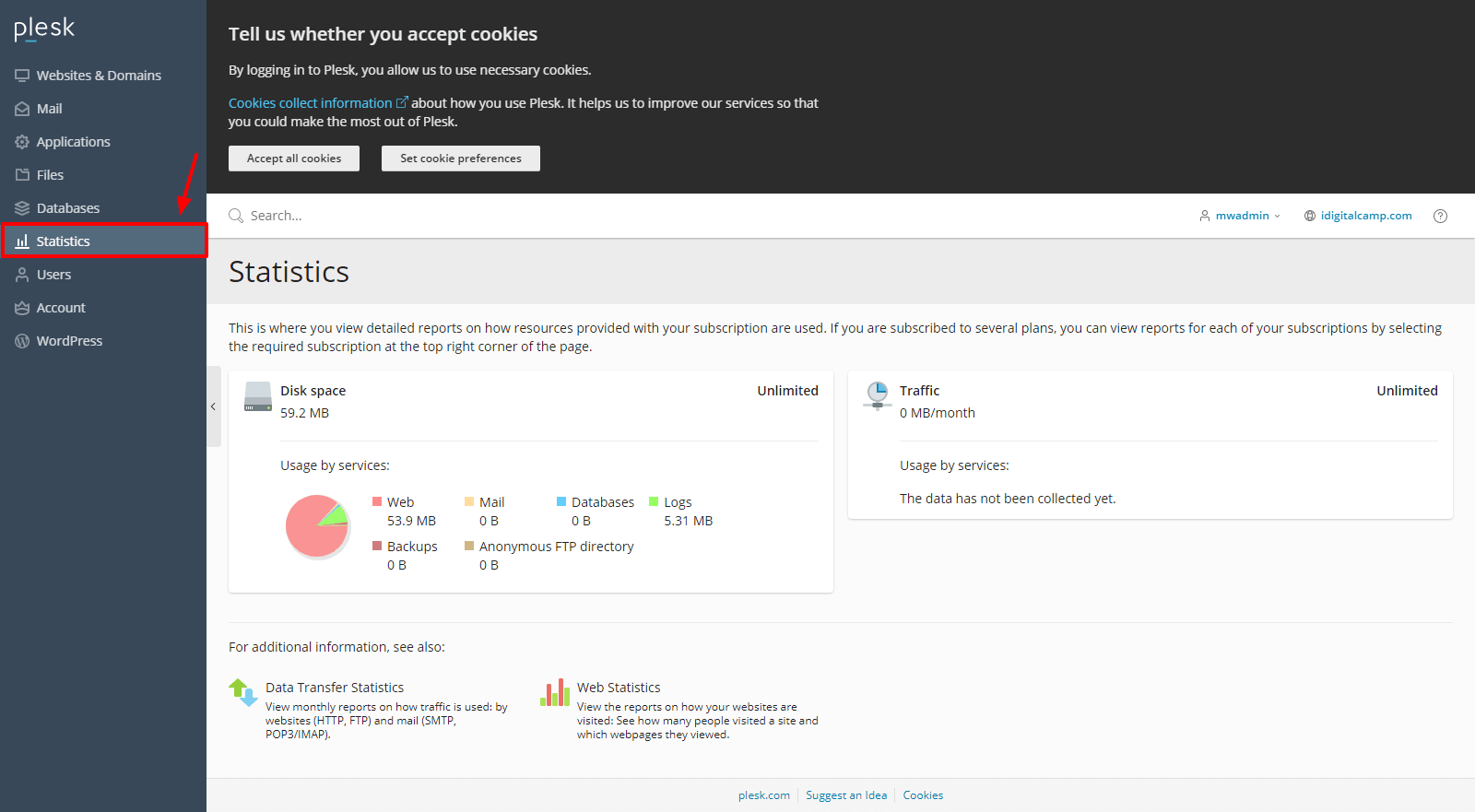
- For more detail, click Statistics in the left menu. Some versions show a Resource Usage or Statistics link under the domain.
- Read the numbers for disk space, monthly traffic and other items.
See what is using the space
- Click Websites & Domains, then your domain.
- Open File Manager.
- Look at the size of each folder. Large folders are often backups, logs or old images.
- Also check Mail for big mailboxes, and Databases for big databases.
Warning: do not delete files you do not know. Take a backup first.
If you are near the limit
- Delete old backups, old log files and files you no longer need.
- Clean out spam and trash in your email.
- Make big images smaller before you upload them.
- Ask Hostvento support about options if you still need more room.
Tip: Check these numbers once a month. A sudden jump in traffic can mean a very popular page, or sometimes bots that visit too often.
Need help reading the numbers? Open a support ticket.
Quick recap
- Disk space is storage. Bandwidth is the data your site sends out.
- Find both on Websites & Domains or in Statistics.
- Use File Manager to find large folders.
- Back up before you delete anything.