

What is an MX record?
DNS is like a phone book for the internet. It turns names into numbers and other facts that computers use. An MX record is a DNS entry that says which mail server receives email for your domain. MX stands for Mail Exchanger.
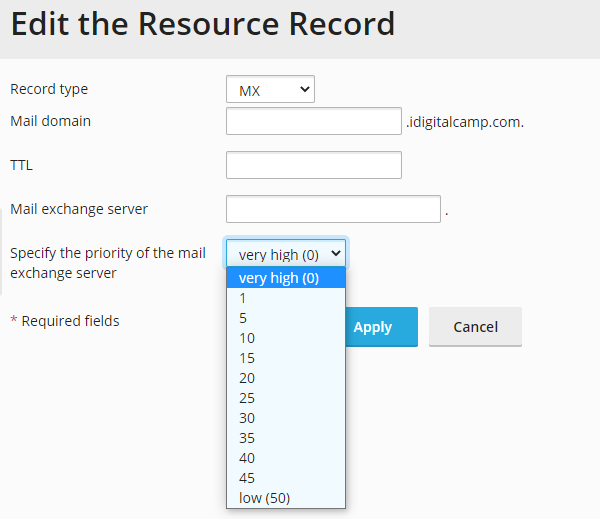
A domain can have more than one MX record. Each has a priority, which is a number. The mail server with the lowest number is tried first. If it is down, the next lowest is tried. Think of it as a list of backup postmen.
| Priority | Meaning |
|---|---|
| 10 | Main mail server, tried first |
| 20 | Backup, used if the first one fails |
Warning: a wrong MX record can stop your email from arriving. Write down the old values before you change anything.
Steps
- Log in to Plesk.
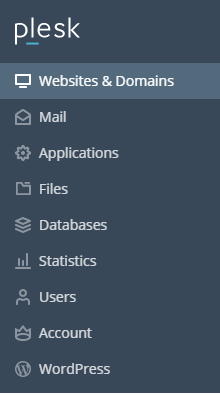
- Click Websites & Domains.
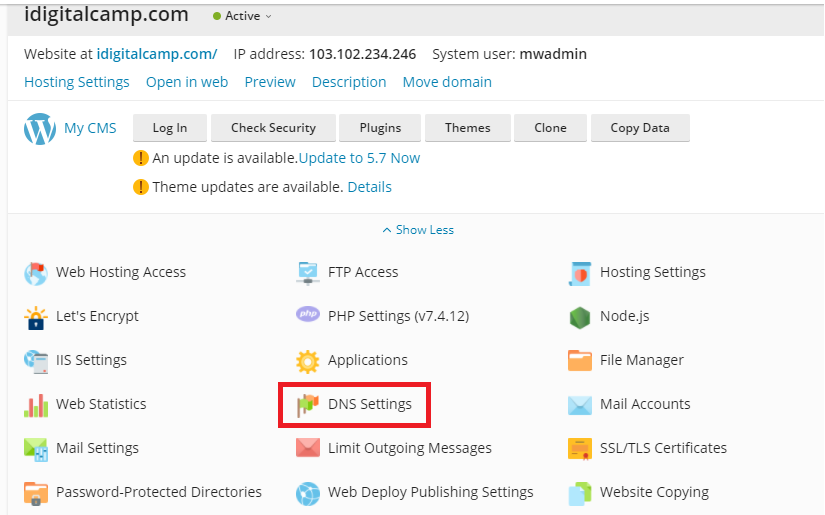
- Find your domain and click DNS Settings.
- Look for rows of type MX in the list.
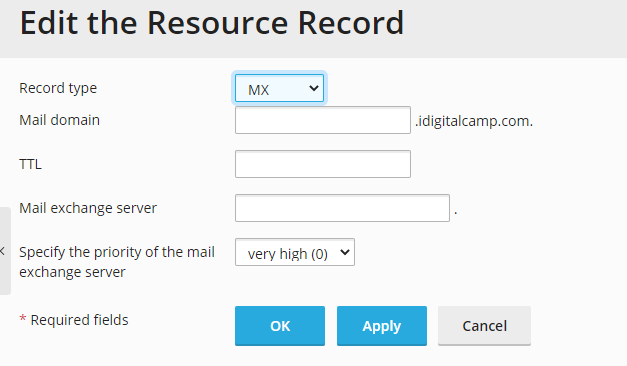
- Click the MX record you want to change.
- In the Mail server priority box, type the new number.
- Click OK.
- Click Update, if a button appears at the top, to save the changes to DNS.
The mail server name stays the same. Only the order changes.
Add a backup MX record
- In DNS Settings, click Add Record.
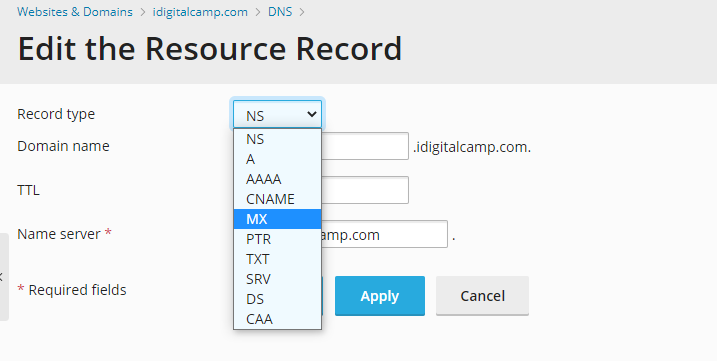
- Choose the type MX.
- Type the mail server name in the mail server box.
- Type a priority number that is higher than your main one.
- Click OK.
Wait and test
DNS changes can take from a few minutes up to a day to spread. After that, send a test email to your domain from another account. Check that it arrives.
Your mail server details come from your email provider. If you use Hostvento mail, check the welcome email or ask support.
Need help? Open a support ticket.
Quick recap
- MX records say where email for your domain goes.
- The lowest priority number is tried first.
- Edit it in DNS Settings and save.
- Write down old values, and test after the change.