

What are MX records?
DNS is like a phone book for the internet. An MX record is a DNS entry that tells the world which mail server takes email for your domain. By default, it points to your hosting. To use Google Workspace (once called G Suite), you point it to Google instead.
Warning: after the change, email goes to Google. Old mailboxes on your hosting stop receiving new mail. Copy any important old email first, and write down your old records.
Before you start
- Have a Google Workspace account for your domain.
- Your domain's DNS must be managed in Plesk. If your nameservers point elsewhere, edit the records there.
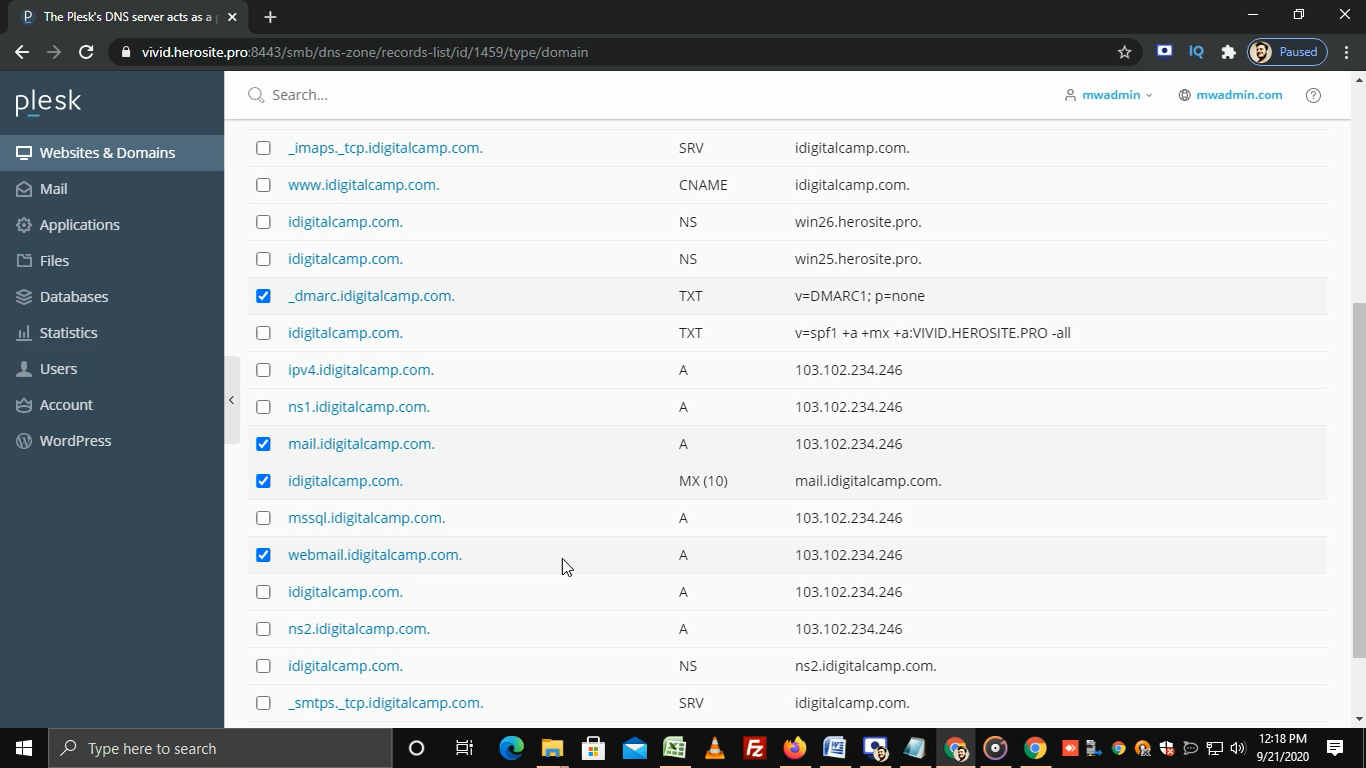
Step 1: Remove the old MX records
- Log in to Plesk.
- Click Websites & Domains.
- Find your domain and click DNS Settings.
- Tick each existing record of type MX.
- Click Remove and confirm.
Step 2: Add Google's records
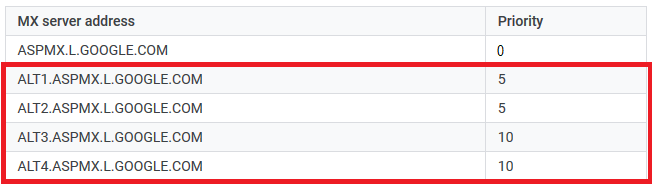
Click Add Record for each line in this table. Choose the type MX. Leave the domain name box empty, or use your domain. Type the mail server and the priority. The lowest priority is tried first.
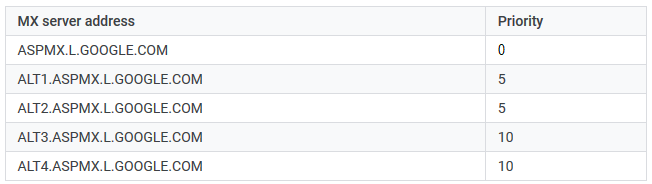
| Priority | Mail server |
|---|---|
| 1 | ASPMX.L.GOOGLE.COM |
| 5 | ALT1.ASPMX.L.GOOGLE.COM |
| 5 | ALT2.ASPMX.L.GOOGLE.COM |
| 10 | ALT3.ASPMX.L.GOOGLE.COM |
| 10 | ALT4.ASPMX.L.GOOGLE.COM |
Google may show newer values in its own setup page. If they differ, use Google's values.
- Click Update at the top of the DNS page to save.
Step 3: Turn off the Plesk mail service for the domain
- Open Mail for the domain.
- Click Mail Settings.
- Untick Activate mail service on this domain.
- Click OK.
This makes the server send mail to Google, not to itself. Some setups can skip this step, but doing it avoids mix-ups.
Test
Wait up to a day for DNS to spread. Then send a test email to a Google address on your domain, and check it arrives.
Need help? Open a support ticket.
Quick recap
- MX records choose who receives your email.
- Remove old MX records, then add the Google ones.
- Turn off the Plesk mail service for that domain.
- Wait for DNS to spread, then test.