

What is a scheduled task?
A scheduled task is like an alarm clock that does a job for you. Every night at 2 a.m. it may clean old files, or send a report, or run a PHP script. On Linux servers, it is also called a cron job. Cron is the Linux tool that runs jobs on a timer.
Scheduled tasks may be limited on some plans. Ask Hostvento support if you do not see the feature.
Steps
- Log in to Plesk.
- Click Websites & Domains.
- Find your domain and click Scheduled Tasks. On some versions, it is under Tools & Settings.
- Click Add Task.
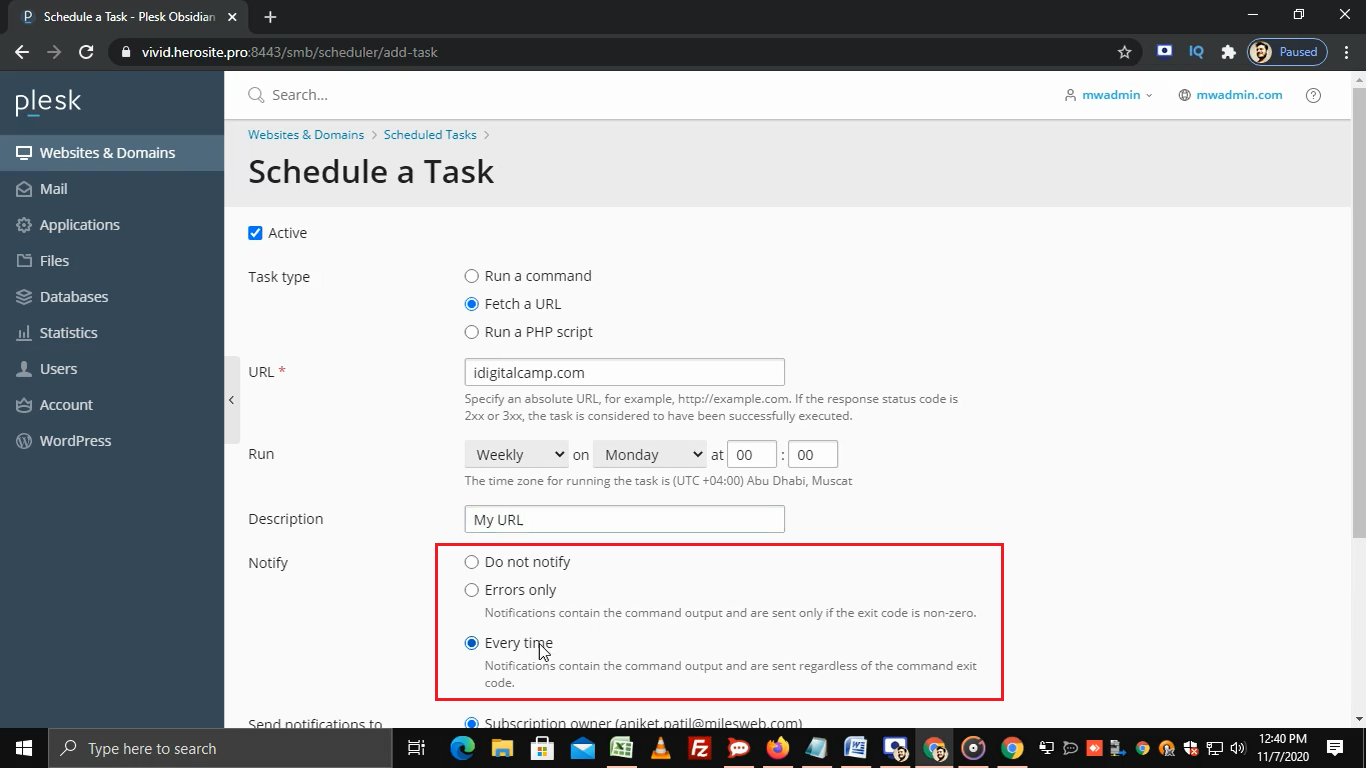
- Choose the task type:
- Run a command: for shell commands.
- Run a PHP script: for a PHP file in your site.
- Fetch a URL: opens a web address, like a visitor would.
- Type the command, script path or URL.
- Pick when it runs. Use the simple choices such as Daily or Hourly, or fill the time boxes for minute, hour, day and month.
- Add an email address in the notify box if you want a message after each run.
- Click OK.
Example
To run a PHP file every day at 3:30 a.m., you could use these time values:
30 3 * * *The five fields mean minute, hour, day of month, month, and day of week. A star means "every". So this runs at minute 30 of hour 3, every day.
Test the task
- In the task list, click Run Now next to your task.
- Check that it did its job, or read the email report.
Warning: a wrong command can delete files. Test with a small job first. Take a backup before you schedule anything that deletes or changes data.
Edit or remove a task
Click the task name to change it. To remove it, tick the box and click Remove.
Need help? Open a support ticket.
Quick recap
- A scheduled task, or cron job, runs a job on a timer.
- Add it under Scheduled Tasks.
- Choose the type, the command and the time.
- Test with Run Now, and back up first.