

What is Silverlight?
Silverlight was a plug-in from Microsoft. It played video and ran small web apps inside a browser. It is old now and most browsers no longer support it. Some older sites still use it, so this guide is for them.
Plesk is a control panel, a web page where you manage your hosting. Silverlight files end in .xap. A server must know how to send these files. That is called a MIME type, which is a label that tells the browser what kind of file it receives.
Tip: Silverlight is old software. Newer tools such as HTML5 video work in a similar way and are the better choice for new sites.
Steps
- Log in to Plesk. Your site must be on Windows hosting.
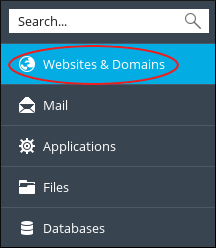
- Click Websites & Domains.
- Find your domain and click IIS Settings. IIS is the Windows web server program.

- Look for the MIME types section. On some versions it is under Additional settings. Click Add MIME type or Add.

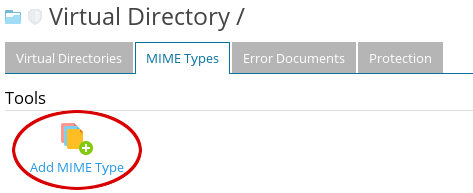
- In the extension box type
.xap. - In the type box type
application/x-silverlight-app. - Click OK.
- If your site uses Silverlight video, repeat for
.xamlwith the typeapplication/xaml+xml.
If you do not see these options, you can instead add the setting in your site's web.config file. Back up the file first. Add this inside the system.webServer section:
<staticContent>
  <mimeMap fileExtension=".xap" mimeType="application/x-silverlight-app" />
</staticContent>
This tells the server how to label .xap files.
Test it
- Open the page that holds your Silverlight content.
- If the browser asks, allow the plug-in.
- Clear your browser cache if you see the old error.
Still stuck? Open a support ticket.
Quick recap
- Silverlight is an old plug-in for web apps and video.
- The server needs a MIME type for
.xapfiles.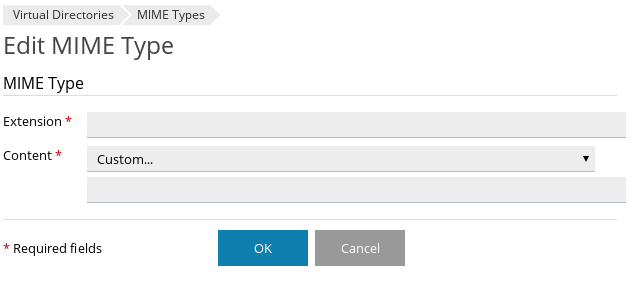
- Add it in IIS Settings or in
web.config. - Back up before editing files.
- Modern browsers may not run Silverlight at all.