

What is the statistics page?
The statistics page shows how many people visited your website. It is made by a tool such as Webalizer or AWStats. These tools read your server's log files. A log file is a diary the server keeps about every visit.
By default, Plesk locks this page with a password. You may want to remove it, for example if you share the page with a team. Note that anyone with the link can then see your visit numbers.
Plesk is a control panel, a web page where you manage your hosting.
Steps
- Log in to Plesk.
- Click Websites & Domains.
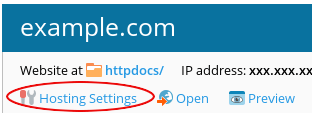
- Find your domain and click Hosting Settings.
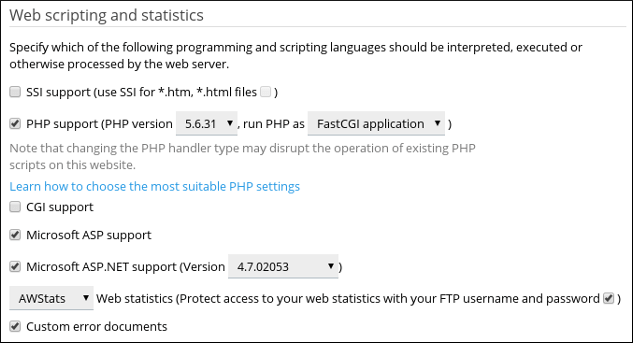
- Look for the option that says Password-protect the web statistics. On some versions it is called Web statistics and sits in the Logging and statistics area.
- Untick the box that turns on password protection. You may see a choice such as "Accessible via password-protected directory /plesk-stat". Change it to the open option.
- Click OK.
Check the change
- Open your statistics address in a private browser window. It often looks like
yourdomain.com/plesk-stat/webstat/. - The page should open without asking for a name and password.
Tip: Warning: statistics can show visitor details and paths on your site. Only remove the password if you are happy for anyone with the link to see it. You can switch protection on again at any time.
If you cannot find the setting, your plan may handle statistics differently. Open a support ticket.
Quick recap
- The statistics page shows visitor numbers.
- Plesk locks it with a password by default.
- Open Hosting Settings and untick the protection option.
- Click OK and test in a private window.
- Anyone with the link can then view it.