

What is PHP?
PHP is a programming language that many websites use, including WordPress. Your hosting runs PHP code to build each page. PHP comes in versions, like editions of a book. Old versions get no safety fixes. New versions are faster and safer. Some old plugins only work on older versions.
Plesk is a control panel, a web page where you manage your hosting.
Change the PHP version
Take a backup of your site first. A new version can break old code.
- Log in to Plesk.
- Click Websites & Domains.
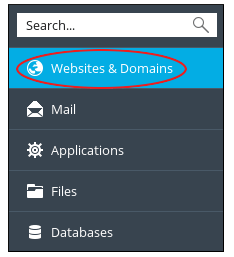
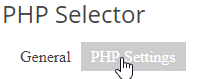
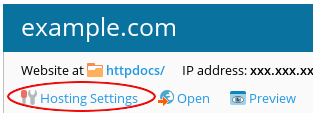
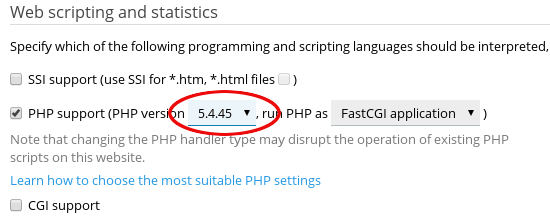
- Find your domain and click PHP Settings.
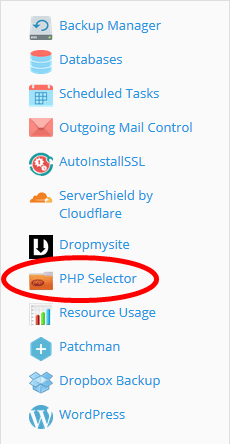
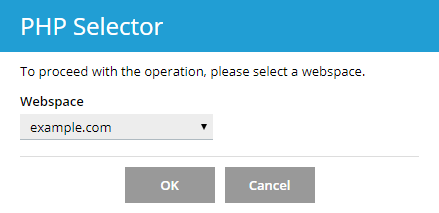
- Open the PHP version drop-down list.
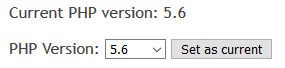
- Choose the version you want. The versions listed depend on your server. Ask Hostvento support if you need one that is not shown.
- Click OK.
- Open your website and check that it still works.
If the site shows an error, go back and select the older version again.
Change PHP settings
On the same PHP Settings page you can change common values.
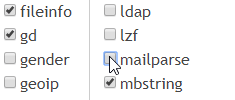

memory_limit: how much memory a script may use.max_execution_time: how many seconds a script may run.upload_max_filesize: the biggest file you can upload.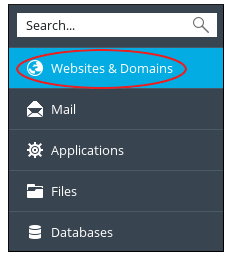
post_max_size: the biggest form data that can be sent. Keep it as large as the upload size or larger.
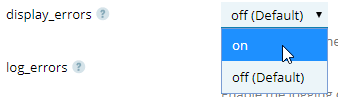
- Change the value in the box or pick from the list.
- Click OK to save.
Tip: Change one setting at a time. If something breaks, you will know which change caused it. Very large values can slow the server, so raise them only as much as you need.
Need help? Open a support ticket.
Quick recap
- PHP runs the code behind many websites.
- Use PHP Settings to switch versions.
- Back up first, then test your site.
- Adjust memory, time and upload limits on the same page.
- Change one thing at a time.