

What does deleting do?
An email account is a mailbox, like a box for letters at your front door. Plesk is a control panel, a web page where you manage your hosting. When you delete a mailbox, its emails can be removed too.
Warning: Deleting can erase every email in that mailbox. Save any emails you want to keep first. You can download them with an email program or forward them to another address.
Steps
- Log in to Plesk.
- Click Mail in the left menu. On some versions, open Websites & Domains and click Mail under your domain.
- You see a list of email addresses. Tick the box next to the one you want to remove.
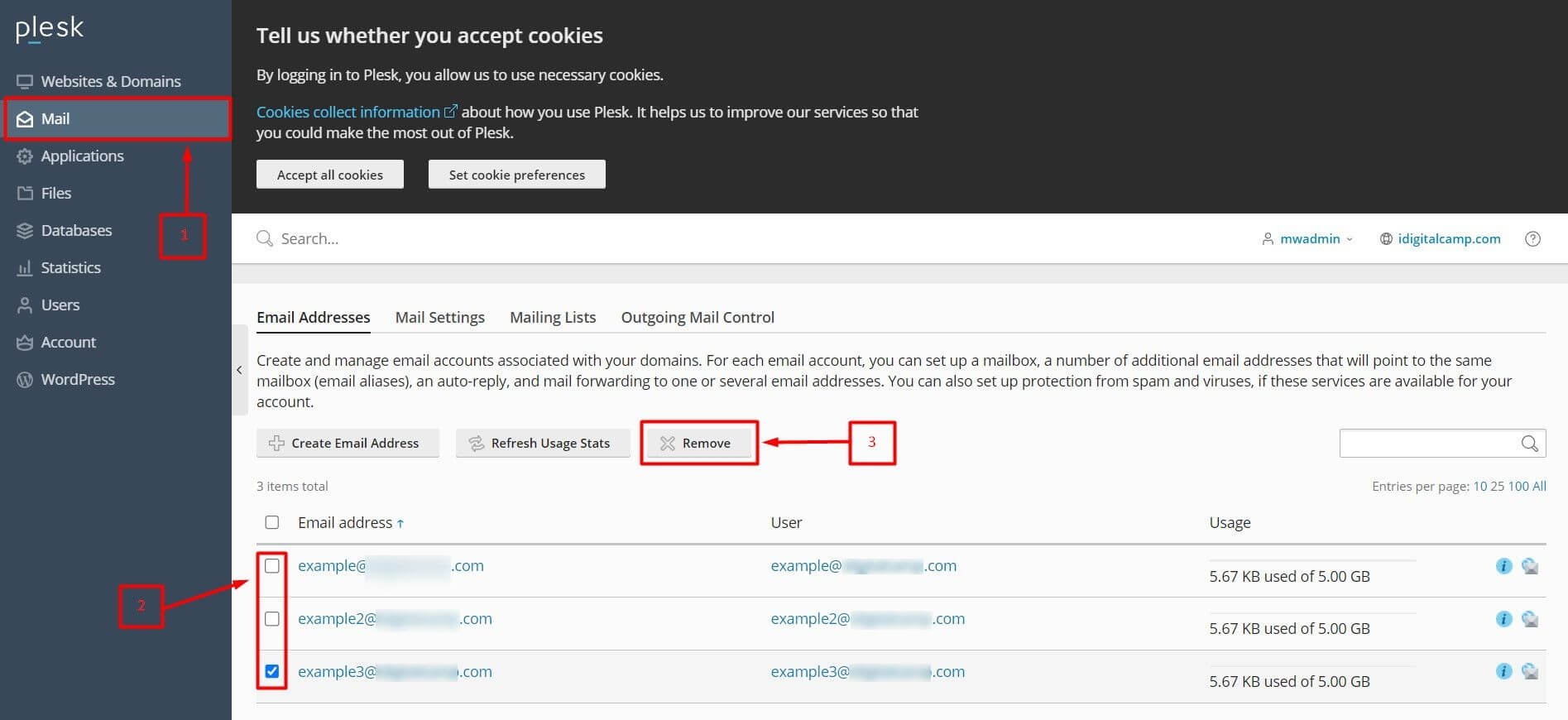
- Click Remove.
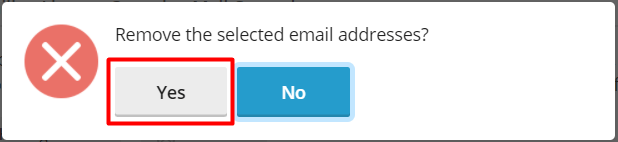
- Plesk asks if you are sure. Some versions show a box named Remove the mailbox content or similar. Tick it only if you want the old emails erased.
- Click Yes or OK to confirm.
- Check the list again. The address should be gone.
If you want to keep the emails
- Add the account to an email program such as Outlook or Thunderbird.
- Copy the emails into a folder on your computer.
- Then delete the account in Plesk.
Tip: Not sure you want to delete? You can change the password of the account, or set up forwarding, instead. Nothing gets erased that way.
After you delete
- People who send mail to that address will get a bounce message, which is an error note that the address does not exist.
- Update your website forms, so they no longer use the deleted address.
Quick recap
- Save any emails you want first.
- Go to Mail, tick the account and click Remove.
- Confirm the choice.
- Update forms or contact pages that used the address.