What is an IP address?
An IP address is a number that identifies your internet connection, like a house address. Plesk can allow logins only from addresses you trust. This keeps strangers out, even if they guess your password.
Warning: If you add the wrong address, you can lock yourself out. Find your own IP address first. You can search for "what is my IP" in a web browser. Also keep in mind that many home connections change their address from time to time.
Steps
- Log in to Plesk as the administrator.
- Click Tools & Settings.
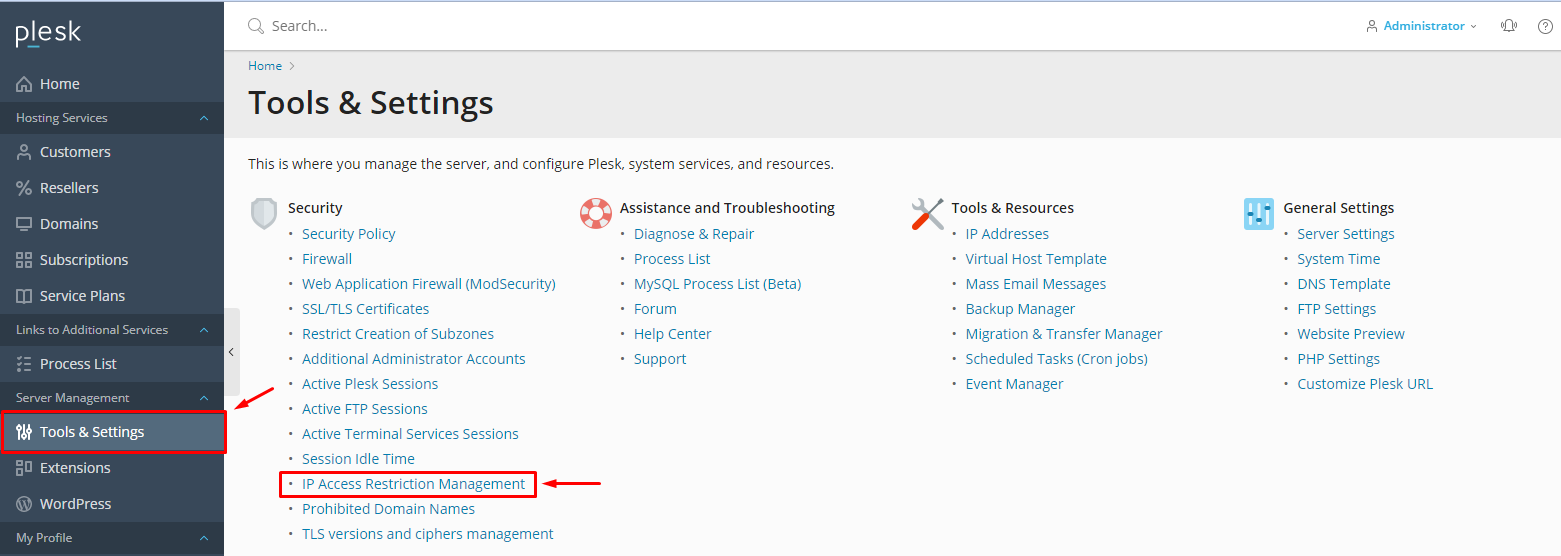
- Under Security, click Restrict Administrative Access. In some versions, it sits under Security Policy.
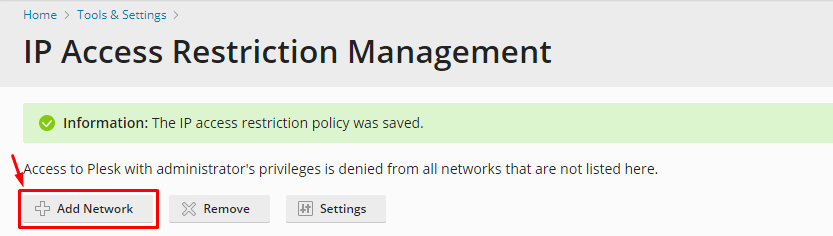
- Click Add Network.
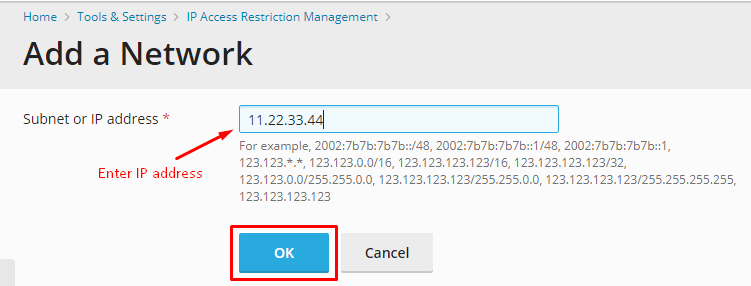
- In IP address / Subnet mask, type your IP address. A subnet mask lets you allow a whole range of addresses. For a single address, use
255.255.255.255or/32. - Click OK. Your address now shows in the list.
- Add any other trusted addresses the same way.
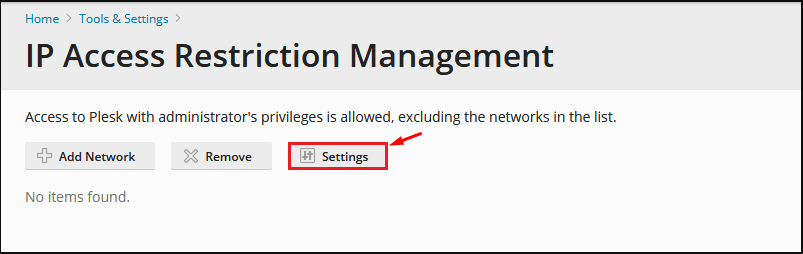
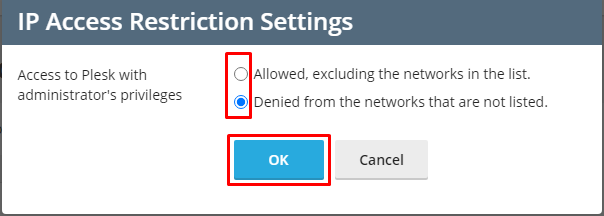
- Set the policy to Deny access from all networks except those in the list, or the similar option shown.
- Click OK to save.
- Open Plesk in a private browser window or another device to test that your own address still gets in.
Tip: Add two trusted addresses, such as your home and your office. That way you still have a way in if one changes.
If you are locked out
- Log in to your client area and check for a way to reach the server by SSH, or from a console.
- Or open a support ticket and ask for help.
Quick recap
- Plesk can allow only trusted IP addresses for admin login.
- Find your own IP first.
- Use Tools & Settings, then Restrict Administrative Access.
- Add a few trusted addresses and test.