

What is Git?
Git is a tool that keeps track of changes in your code. A repository, or repo, is the project folder Git watches. Sites like GitHub and GitLab store repos online. With Git, you can update your website by pulling the newest code, instead of uploading files by hand.
Not every Plesk server has the Git extension. If you do not see it, ask Hostvento support whether it is on your plan.
Steps
- Log in to Plesk.
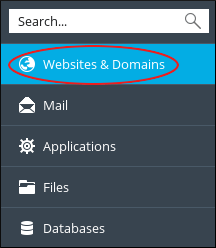
- Click Websites & Domains and find your domain.
- Click Git.
- Click Add Repository.

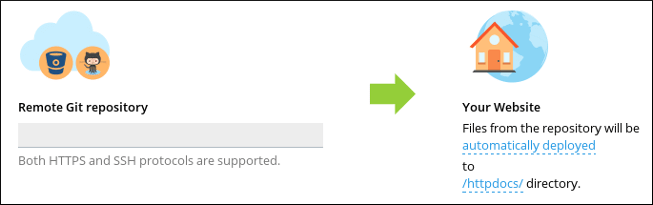

- Choose Remote Git hosting if your code lives on a site like GitHub.
- Paste the repository address into Repository URL. It looks like
git@github.com:name/project.gitorhttps://github.com/name/project.git. - Plesk shows a public SSH key for private repositories. An SSH key is a long text that works like a secret ID card. Copy it and add it to your GitHub or GitLab account under its deploy keys or SSH keys settings.
- Choose the Deployment mode. Automatic means Plesk updates the site when you push new code. Manual means you pull it yourself.
- Set the Server path, which is the folder where the code will go. For a normal site, this is
httpdocs. - Click OK. Plesk pulls the code.
- Open your website to check it.
Update the site later
- Go back to the Git page for your domain.
- Click Pull Updates beside the repository.
Warning: If the server path already holds files, they may clash with the code. Take a backup first. Use an empty folder where you can.
Tip: For automatic deploys, copy the webhook address Plesk shows. Add it to your GitHub repo's webhook settings. Then each push updates your site.
Quick recap
- Git tracks code. Plesk can pull it onto your site.
- Use Websites & Domains, then Git, then Add Repository.
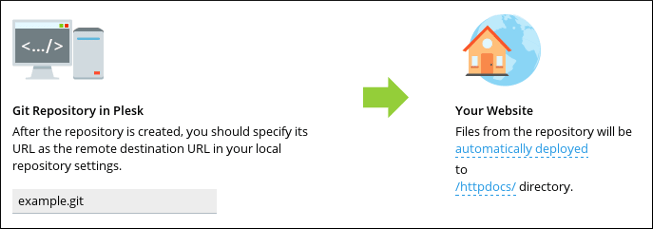
- Add Plesk's SSH key to your Git host for private repos.
- Use Pull Updates or a webhook to deploy changes.