

What is a package?
A package is a ready-made set of limits. It is like a meal deal: one choice sets the drink, the main and the side. A package says how much disk space, bandwidth, email and databases an account can use. Disk space is the room for files. Bandwidth is how much data visitors may download.
WHM is the control panel for resellers and server owners. A control panel is a web page where you manage hosting. You make packages once, and then pick them when you create accounts.
Steps
- Log in to WHM. Your welcome email has the link.
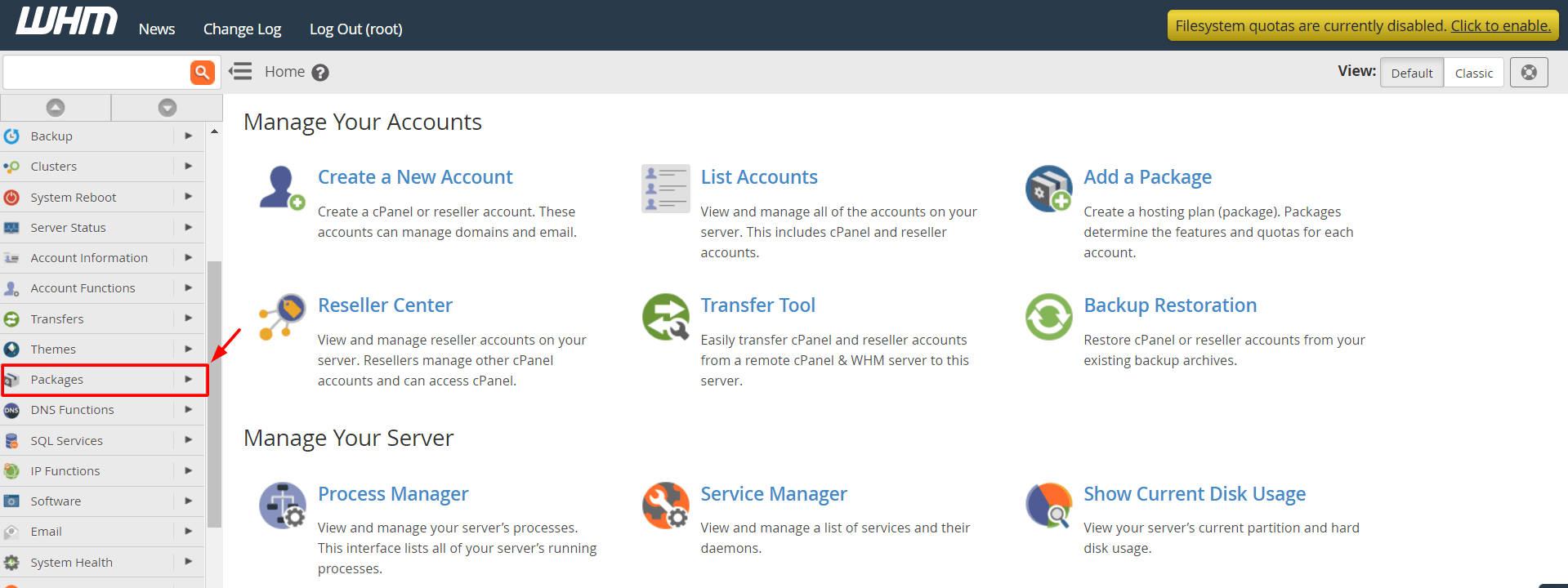
- Type "Packages" in the search box on the left.
- Click Add a Package.

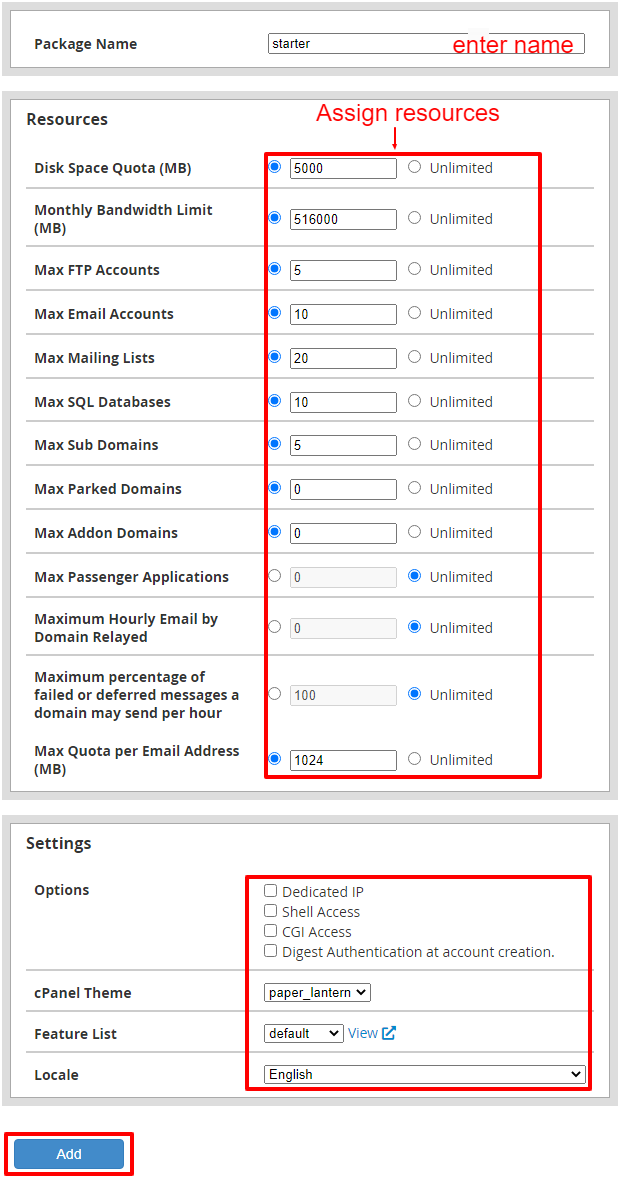
- Type a package name, such as
Starter. - Set Disk Quota, the space an account may use. You can choose unlimited if your plan allows it.
- Set Monthly Bandwidth Limit.
- Set the number of email accounts, databases, FTP accounts, subdomains and addon domains.
- Choose a Feature List to decide which tools show in cPanel. The default list is fine to start.
- Pick the cPanel Theme and the language if you want.
- Scroll to the bottom and click Add.
The package now appears in the list when you create a new account.
Change or remove a package
- Search for "Packages" and click Edit a Package or Delete a Package.
- Choose the package.
- Edit the limits and click Save Changes.
Tip: Warning: changing a package changes the limits for accounts already using it. Make sure the new numbers still fit your customers. Your own reseller plan also caps what you can give.
Need help? Open a support ticket.
Quick recap
- A package is a set of limits for an account.
- Search "Packages" in WHM and click Add a Package.
- Set space, bandwidth and counts, then click Add.
- Pick the package when you create accounts.
- Edits affect existing accounts.