

What is Railgun?
Railgun was a speed tool from Cloudflare. Cloudflare is a company that sits between your visitors and your site. It keeps copies of your files in many places, so pages load faster. This is called a CDN, or content delivery network.
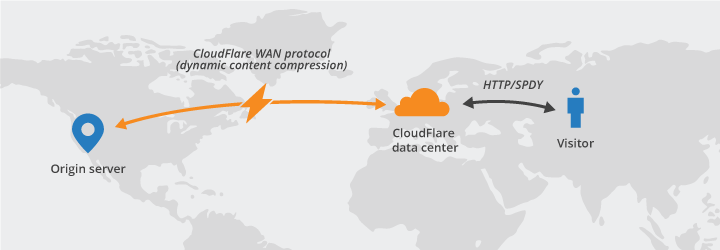
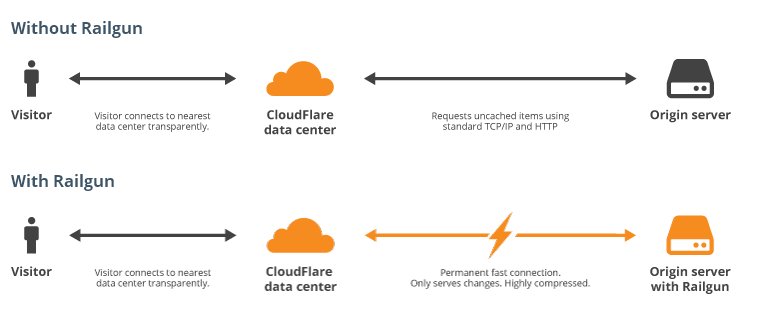
A CDN works well for pictures and files that stay the same. But some pages are made fresh for every visitor. Railgun helped with those. It compared the new page with the last one and sent only the changed part. It is like sending a note that says "change this line" instead of rewriting the whole letter.
Important note
Railgun is old. Cloudflare has retired it, and it is no longer offered to new users. Newer tools handle this job in other ways. The steps below are for people who still have an older setup. Ask Hostvento support whether Railgun is available on your plan before you spend time on it.
How it was set up
Railgun needed two parts. One part ran at Cloudflare. The other part, called the listener, ran on the hosting server and was installed there. It was usually set up inside cPanel by the host.
- Log in to your Cloudflare account.
- Choose your domain.
- Open the Speed section.
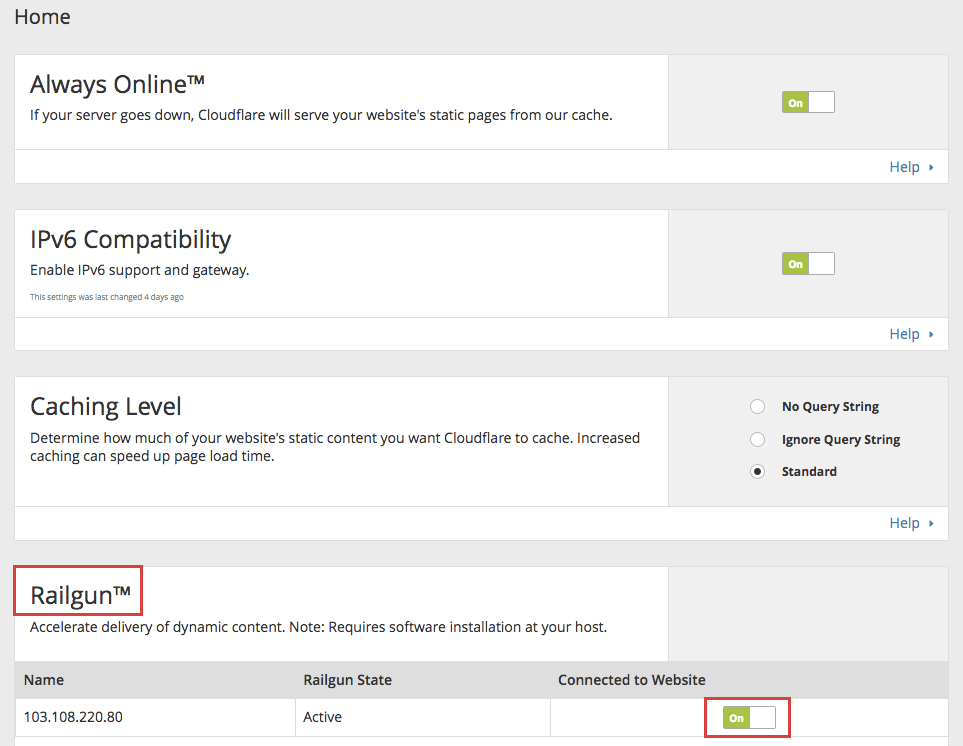
- Find Railgun and pick the Railgun connection your host gave you.
- Switch the toggle to On.
- Test your site and check that pages load as before.
If you do not see Railgun in your Cloudflare account, it is no longer there for you.
Better choices today
- Turn on caching in your site or with a caching plugin.
- Use Cloudflare's other speed settings, such as compression and image tools.
- Keep images small.
- Use a recent PHP version.
- Ask Hostvento support what speed tools your plan offers.
Quick recap
- Railgun sent only the changed parts of dynamic pages.
- It worked with Cloudflare and a listener on the server.
- It has been retired, so check before planning around it.
- Use modern caching and CDN settings instead.