

What is a CSR?
A CSR is a Certificate Signing Request. It is a block of text that holds your domain name and details. You send it to a certificate seller when you order an SSL certificate. SSL is the lock that protects the link between a visitor and your site.
Webuzo is a control panel, a web page where you manage hosting. Ask Hostvento support whether it is on your plan.
When should you delete a CSR?
- You made it by mistake.
- It has wrong details, such as a wrong domain name.
- You no longer need it and want a tidy list.
Warning: deletion cannot be undone. If a certificate was ordered with this CSR and is not installed yet, you may need the CSR again. Copy the text and save it first if you are not sure.
Steps
- Log in to Webuzo.

- Open SSL in the Security section.
- Click the CSR tab. It may be named Certificate Signing Requests.
- Find the CSR you want to remove in the list. Check the domain name.
- Tick the box next to it, or find the delete icon on its row.
- Click Delete.
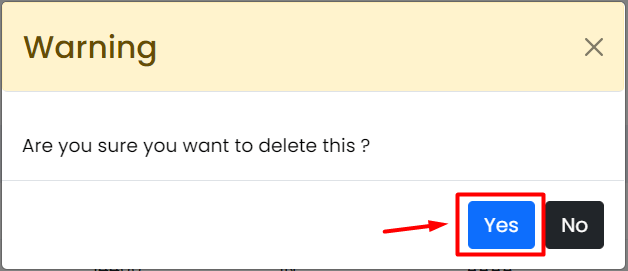
- Confirm when Webuzo asks you.
- Check that the CSR is gone from the list.
Labels can differ in other Webuzo versions. Look for the nearest match.
Need a new one?
You can create a new CSR any time from the same page. If you hit a problem, open a ticket at https://secure.hostvento.com/submitticket.php.
Quick recap
- A CSR is the request text you send to order a certificate.
- Go to SSL then the CSR tab in Webuzo.
- Select the CSR and click Delete.

- Save a copy first if you might need it.