

What is a bot?
A bot is a program that visits websites by itself. Good bots, such as search engine bots, help people find you. Bad bots scrape content, hunt for weak spots or flood your site with requests. Apache is the software that serves your website pages. A user agent is the name a bot gives itself when it visits. You can block bots by that name.
Find the bad bots first
- Log in to cPanel.
- Open Metrics then Raw Access, or Visitors.
- Download the log and look for names or IP addresses that appear very often.
An IP address is a number that identifies a computer on the internet.
Block by user agent using .htaccess (cPanel)
- Open File Manager and go to
public_html. - Click Settings and tick Show Hidden Files (dotfiles).
- Download
.htaccessas a backup. - Right-click it and choose Edit.
- Add these lines, using the real bot names:
RewriteEngine On
RewriteCond %{HTTP_USER_AGENT} (BadBot|EvilScraper) [NC]
RewriteRule .* - [F,L]
These lines return a "403 Forbidden" answer to any visitor whose name contains one of the listed words. NC means the case does not matter.
- Click Save Changes and test your site.
Block an IP address
In cPanel, open IP Blocker. Type the address and click Add.
Block for the whole server in WHM
This needs WHM access, for resellers with the right rights, VPS and dedicated owners.
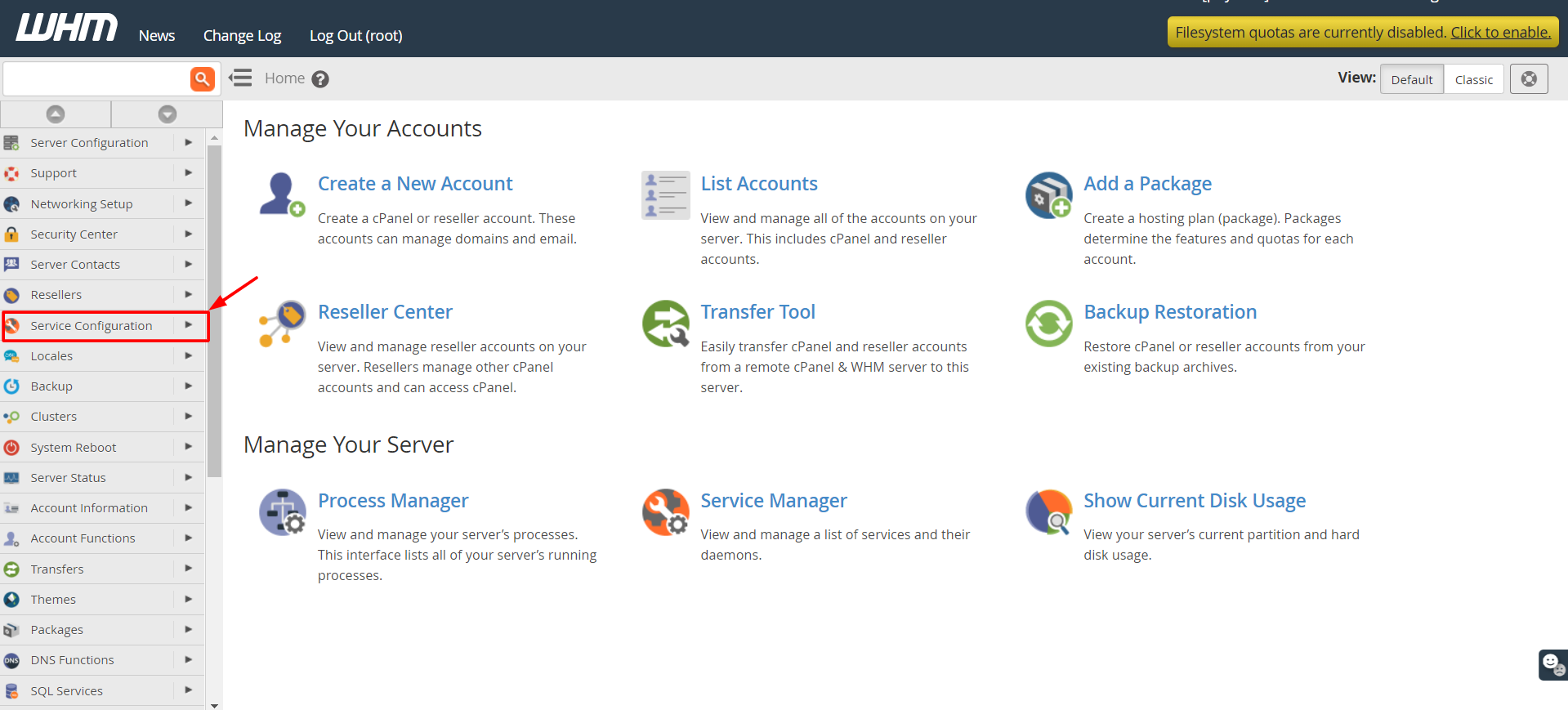
- Log in to WHM.
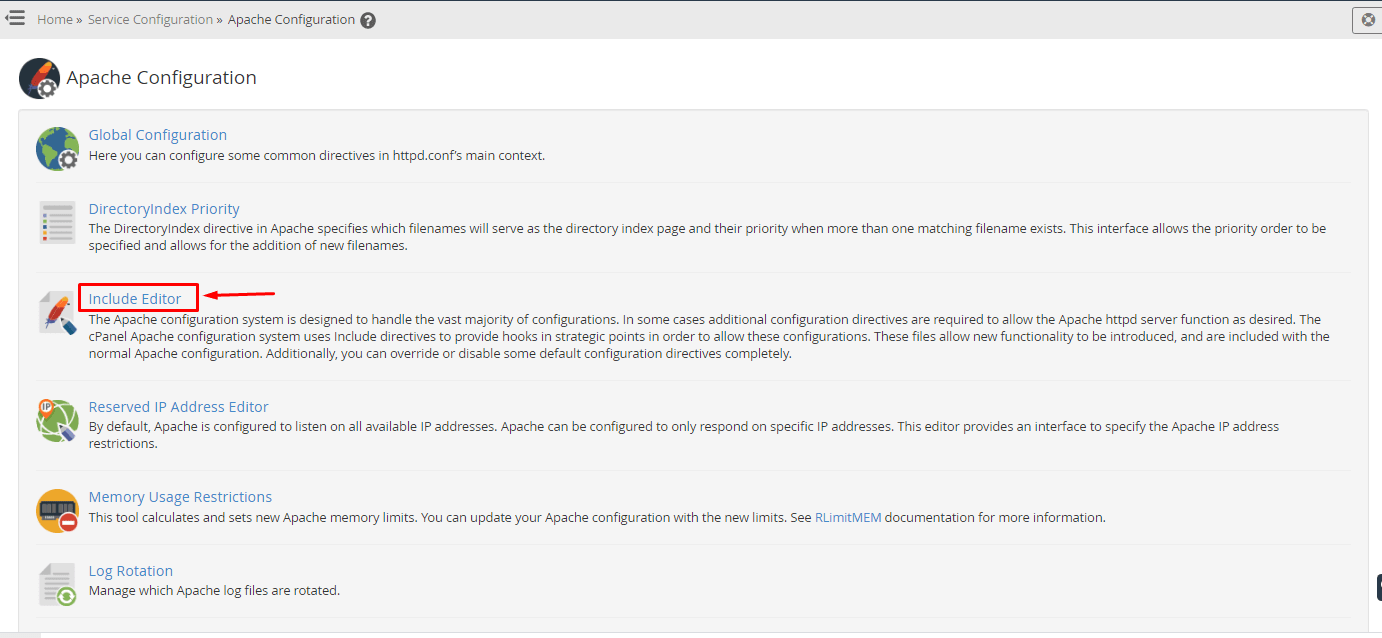
- Search for Apache Configuration and open Include Editor.

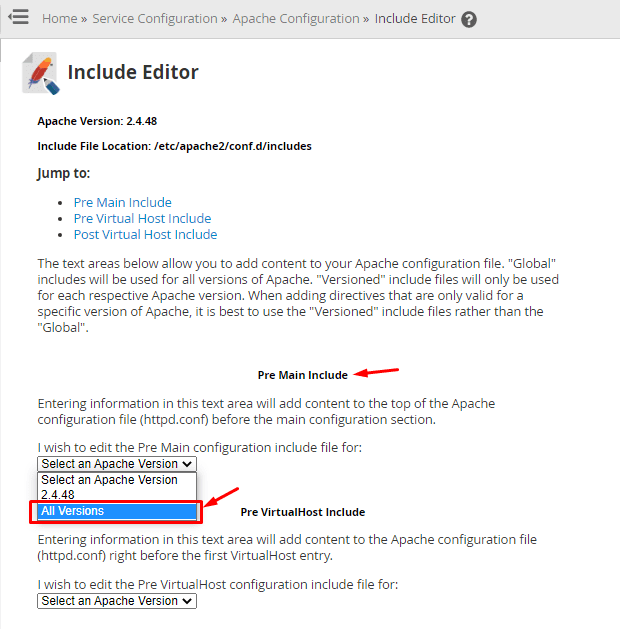
- Choose Pre Main Include for all versions.
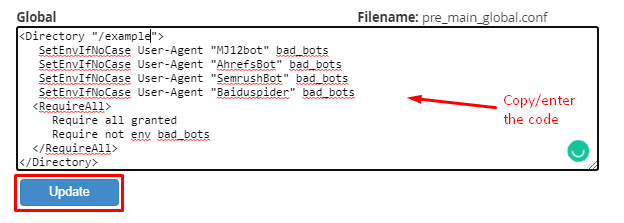
- Paste a rule block that blocks the user agents. Save.
- WHM checks the syntax and restarts Apache.
Warning: wrong rules can stop all sites on the server. Keep a copy of what was there before.
Quick recap
- Bad bots can steal content and slow your site.
- Find them in your access logs.
- Block by user agent in
.htaccessor by IP in IP Blocker. - Use the WHM Include Editor for server-wide rules.
- Back up before editing.