

What is a private key?
A private key is the secret half of an SSL pair. The certificate is the public half. Think of a padlock and its key. The certificate is the padlock. The private key is the key that opens it. Without the matching key, the certificate cannot work.
Webuzo is a control panel, a web page where you manage your hosting. Ask Hostvento support if it is on your plan.
Before you delete
Warning: do not delete a key that your live certificate uses. Your site could show security errors. Deleting cannot be undone.
- Check which certificate uses the key.
- Make sure the key is not needed for a pending order.
- Save a copy of the key text if you are unsure.
Steps
- Log in to Webuzo.

- Open SSL in the Security section.
- Click the Private Keys tab.
- Find the key you want to remove in the list.
- Tick the box next to it, or find the delete icon in its row.
- Click Delete.
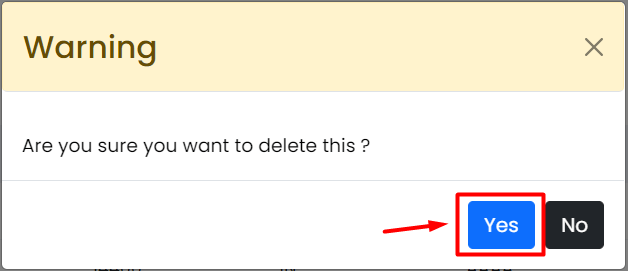
- Confirm the question that pops up.
- Check that the key is gone from the list.
Button names may differ slightly in other Webuzo versions. Choose the closest match.
If you deleted the wrong key
A deleted key cannot come back unless you saved a copy. You then need to create a new key and a new CSR, and have your certificate re-issued by the seller. The CSR is the request text you send when ordering. For help, open a ticket at https://secure.hostvento.com/submitticket.php.
Quick recap
- The private key is the secret that matches a certificate.
- Never delete the key of a certificate that is in use.
- Go to SSL, then Private Keys, select the key and click Delete.

- Keep a copy if you are unsure.