

What is AutoSSL?
SSL is a lock for the link between a visitor and a website. AutoSSL is a cPanel feature that gets and renews free SSL certificates for you. It runs by itself, so nobody has to remember to renew. WHM is the Web Host Manager, the main panel for resellers and server owners.
This guide is for resellers, VPS and dedicated server owners. You need root or reseller-level WHM access. On shared hosting, ask Hostvento support to turn it on.
Steps
- Log in to WHM. Your welcome email has the address and login.
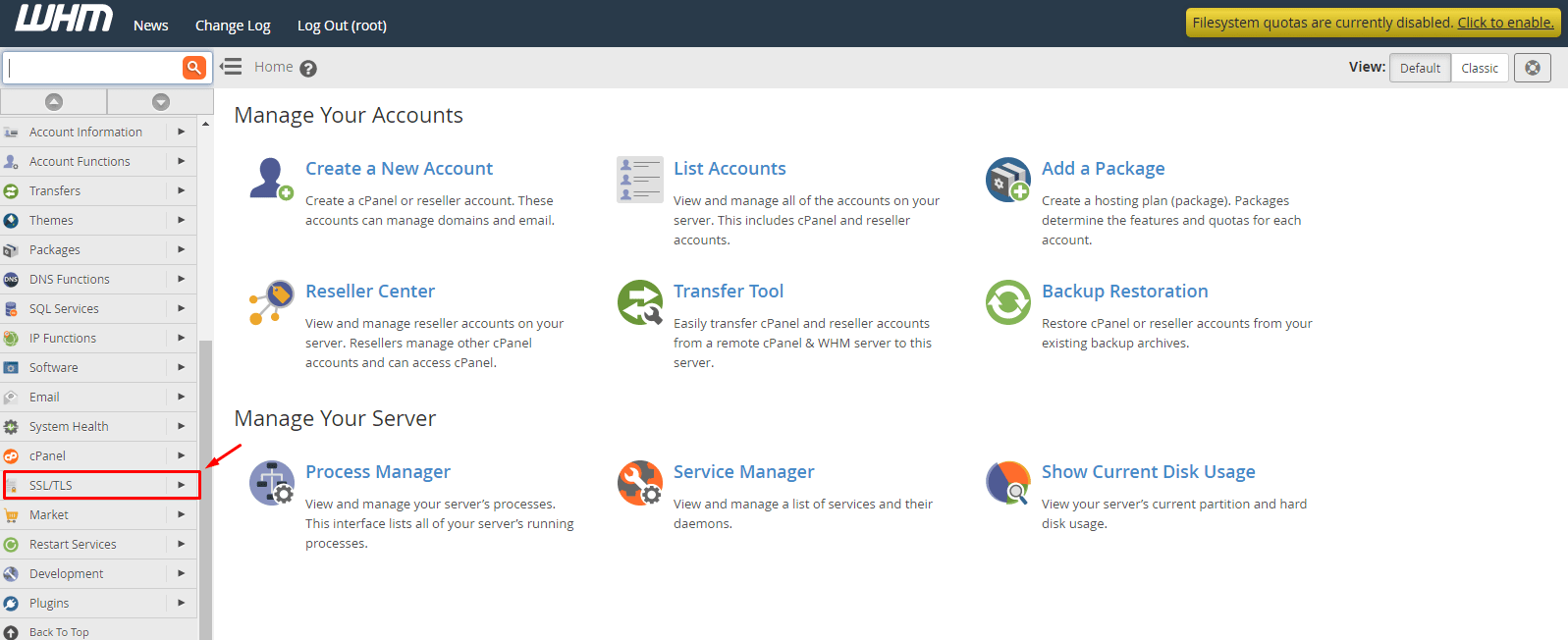
- Type Manage AutoSSL in the search box at the top of the left menu.
- Click Manage AutoSSL.

- Open the Providers tab.
- Choose a provider, such as Let's Encrypt or cPanel (powered by Sectigo). If you choose Let's Encrypt, read and accept its terms.
- Click Save.
- Open the Managed Users tab.
- Choose Enable AutoSSL for all users. In some versions there is a button called Enable all features.
- Click Save.
- Open the Options tab and check that you want certificates for all domains, including subdomains.
- Return to the Providers tab and click Run AutoSSL for All Users to start right away.
Menu names change a little between cPanel versions. Look for the closest match.
What happens next?
AutoSSL checks each domain. If the domain points to the server, it asks for a free certificate and installs it. It checks again every day and renews before expiry.
Why might a domain fail?
- The domain does not point to your server.
- A redirect or firewall blocks the check.
- The domain already has a paid certificate that has not expired.
Tip: See the AutoSSL logs in WHM to find the reason for any failed domain. Need help? Open a ticket.
Quick recap
- AutoSSL gets and renews free certificates automatically.
- Use Manage AutoSSL in WHM.
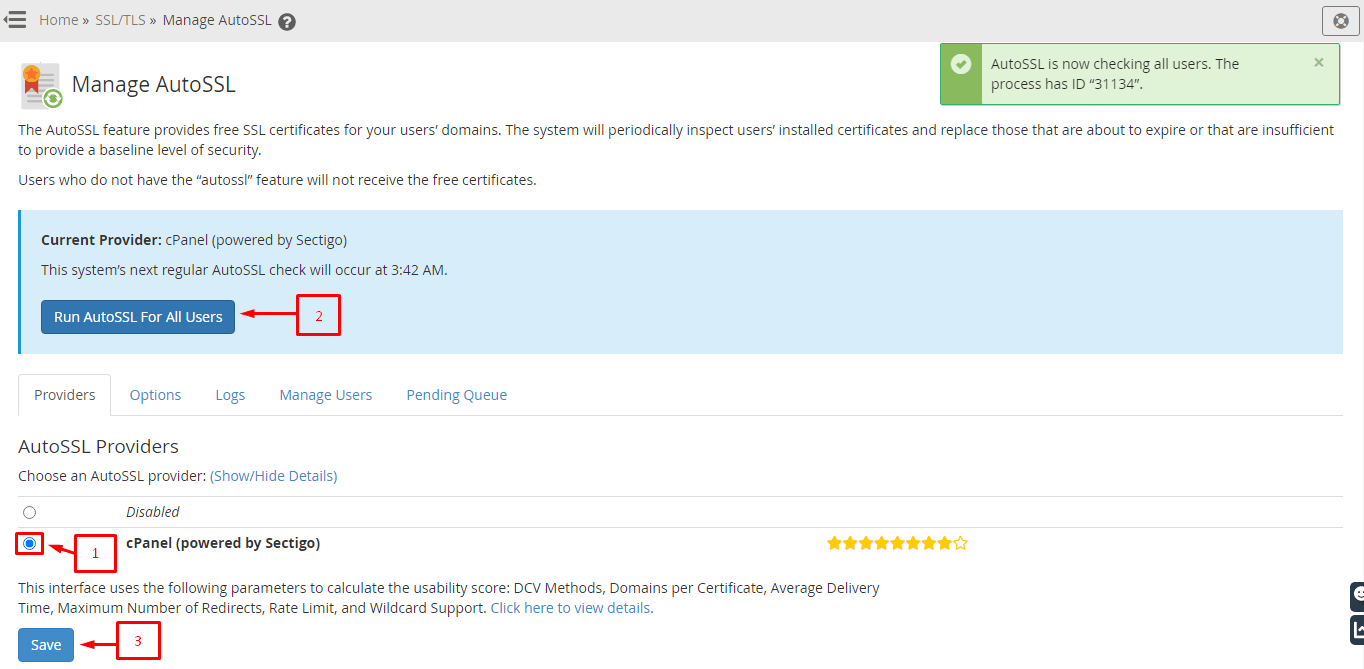
- Pick a provider, then enable it for all users.
- Run it once and check the logs.