

What is AutoSSL?
SSL is a lock for the link between a visitor and a website. AutoSSL is a cPanel feature that gets and renews free certificates by itself. WHM is the Web Host Manager, the main panel for resellers and server owners.
This guide is for resellers, VPS and dedicated server owners. On shared hosting, ask Hostvento support to change this for you.
Why choose only some users?
- A customer uses a paid certificate and does not want AutoSSL to replace it.
- A site uses Cloudflare or another service for SSL.
- A domain has a problem and keeps failing the check.
Steps
- Log in to WHM.
- Type Manage AutoSSL in the search box on the left.
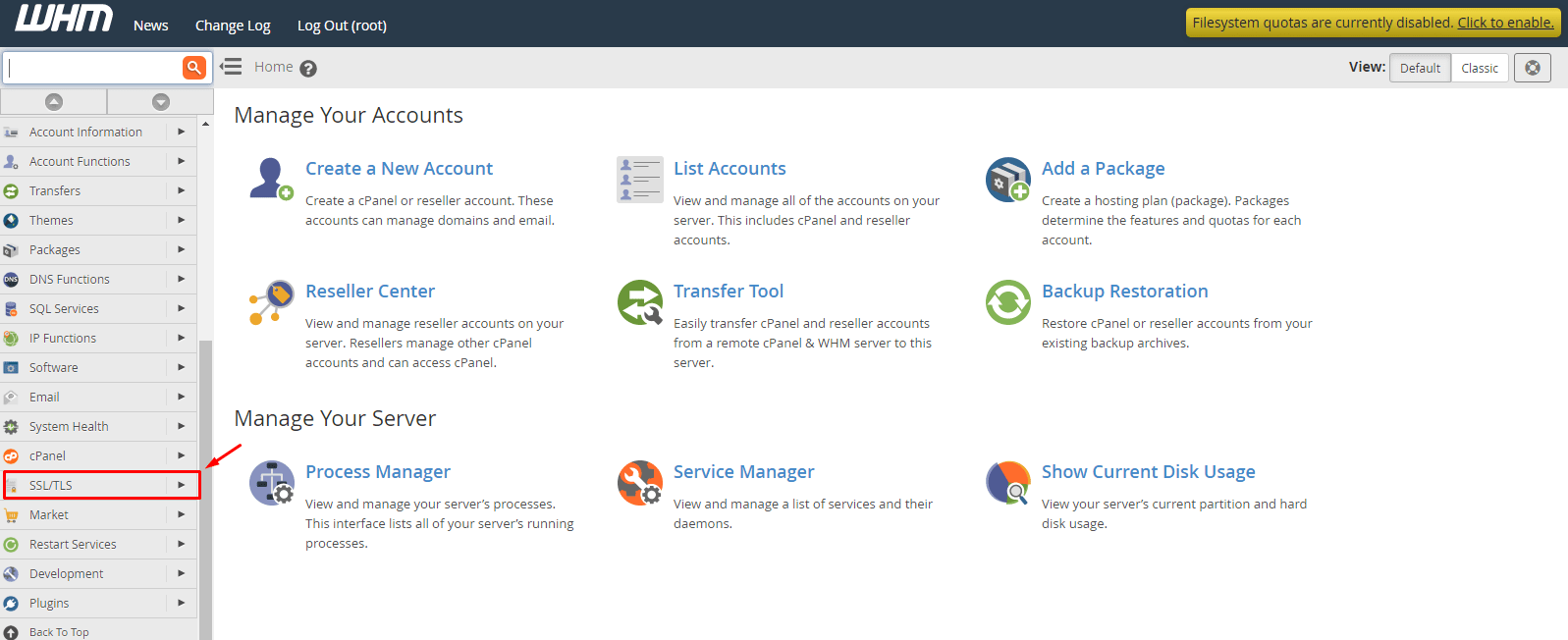
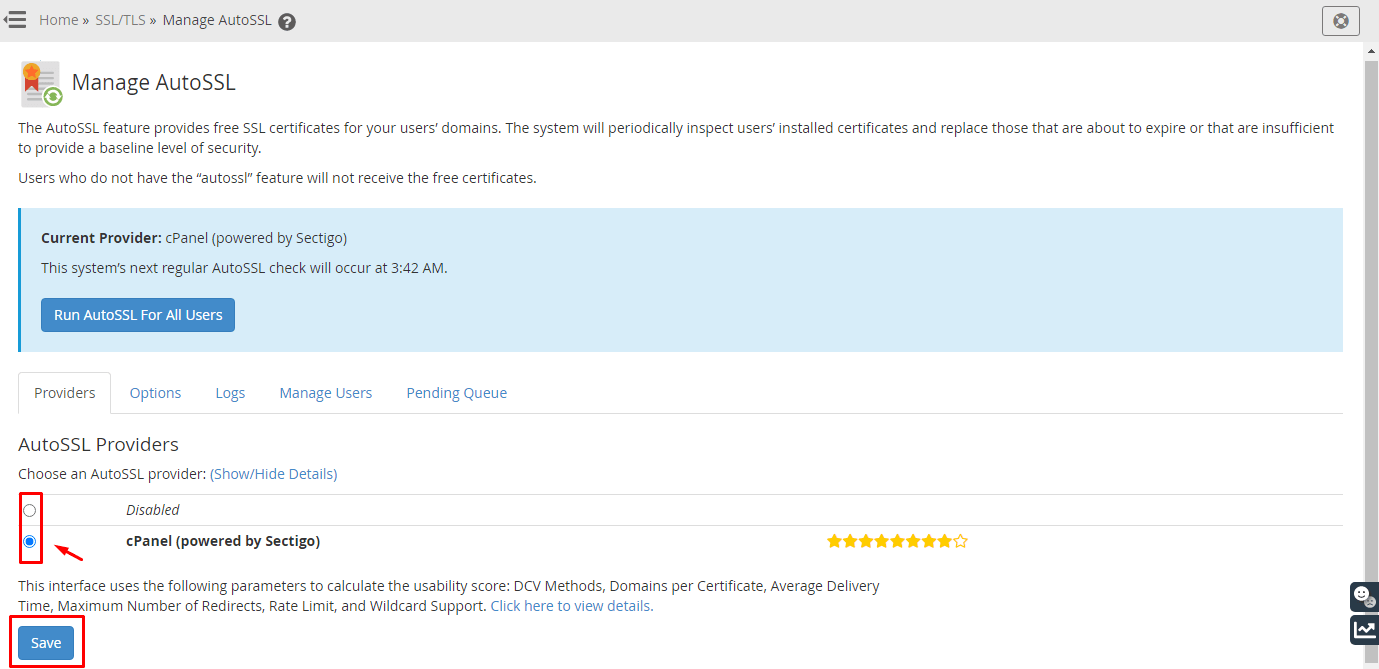
- Click Manage AutoSSL.

- Open the Managed Users tab. You will see a list of accounts.
- Use the search box to find the user.
- Choose one of these options for that user:
- Enable AutoSSL to turn it on.
- Disable AutoSSL to turn it off.
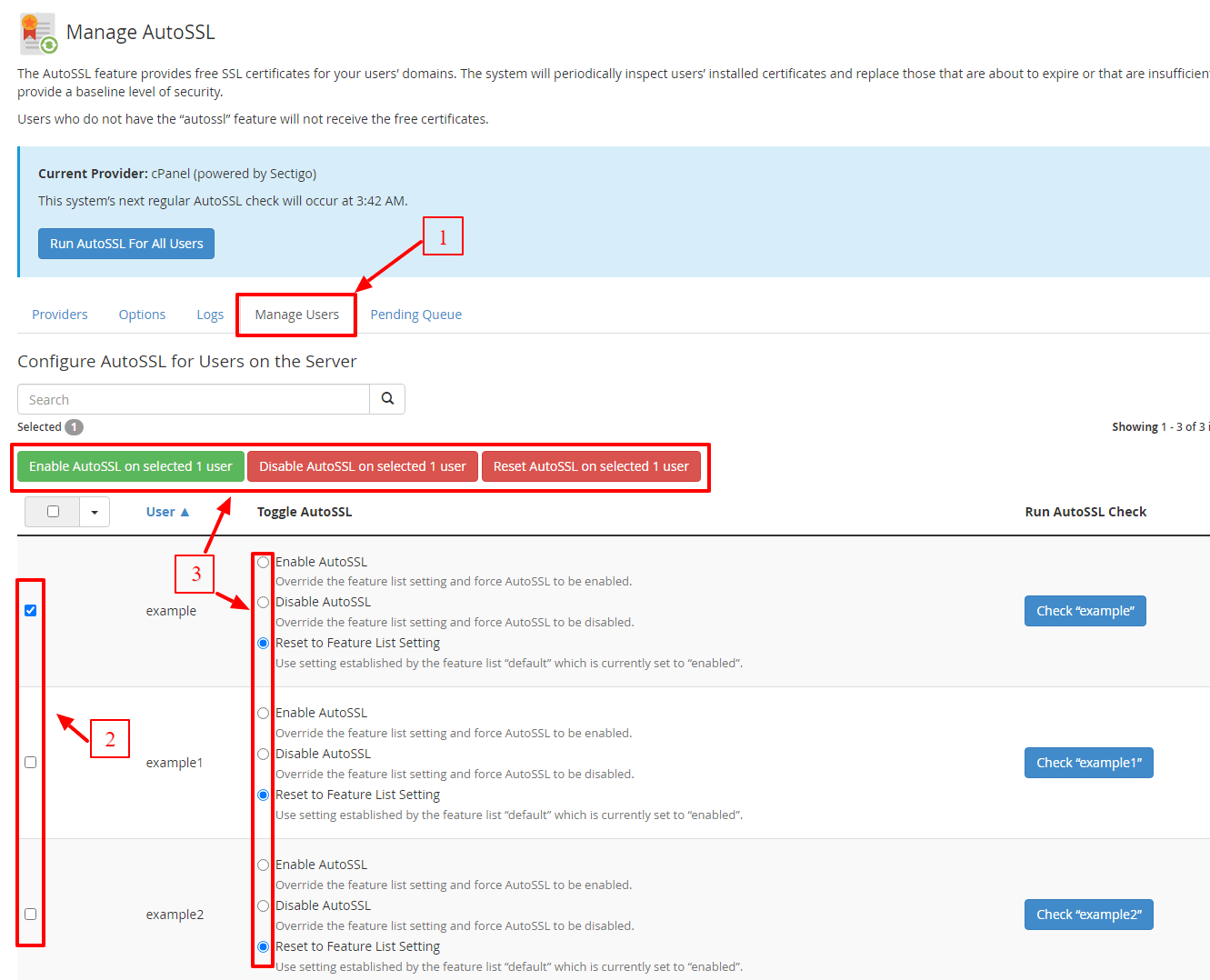
- Disable AutoSSL and remove all AutoSSL certificates to turn it off and clear its certificates.
- Click Save.
Names of options differ a little between versions. Choose the nearest match.
Warning: the third option removes the certificates. If the site has no other certificate, visitors will see a security warning. Install another certificate first.
Check your change
- Go back to the Managed Users tab.
- Find the user. Their status should show your new choice.
- If you enabled it, click Run AutoSSL for All Users on the Providers tab, or log in to that user's cPanel and use SSL/TLS Status and Run AutoSSL.
Tip: Not sure which choice is right? Ask support before you change many users.
Quick recap
- AutoSSL gives free, self-renewing certificates.
- Go to Manage AutoSSL then Managed Users in WHM.
- Find the user, pick enable or disable, and click Save.
- Be careful with the option that removes certificates.