

What is contact form spam?
A contact form lets visitors send you a message. Spam is junk mail. Spammers use small programs called bots to fill in your form again and again. A bot is a computer program that acts like a very fast, very annoying visitor.
Method 1: Add a CAPTCHA
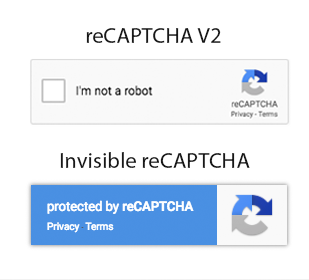
A CAPTCHA is a small test that only humans can pass, like "tick this box" or "pick all the bicycles". Many form plugins support Google reCAPTCHA or hCaptcha.
- Log in to your WordPress dashboard.
- Open the settings of your form plugin, such as Contact Form 7, WPForms or Gravity Forms.
- Find the reCAPTCHA or CAPTCHA section.
- Create keys on the CAPTCHA provider's website. Keys are two long codes that link your site to the service.
- Paste the keys into the plugin and click Save.
- Add the CAPTCHA field to your form and save the form.
Method 2: Use a honeypot
A honeypot is a hidden field on the form. People cannot see it, so they leave it empty. Bots fill it in, and the plugin blocks them. Some plugins turn this on by default. Check your form plugin's settings for an option named Honeypot or Anti-spam.
Method 3: Install an anti-spam plugin
Plugins such as Akismet or CleanTalk check each message and block the ones that look like spam. Install one from Plugins and then Add New in your dashboard. Follow the setup steps the plugin shows. Some of these services need an account or a paid plan on their own website.
Method 4: Add more rules
- Ask a simple question, like "What is 3 + 4?".
- Block links in the message box if you do not need them.
- Require a valid email address.
- Limit how many messages one person can send in a short time.
Method 5: Keep WordPress updated
Old plugins can have holes that spammers use. Update WordPress, your theme and your plugins often. Take a backup first.
Quick recap
- Spam comes from bots that fill in forms automatically.
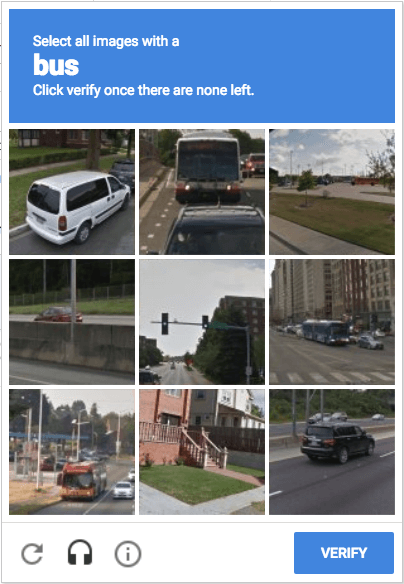
- A CAPTCHA tests if the visitor is human.
- A honeypot is a hidden field that traps bots.
- Anti-spam plugins check messages for you.
- Keep WordPress and plugins updated.