

What is BitNinja?
BitNinja is a security tool made by another company. Hosting providers install it on their servers. It works like a security guard at a shop door. It watches who comes in and blocks people who act badly.
It can block:
- Hackers who guess passwords again and again. This is called a brute-force attack.
- Bots, which are automatic programs that scan sites for weak spots.
- Harmful files, called malware, that try to sneak onto a server.
- Visitors from addresses known to be dangerous.
Is it on my plan?
BitNinja is not on every hosting plan. Whether Hostvento uses it on your server, and how it is set up, is something to ask support. You can send a support ticket to find out.
How to find it in cPanel
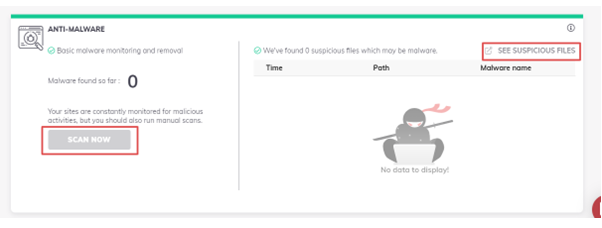
If BitNinja is installed on your server, cPanel may show a section for it. cPanel is the dashboard where you manage your hosting.
- Log in to your client area at https://secure.hostvento.com/clientarea.php.
- Open your hosting service and log in to cPanel.
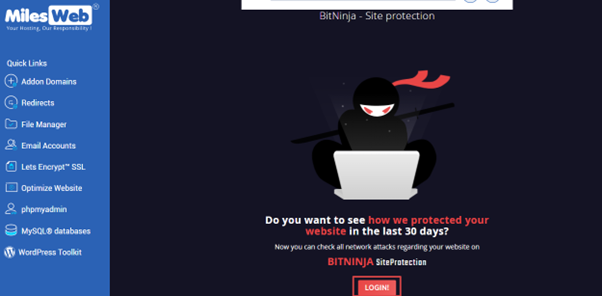
- Use the search box at the top and type BitNinja.
- If an icon appears, click it to open the settings.
- Read the options. You may see switches for features such as malware scanning or a web application firewall. A firewall is a wall that filters bad traffic.
- Turn on the features you want and save.
If nothing shows up, the tool is either not installed or is controlled only by the server owner. In that case, ask support.
What if BitNinja blocks me by mistake?
Sometimes it blocks a real visitor. This is called a false positive. If you cannot reach your own site, you may be blocked.
- Find your public IP address. This is your internet address. Search "what is my IP" in a browser.
- Open a support ticket and send that address.
- Ask support to remove the block.
Quick recap
- BitNinja is a third-party security tool that blocks attacks.
- It may not be on every plan. Ask support.
- Search for it in cPanel to see its settings.
- Contact support if it blocks you by mistake.