

What is hotlinking?
Hotlinking happens when another site shows your picture by linking straight to the file on your server. Their page looks nice, but your server does the work.
It is like a stranger taking your toys to a party and sending you the bill. Every time someone sees the picture, your account uses bandwidth. Bandwidth is the amount of data your site sends to visitors. Too much of it can slow your site or use up your limit.
What does hotlink protection do?
It checks which site is asking for a file. If the request comes from a site you did not approve, it is blocked. Your own sites still work as normal.
Steps to turn it on in cPanel
- Log in to your client area at https://secure.hostvento.com/clientarea.php and open your hosting service.
- Log in to cPanel.
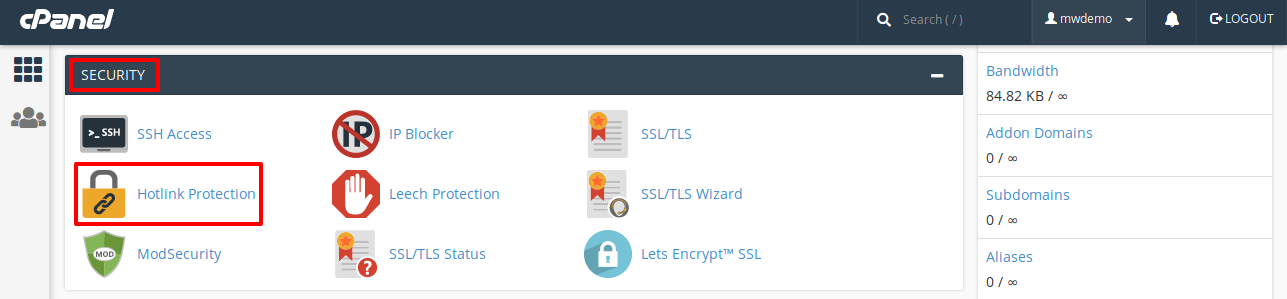
- In the Security section, click Hotlink Protection.
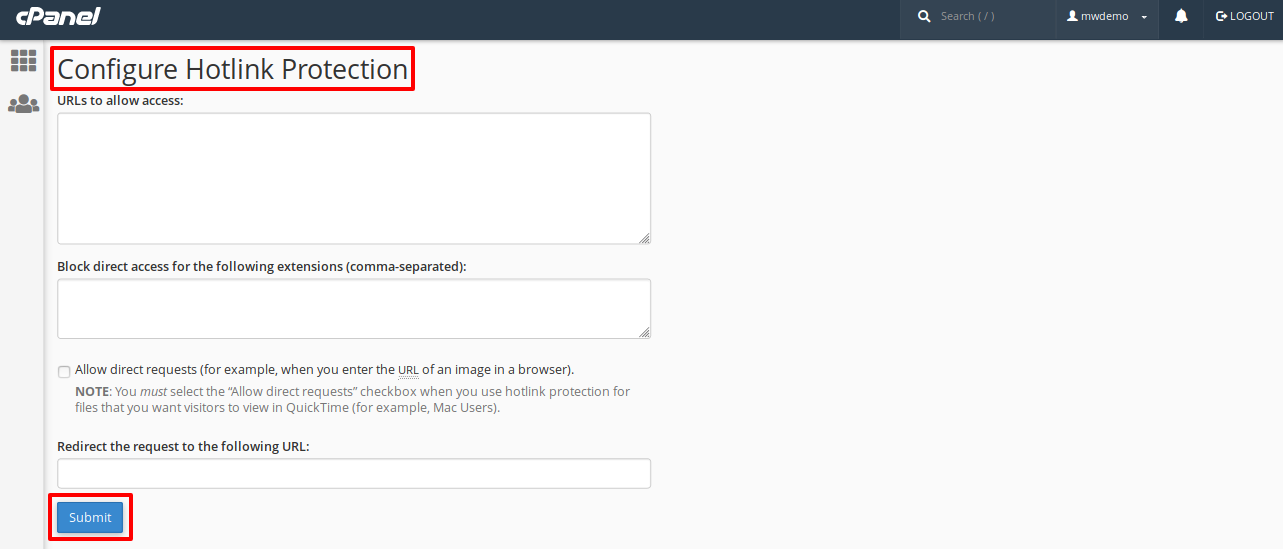
- Look at the URLs to allow access box. It should list your own domains, with and without
www. Add any other site of yours that needs to show your files. - In Block direct access for these extensions, list the file types to protect. Use commas, for example
jpg,jpeg,gif,png. - Tick Allow direct requests if you want people to be able to open the file by typing its address. Leave it off for stricter protection.
- Leave Redirect the request to this URL empty to show a broken image. Or enter the address of a small replacement picture.
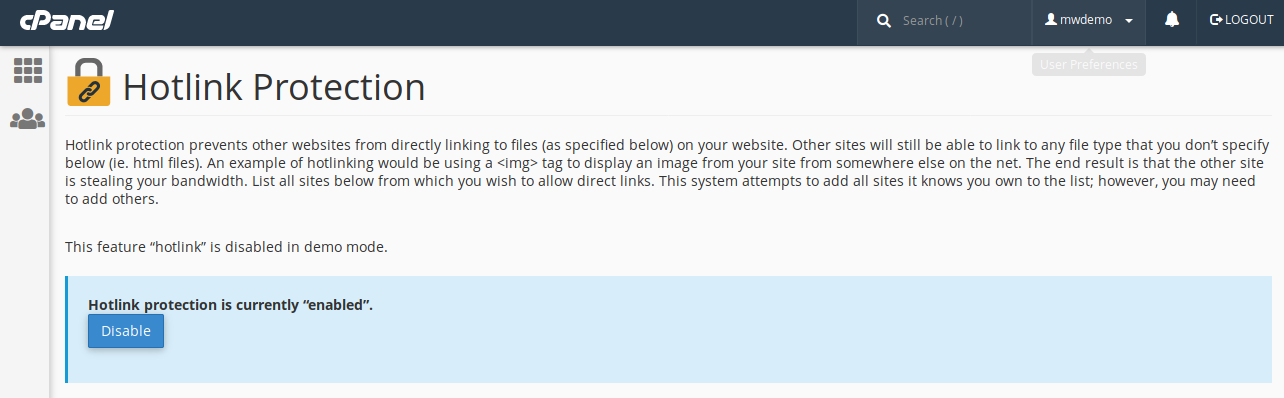
- Click Enable.
How to turn it off
- Go back to Hotlink Protection in cPanel.
- Click Disable.
Things to watch for
- Do not block file types you want shared, such as images used in newsletters or on social media.
- If you add a new domain of your own, add it to the allowed list too.
- Search engines may show your images in image results. Turning on strict rules can affect this.
Tip: After you enable it, load your website and check that all your images still show. If any are missing, add the right domain to the allowed list.
Quick recap
- Hotlinking is when another site uses your files and your bandwidth.
- Hotlink Protection is in cPanel under Security.
- List your own domains and the file types to protect.
- Click Enable, then test your site.