

Why check
Kali Linux is a Debian-based system for security testing. It updates often, so it helps to know which release you use. The version tells you which tools and fixes you have.
Method 1: lsb_release
lsb_release -a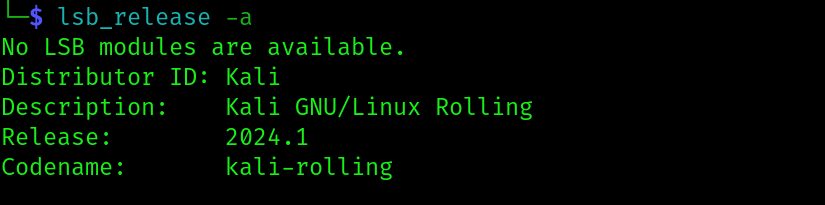
The output lists the distributor, description and release number.
Method 2: os-release file
cat /etc/os-release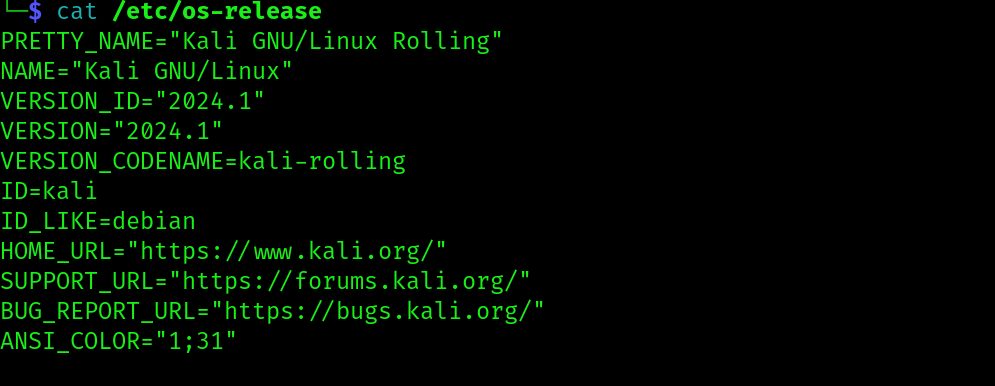
Find VERSION and VERSION_ID.
Method 3: uname
uname -a
This shows the kernel and architecture. It does not show the Kali release number.
Method 4: hostnamectl
hostnamectl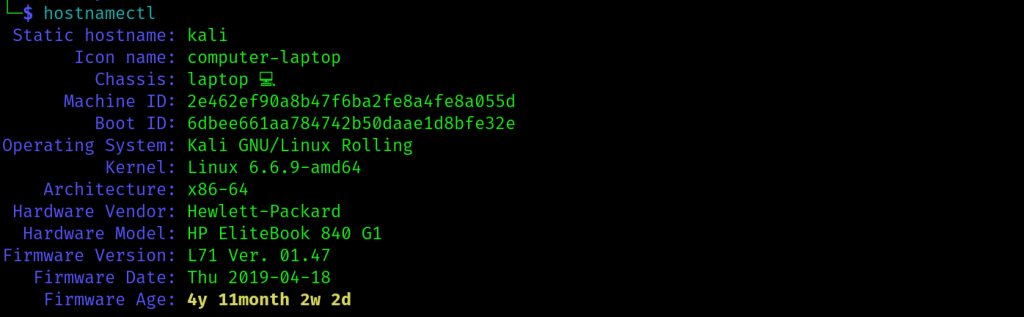
You get the operating system name and the kernel version.
Method 5: /proc/version
cat /proc/version
It shows build details of the running kernel.
Method 6: neofetch or screenfetch
These tools print a colorful summary of your system, including the Kali version:
sudo apt install neofetch screenfetch
neofetch
Keep Kali up to date
sudo apt update && sudo apt upgrade -yThis refreshes the package lists and upgrades all installed packages.
Quick recap
lsb_release -aandcat /etc/os-releaseshow the release.unameand/proc/versionshow the kernel only.- Update often with
apt.