

Why grep is useful
- It works on code, logs, text files and even binary data.
- It scans large files very fast.
- It supports regular expressions for exact patterns.
- It is the first tool most admins use to read logs.
Basic use
grep pattern filesSearch for the word "error" in a log:
grep error system.logSee all options:
grep --help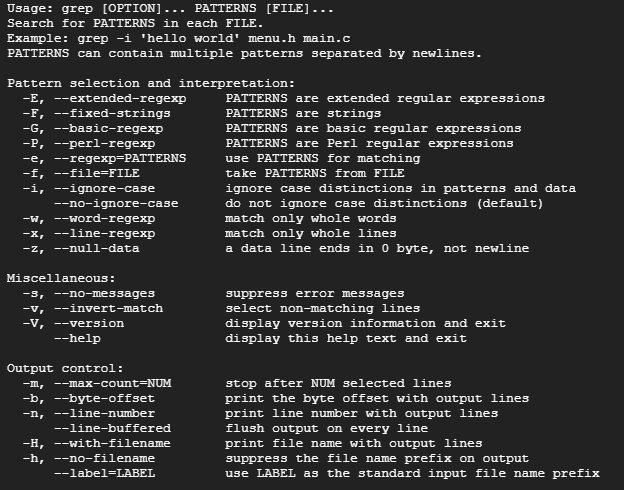
Common options
| Option | What it does |
|---|---|
-i | Ignore case |
-v | Show lines that do not match |
-c | Count the matching lines |
-n | Show line numbers |
-r | Search all files in a folder and below |
-l | List only the names of the files that match |
-w | Match whole words only |
-A 2, -B 2, -C 2 | Show lines after, before or around each match |
-E | Use extended regular expressions |
Examples
Ignore case
grep -i "warning" /var/log/syslogLines that do not match
grep -v "debug" app.logCount matches in files
grep -c warning /var/log/*Show line numbers
grep -n "failed" /var/log/auth.logSearch a whole folder
grep -r "database_password" /var/www/Context around a match
grep -A 2 -B 2 "critical error" app.logThis prints two lines before and two lines after each match.
Use grep with other commands
Filter the output of a command
ps aux | grep firefoxUse the output of a command as the pattern
cat /etc/passwd | grep "$(whoami)"Combine with other tools
grep "error" log.txt | sed 's/error/fixed/g'Quick recap
grep pattern fileprints the matching lines.- Add
-i,-v,-n,-cand-ras needed. - Pipe other commands into
grepto filter the output.