

What is an IP address?
An IP address is a number that identifies a device on the internet. It works like a home address for a computer. When someone visits your site, the server sees their IP address. If that visitor causes trouble, such as sending spam or trying to guess passwords, you can block the number. Then the server refuses their requests.
Two ways to block
- In the user panel: blocks the IP for your own websites. This is the usual way.
- In the server firewall: blocks the IP for the whole server. This needs root access and is for VPS and dedicated customers. Ask support if you are unsure.
Before you start
- Check the IP twice. If you block your own IP, you lock yourself out.
- To see your own IP, search "what is my IP" in a search engine.
- Find the bad IP in your visitor logs or in the message you received.
Steps in the user panel
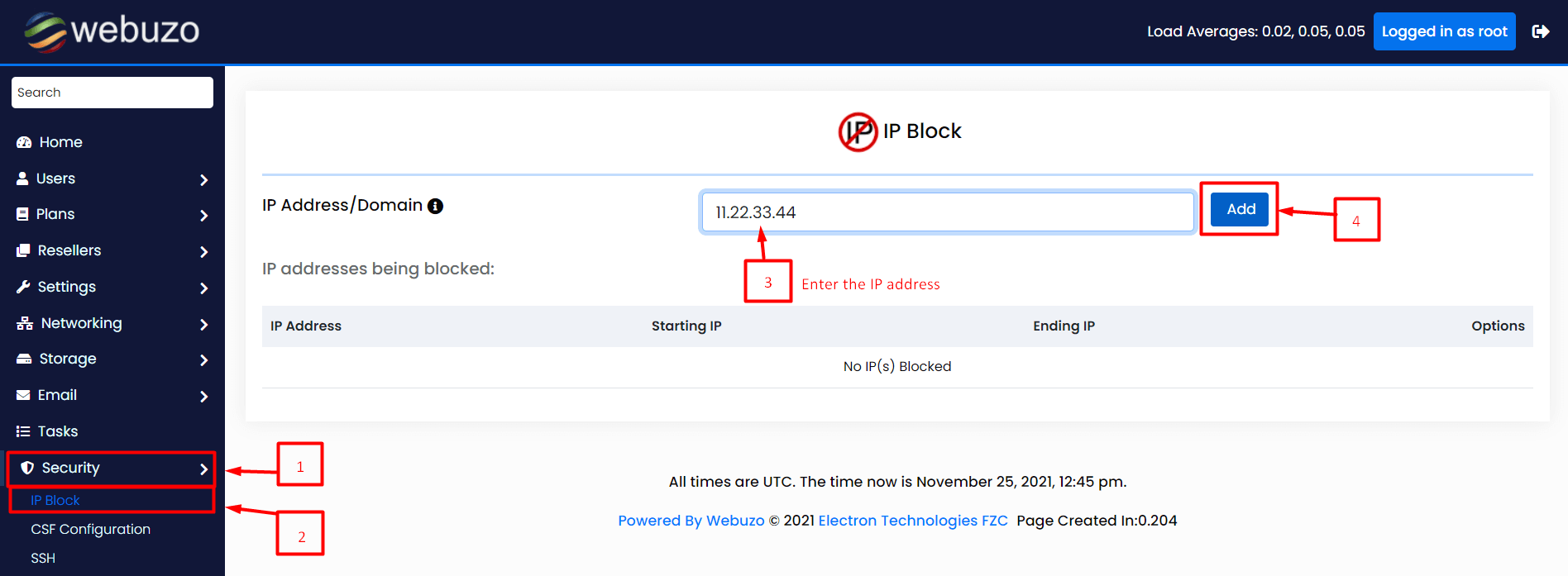
- Log in to Webuzo. The address and login are in your welcome email.
- Use the search box and type IP Blocker or Block IP. The label can vary by version.
- Open the tool.
- In the box, type the IP address, for example
203.0.113.25. This number is only an example. - You can also block a range. Ranges look like
203.0.113.0/24, which covers many numbers at once. Use ranges with care. - Click Add or Block.
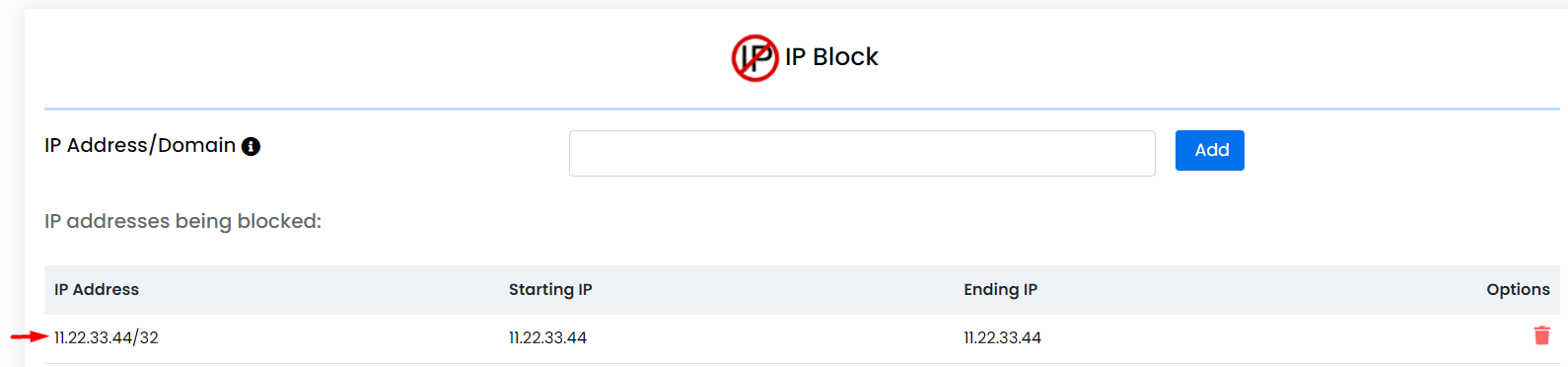
- The IP now appears in the blocked list.
Unblock an IP
- Open the same tool.
- Find the address in the list.
- Click Delete or Remove next to it.
Good to know
- Many home internet users get a changing IP. A blocked person may return with a new one.
- For bigger attacks, ask Hostvento support by opening a support ticket.
Warning: Never block a big range unless you are sure. You may stop real customers or search engines from reaching your site.
Quick recap
- An IP address identifies a device online.
- Use the IP blocker tool in Webuzo to add the bad address.
- Do not block your own IP.
- Remove it from the list to unblock.