

What is .htaccess?
The .htaccess file holds small instructions for the Apache web server. With it you can set redirects, block visitors, force https and change how pages load. It is a tiny file with big power.
On Linux, any file whose name starts with a dot is hidden. This keeps people from changing important files by accident. So you will not see .htaccess until you ask the File Manager to show hidden files.
Steps
- Log in to Webuzo. The address and login are in your welcome email.
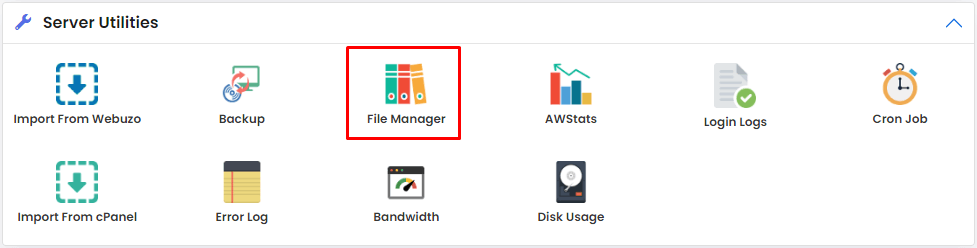
- Open File Manager.
- Look for a Settings button or a gear icon. It is usually at the top right of the File Manager.
- Click it. A small window opens.
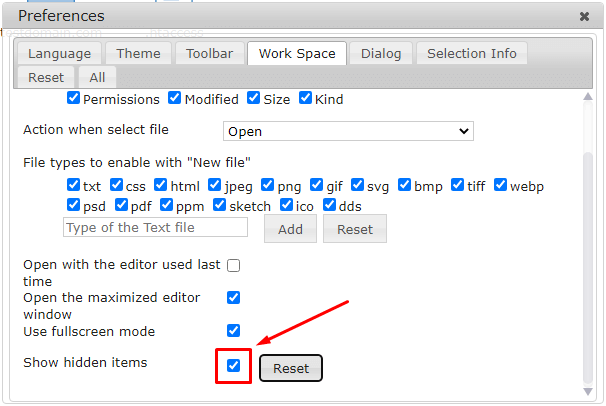
- Find the option named Show Hidden Files. It may be called Show Dot Files in some versions.
- Tick the box.
- Click Save.
- The file list reloads. Now you see files that start with a dot.
- Open the folder where your site lives, such as
public_html. - Look for
.htaccess. If your site has no rules yet, the file may not exist.
If the file does not exist
- Click New File in the toolbar.
- Name it exactly
.htaccess, with the dot at the start and no ending. - Click Create.
Edit it safely
Warning: One wrong line in .htaccess can cause a "500 Internal Server Error" on your whole site. Always make a copy first.
- Right-click
.htaccessand choose Copy. Paste it as.htaccess.bak.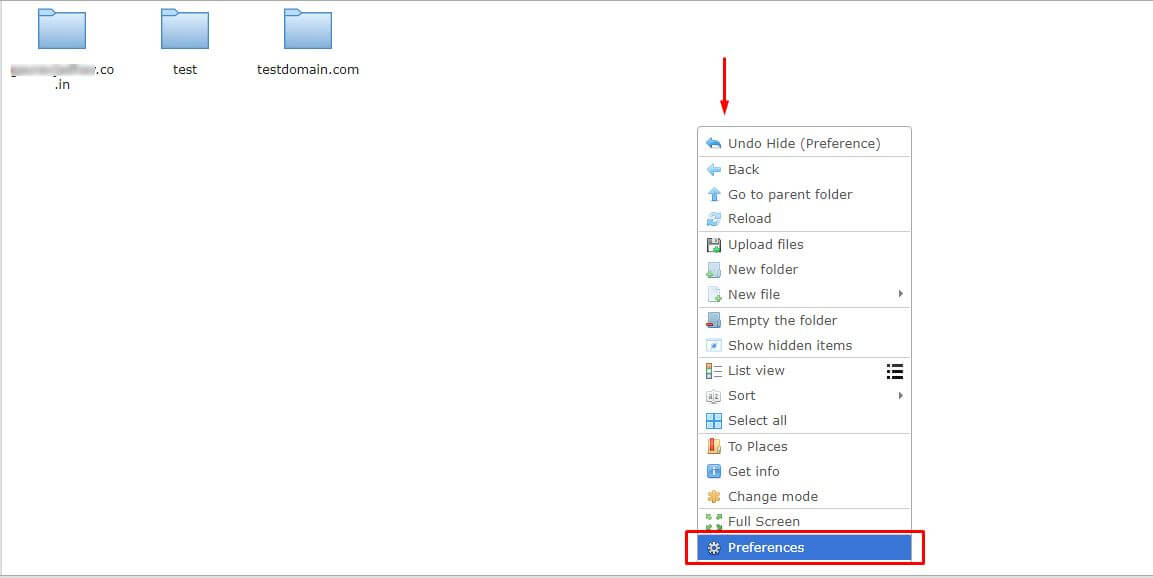
- Right-click the original and choose Edit.
- Make your change and click Save.
- Reload your website. If you see an error, restore the copy.
Here is a simple example line that sends visitors from http to https:
RewriteEngine On
RewriteCond %{HTTPS} off
RewriteRule ^(.*)$ https://%{HTTP_HOST}/$1 [R=301,L]
These three lines turn on rewriting and send plain http visits to the secure address.
Tip: Hide the files again later if you like. Untick the same option.
Quick recap
- Files that start with a dot are hidden by default.
- Open File Manager settings and tick Show Hidden Files.
- Back up .htaccess before you edit it.