

What is a PHP extension?
PHP is a language that builds web pages. An extension is a small add-on that gives PHP a new skill. Think of apps on a phone. One extension handles images (GD). One handles special characters (mbstring). One talks to databases (mysqli).
If your app says "missing extension", you must switch it on. If you do not need one, you can switch it off.
Warning: Turning off an extension that your site needs can break it. Take a backup first. Write down what you changed.
Steps for your own account
- Log in to Webuzo. The address and login are in your welcome email.
- Type PHP Extensions or PHP in the search box.
- Open the PHP extensions tool. The name can differ by version.
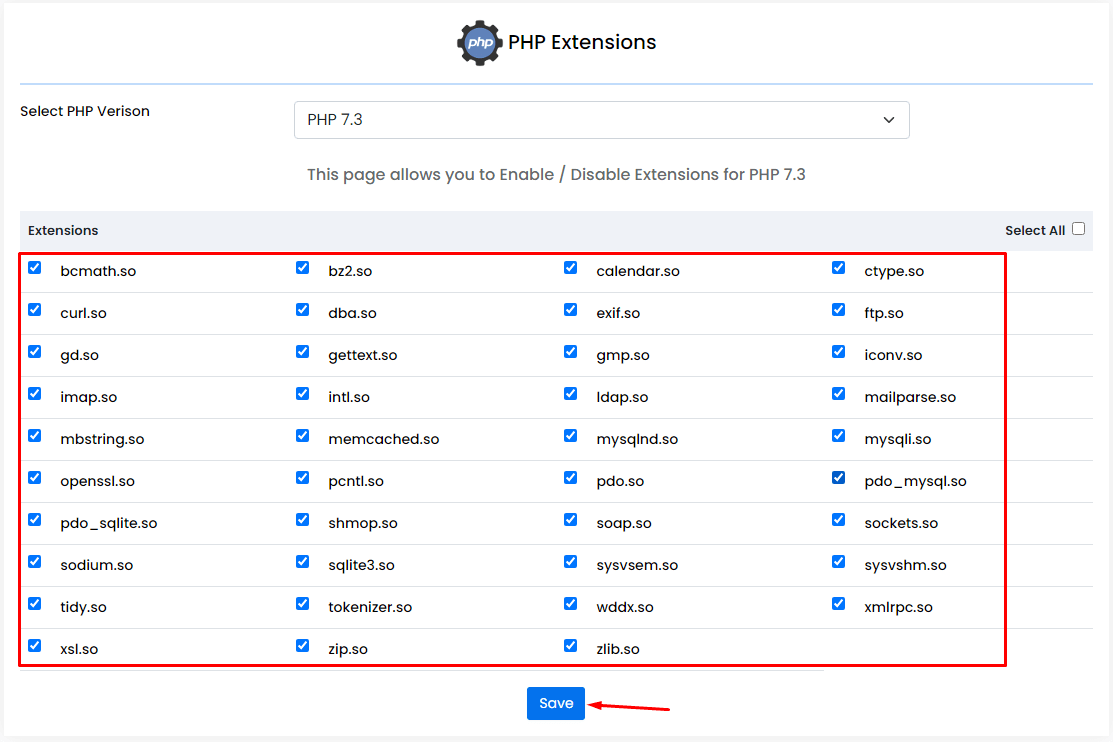
- Choose the PHP version if the tool asks. Each version has its own list.
- You see a list of extensions. Use the search box to find the one you want, for example
imagick. - Tick the box to turn it on. Clear the box to turn it off.
- Click Save.
- Wait a moment while PHP reloads.
Steps for the server (admin)
If an extension is not in the list, the server needs to install it. This needs root access, so it is for VPS and dedicated customers.
- Log in to the Webuzo admin panel.
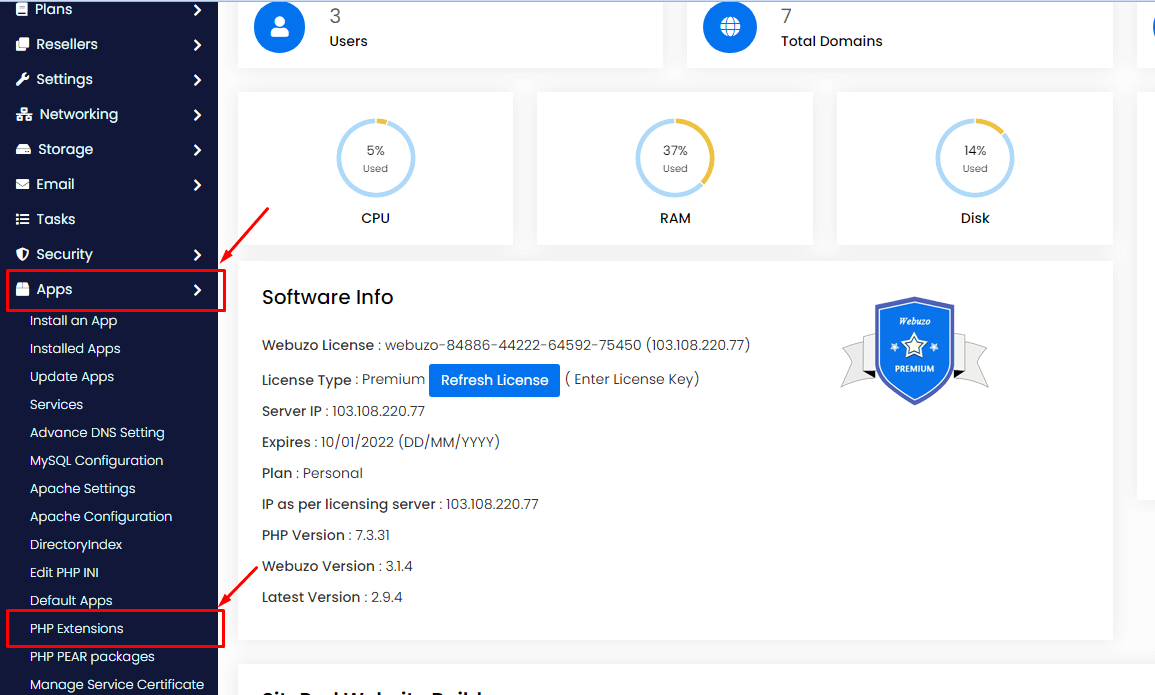
- Open the PHP tool or the software list.
- Find the extension and click Install.
- Wait for the install to finish.
- Enable it for the PHP version you use.
Shared hosting customers can ask Hostvento support to add one through a support ticket.
Check it worked
- Create a file named
info.phpin your site folder. - Put this inside:
This prints a page that lists all PHP settings and loaded extensions.<?php phpinfo(); ?> - Open yourdomain.com/info.php and search for the extension name.
- Delete
info.phpafter. It shows private details.
Tip: Some extensions depend on others. If one will not turn on, check for a missing partner.
Quick recap
- Extensions add skills to PHP.
- Tick or clear the box in the PHP extensions tool, then save.
- Missing ones may need a server install by an admin.
- Check with a phpinfo page, then delete it.