

What is HTTPS?
HTTPS is the safe version of a web address. The "S" means secure. It scrambles the data between your visitor and your site, so nobody can spy on it. Browsers show a padlock for HTTPS sites. They warn visitors about sites without it.
HTTPS needs an SSL certificate. A certificate is like an ID card for your site. It proves the site is yours.
A forced redirect sends anyone who types http:// to the https:// address.
Before you start
- Your domain must have a working SSL certificate. Open
https://yourdomain.comin a browser. If you see a padlock, you are ready. If you see a warning, install a certificate first or ask Hostvento support. - Take a backup of your
.htaccessfile.
Warning: If you force https without a valid certificate, visitors will see an error and cannot open your site.
Steps with the Webuzo tool
- Log in to Webuzo. The address and login are in your welcome email.
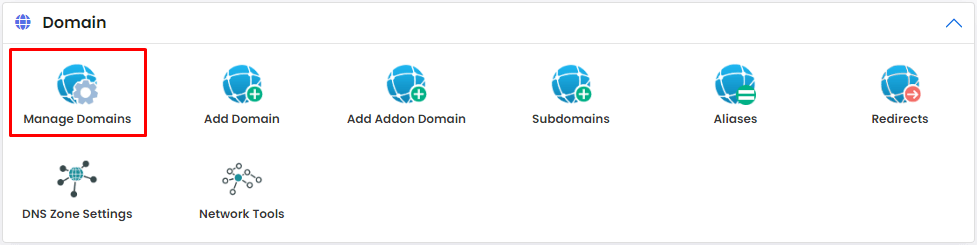
- Type SSL or Redirects in the search box.
- Open the tool that has a Force HTTPS option. If your Webuzo version has one, it is usually next to the domain.
- Find your domain in the list.
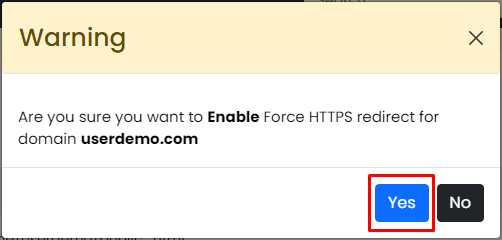
- Turn on Force HTTPS Redirect.
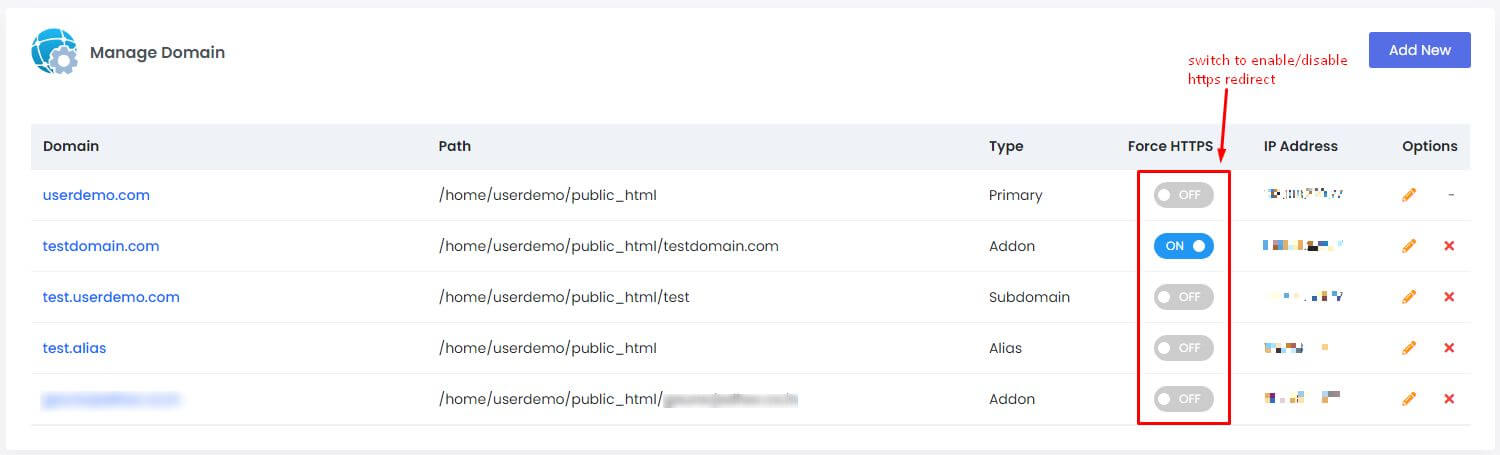
- Click Save.
- Test it. Visit
http://yourdomain.com. The address bar should change to https.
Steps with .htaccess
If your version has no such option, add rules by hand.
- Open File Manager in Webuzo.
- Go to
public_html. Tick Show Hidden Files in the settings if you cannot see.htaccess. - Copy the file as a backup.
- Edit
.htaccess. Put these lines at the top:
They turn on rewriting and send plain http visits to https with a permanent redirect.RewriteEngine On RewriteCond %{HTTPS} off RewriteRule ^(.*)$ https://%{HTTP_HOST}/$1 [R=301,L] - Save and test in a new browser window.
If the page loops or looks broken
- Clear your browser cache.
- If your site uses a service such as Cloudflare, set its SSL mode to match your server.
- Apps like WordPress should also have https in their address settings.
- Still stuck? Open a support ticket.
Quick recap
- HTTPS keeps visitor data private.
- Confirm the SSL certificate works first.
- Use the Force HTTPS option or the .htaccess rules.
- Test with an http address.