

What is DirectoryIndex?
When you open example.com, you do not type a file name. The server picks a file for you. It looks for names in a list, in order. The first one it finds is shown. This list is called DirectoryIndex.
A common list looks like this: index.html, index.php, index.htm. If both index.html and index.php exist, the first name in the list wins. This is the priority.
Why change it?
- Your site shows an old page because an old
index.htmlis first. - You want
index.phpto load first for a PHP app. - You use a custom file name for the home page.
This guide may need root access in some cases. Root access means full control of the server. VPS and dedicated customers have it.
Steps in Webuzo
- Log in to the Webuzo admin panel.
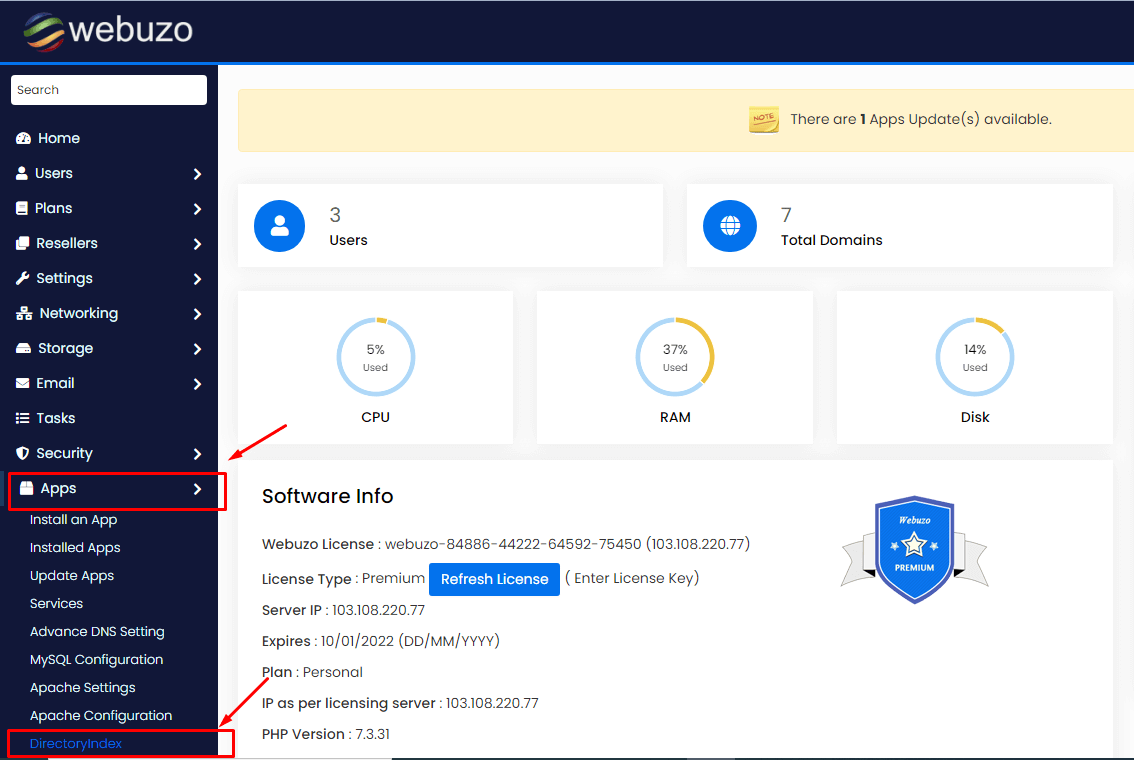
- Open the settings area for Apache. This is the web server program. Look for Apache Settings or a similar item under server settings.
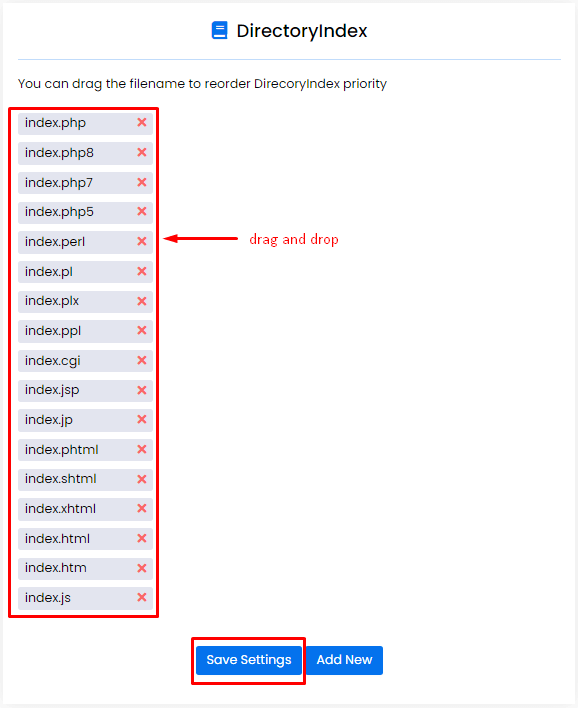
- Find the DirectoryIndex option or a list of index files.
- Edit the list. Put the file you want first at the beginning.
- Separate names with a space. For example:
index.php index.html index.htm - Click Save.
- Restart Apache if the panel asks you to. A restart makes the server reload its settings.
- Visit your site and check the right page appears.
Using .htaccess instead
You can set the order for one site only. Open your .htaccess file and add this line.
DirectoryIndex index.php index.htmlThis tells the server to try index.php first, then index.html.
Tip: Back up your config or
.htaccess first. A mistake can take your site down. Menu names can differ between Webuzo versions.Quick recap
- DirectoryIndex is a list of home page file names.
- The first file found in the list is shown.
- Change the order in Webuzo Apache settings.
- Or use a
DirectoryIndexline in.htaccess.