

This guide needs root access. Root access means full control of the server. VPS and dedicated server customers have it.
What is WHM?
WHM stands for WebHost Manager. It is the admin panel that goes with cPanel. cPanel is for single websites. WHM is for the whole server.
What is DirectoryIndex?
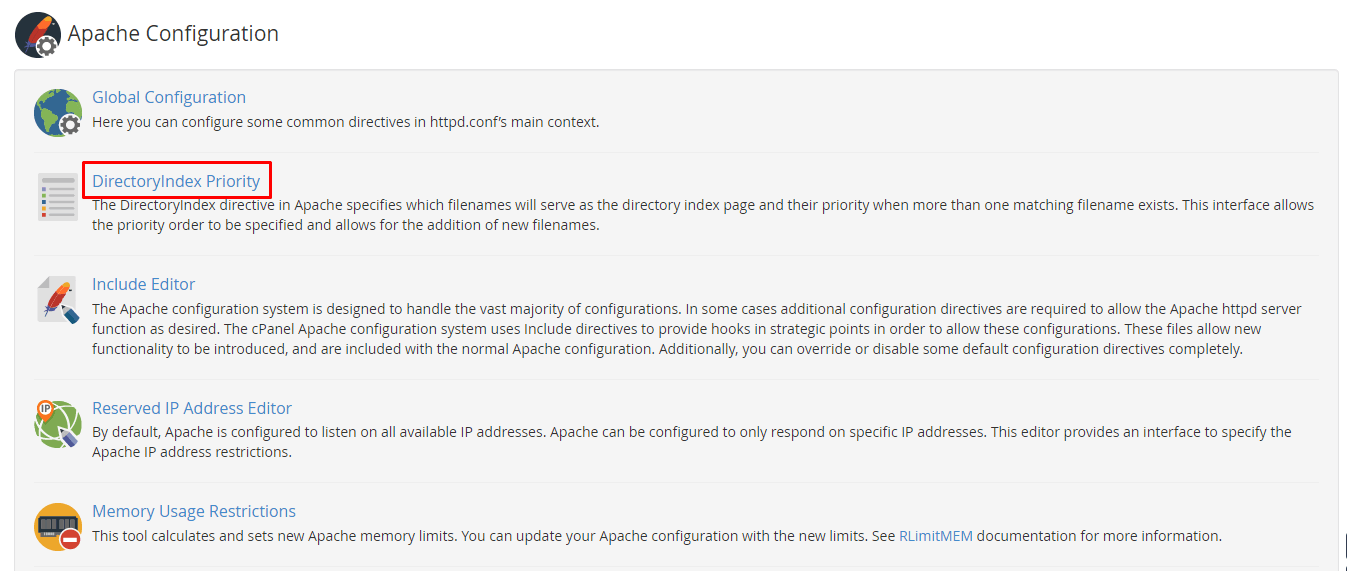
When someone visits a folder, the server looks for a home page file. It checks a list of names in order. The first match is shown. Common names are index.html, index.php and index.htm. The order of that list is the priority.
If an old index.html sits first, it can hide your new index.php. Changing the order fixes that for all sites on the server.
Steps
- Log in to WHM as root. The address and login are in your server welcome email.
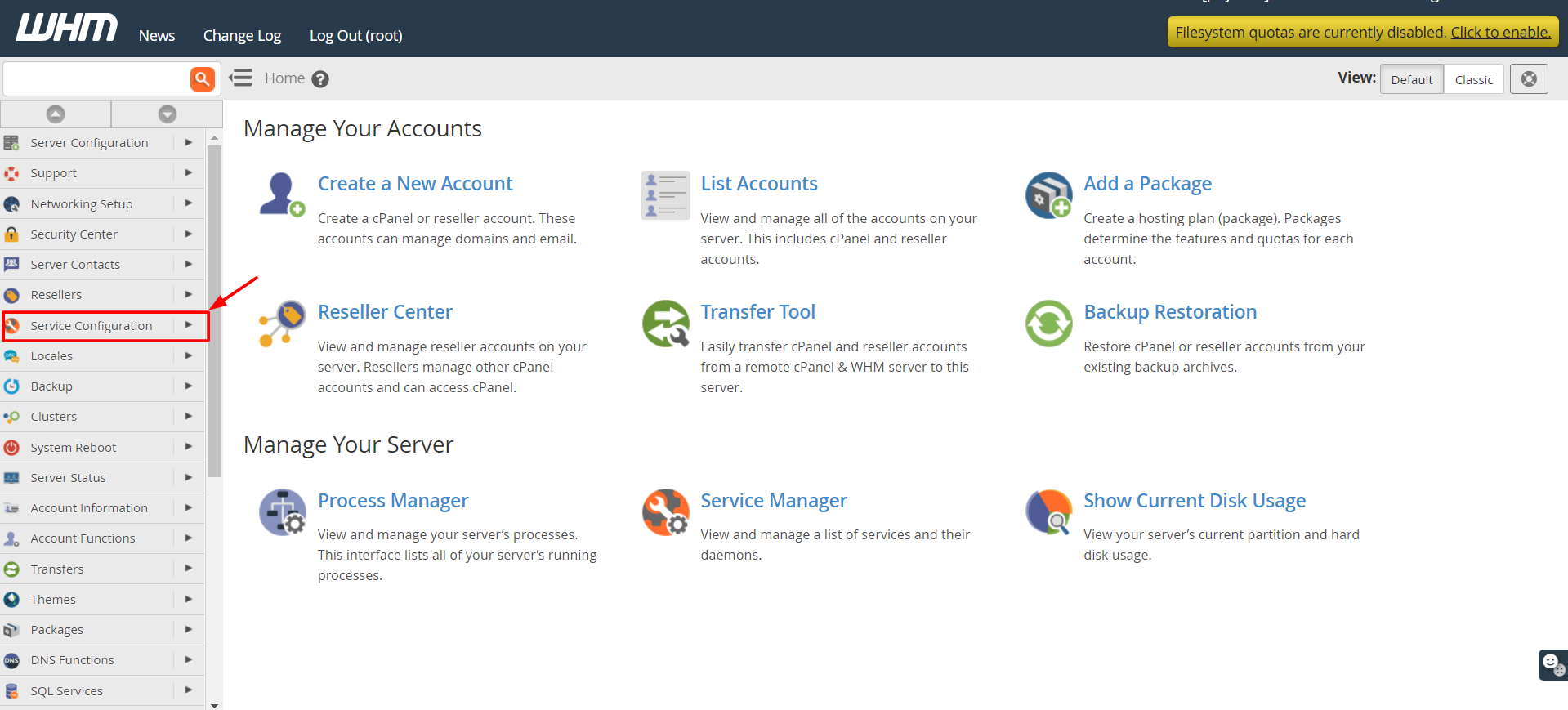
- In the search box at the top left, type Apache Configuration.
- Click Apache Configuration.

- Click DirectoryIndex Priority.
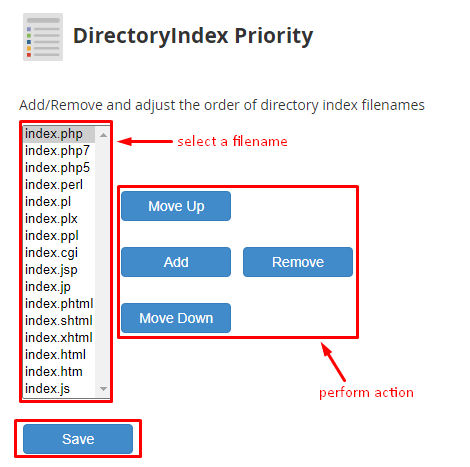
- You will see a list of file names. Each one has a priority number.
- Change the order. The file at the top is checked first.
- Type or edit file names if you need to add one, such as
index.php. - Click Save.
- WHM may ask you to rebuild the Apache config. Confirm it and wait for the finish message.
- Visit a site on the server and confirm the right page opens.
Warning
This change affects every website on the server. A wrong order may show the wrong page. Note down the old order before you edit so you can put it back.
Single site option
If you only want to change one website, add this line to its .htaccess file instead.
DirectoryIndex index.php index.htmlThis makes only that site try index.php before index.html.
Quick recap
- DirectoryIndex is the order of home page file names.
- In WHM go to Apache Configuration, then DirectoryIndex Priority.
- Reorder, save and rebuild if asked.
- It affects all sites on the server.