This guide needs root access. Root access means full control of the server. VPS and dedicated server customers have it.
What is ServerLimit?
Apache is the program that serves your website. When visitors arrive, Apache starts workers to answer them. A worker is a small helper. ServerLimit sets the highest number of helper processes Apache is allowed to start.
Think of a restaurant. ServerLimit is the most waiters the manager may hire. Too few waiters means long queues. Too many waiters means the kitchen runs out of room.
In Apache, ServerLimit works together with another setting, MaxRequestWorkers. If you raise MaxRequestWorkers a lot, ServerLimit may need to rise as well.
Before you start
- Take a backup of your Apache config file.
- Check the server memory. Each worker uses memory. A high limit on a small server can make it freeze.
Steps
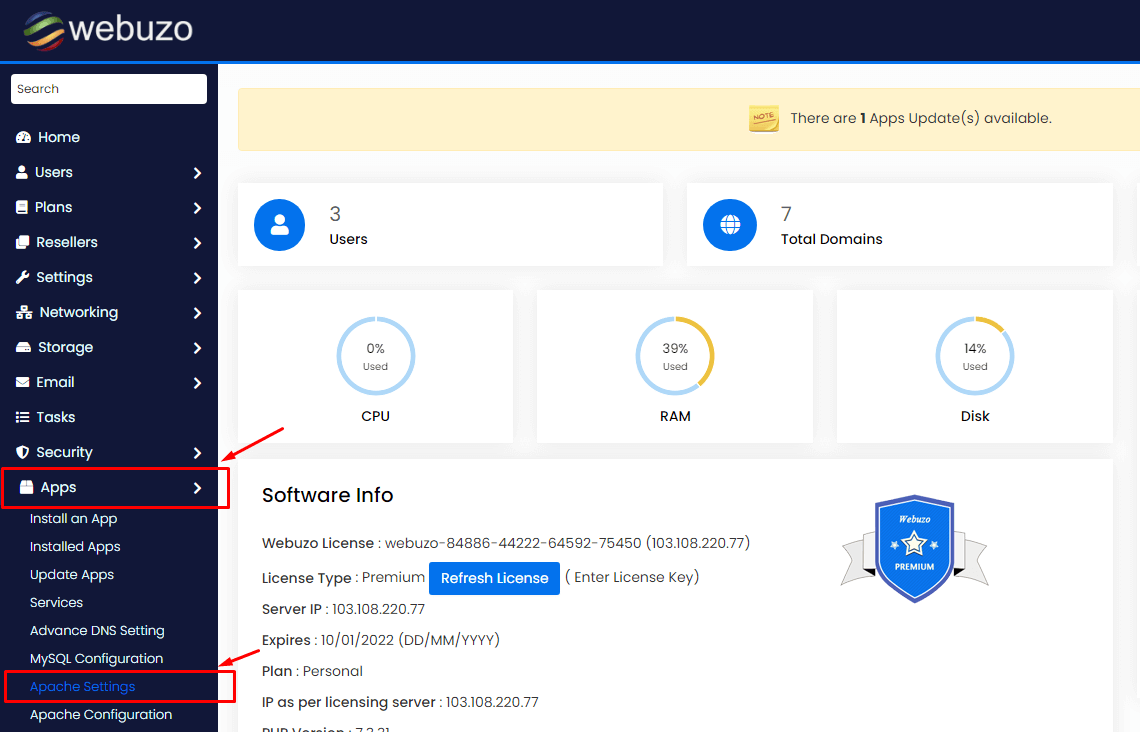
- Log in to the Webuzo admin panel.
- Open the Apache settings. Look under Server Settings or the Apache app page.
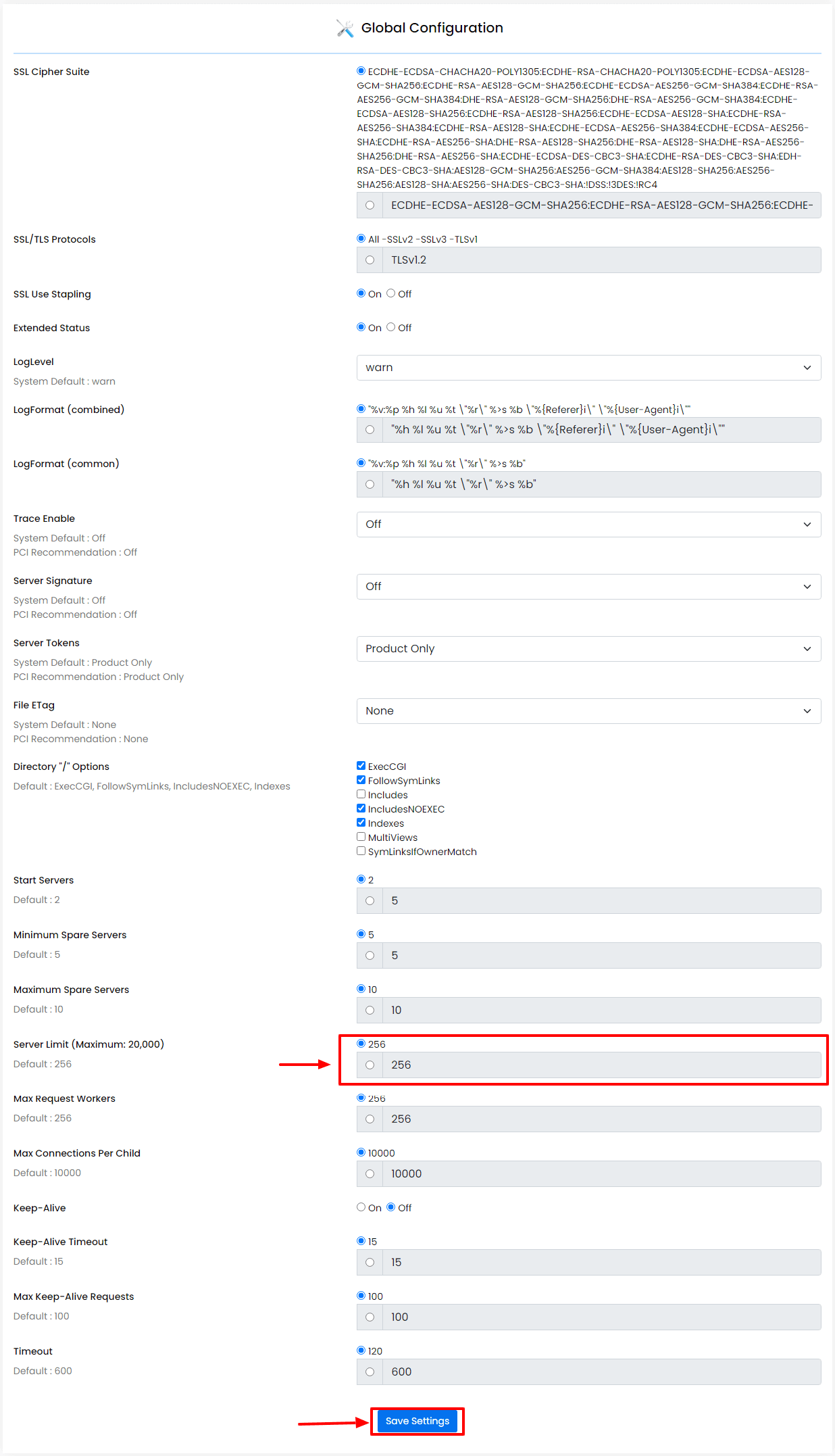
- Find Apache Server Limit or a similar field. If you do not see it, check for an edit config option.
- Type the new number. Make small changes at first, for example a modest increase from the current value.
- Click Save.
- Restart Apache so the change starts. Use the service list in Webuzo.
- Open your site to confirm it still loads.
Using the config file
If there is no field, edit the Apache config file by hand. Its place depends on your setup. Look for the line below.
ServerLimit 256This line caps Apache at 256 processes. Change the number, save, and restart Apache.
Quick recap
- ServerLimit is the maximum number of Apache worker processes.
- Change it in the Apache settings in Webuzo.
- Restart Apache after saving.
- Do not set it higher than your server memory allows.