

What are WHM and cPanel?
WHM is the control panel for the whole server. The server owner uses it. cPanel is the control panel for one hosting account. Each website owner has their own.
It helps to open someone's cPanel when you need to fix a problem for them. For example, you may need to check an email setting or a file. You do this from WHM, so you do not need their password.
Steps
- Log in to WHM. The address is usually your server's IP address or host name followed by
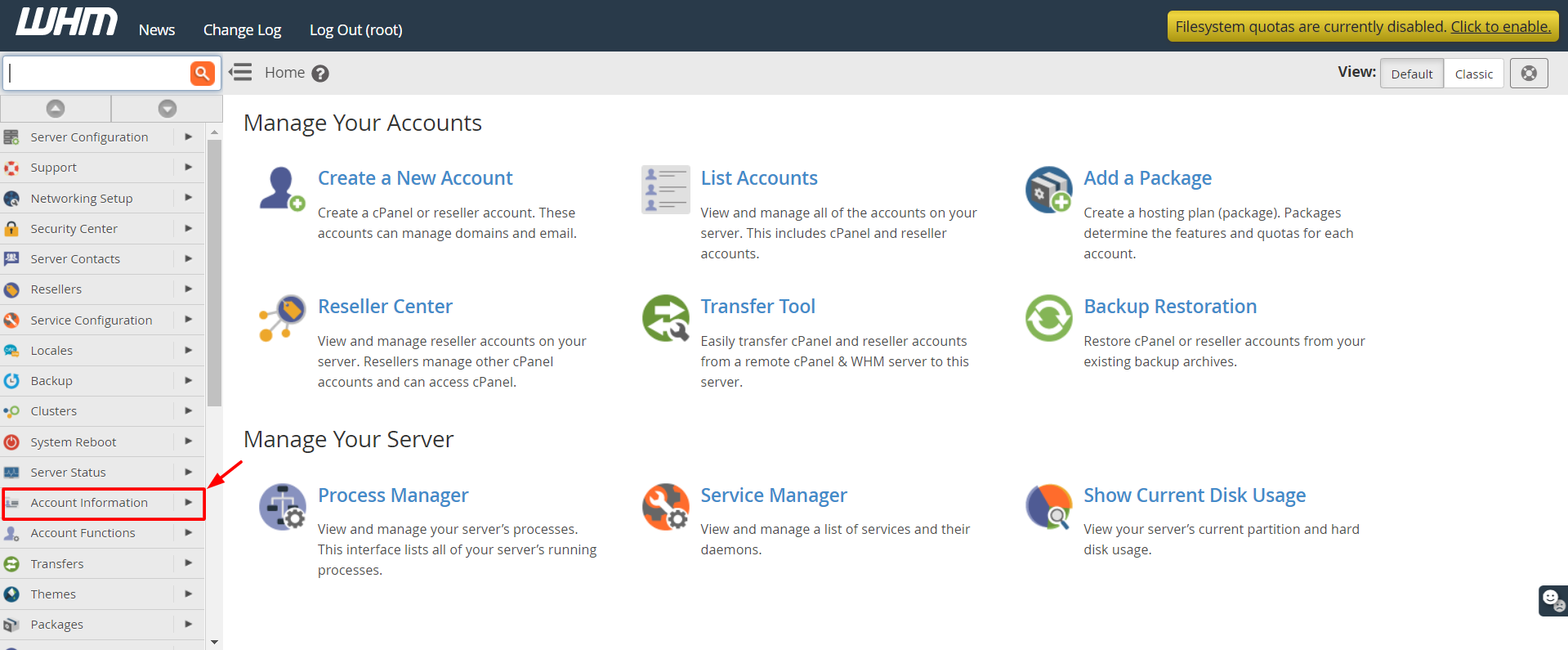
:2087. - Type List Accounts in the search box at the top of the left menu.
- Click List Accounts. It is under Account Information.
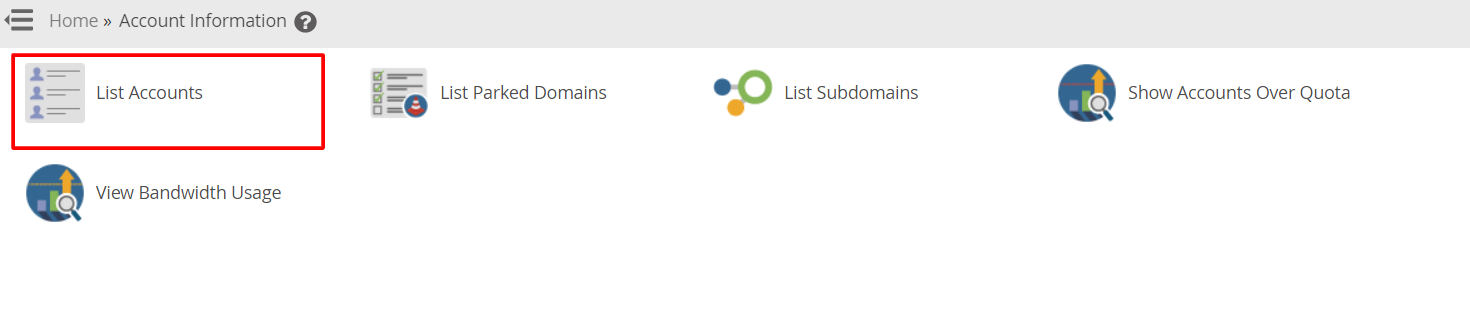
- Find the account in the list. You can search by domain name or user name.
- Click the small cPanel icon next to that account.
- A new browser tab or window opens. You are now inside that user's cPanel.
- Do the job you need to do.
- When you finish, close the tab.
Other ways
You can also use the Account Functions section in WHM. Some tools there need you to choose the account first.
Be careful
Warning: Anything you change in cPanel changes that customer's real website and email. Do not delete files, emails or databases unless you are sure. Take a backup first.
If you do not see the cPanel icon
- Check that the account is not suspended.
- Check that you are logged in as root or as the reseller who owns the account.
- Make sure your browser does not block pop-up windows.
Tip: Always tell the customer what you changed. Respect their privacy and only look at what you need.
Quick recap
- WHM manages the server. cPanel manages one account.
- Go to List Accounts and click the cPanel icon beside the account.

- No password is needed.
- Be careful and back up first.