

What are log files?
A log file is a diary kept by the server. Each time a visitor opens your website, a line is added. The line says who came, which page they saw and how much data was sent.
The server reads these logs on a schedule. It uses them to build website statistics and to count bandwidth. Bandwidth is the amount of data sent to your visitors. Reading logs takes server power, so the schedule matters. Busy servers may want it less often.
Steps
- Log in to WHM as root. The address is usually your server's IP address or host name followed by
:2087.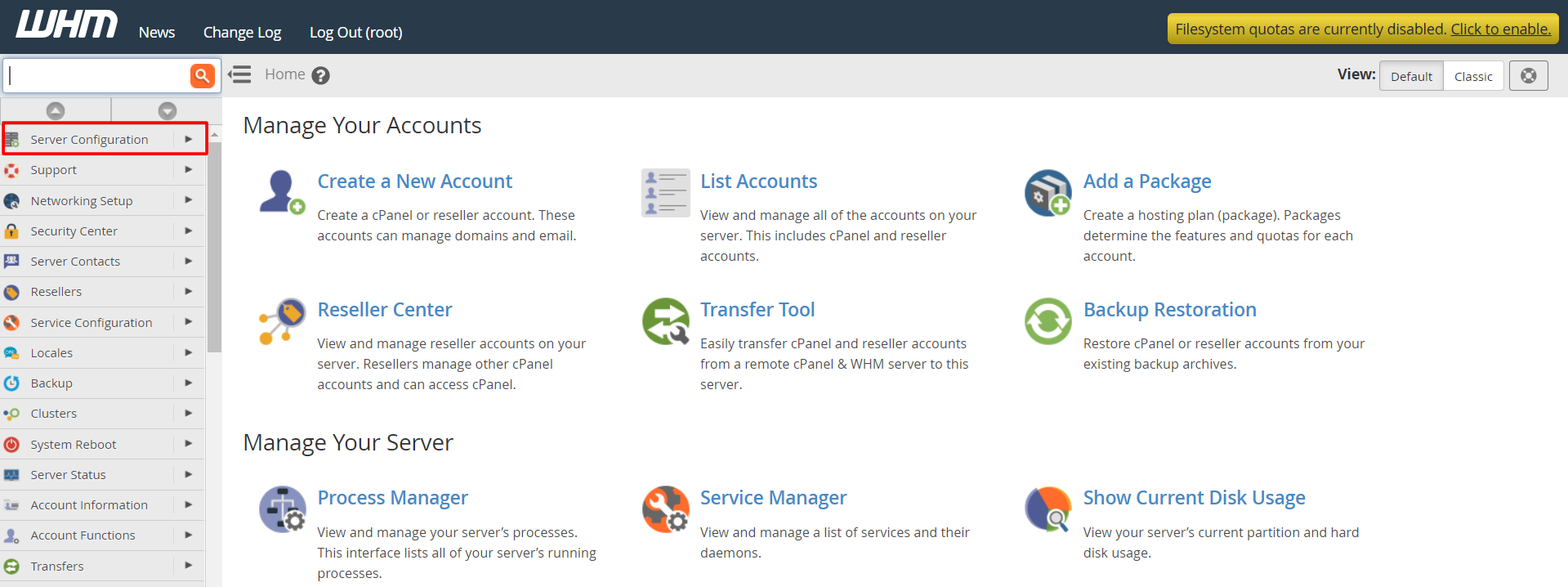
- Type Tweak Settings in the search box at the top of the left menu.
- Click Tweak Settings.
- Click the tab named Stats and Logs.
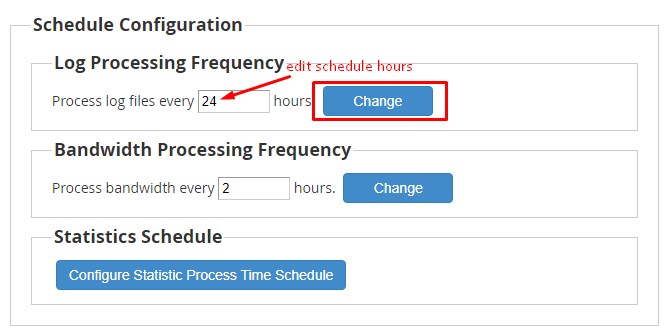
- Look for the settings about how often logs and bandwidth are processed. Names may differ between WHM versions, so read each setting description.
- Change the number to the one you want. A larger gap between runs puts less load on the server.
- Scroll to the bottom and click Save.
Other places to look
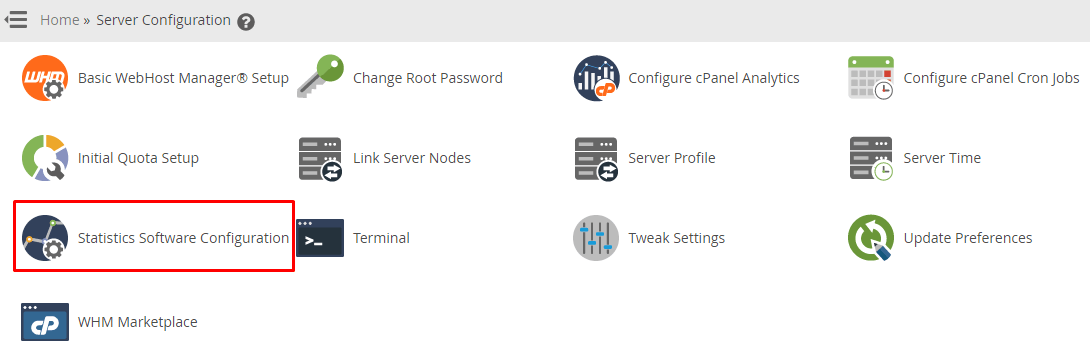
WHM also has a tool named Statistics Software Configuration. It controls which stats programs run and which accounts they cover. Search for Statistics in the WHM menu to find it. Some versions also let you pick which days the processing runs.
Which schedule should I choose?
- Small or quiet servers can use the default.
- Busy servers may do better with fewer runs, or runs at quiet hours such as the night.
- If customers want fresh stats often, keep runs closer together.
Warning: Changes in Tweak Settings affect the whole server. Write down the old value before you change it, so you can go back.
Quick recap
- Logs are the server's diary of visits.
- WHM reads them on a schedule to make stats and count bandwidth.
- Open Tweak Settings, then Stats and Logs, to change the timing.
- Note the old value first.