

What is an account owner?
Every cPanel account has an owner. The owner is the reseller or the server admin in charge of that account. Only the owner can manage it, for example suspend it or change its package.
By default, the owner is root, the main server admin. When a reseller creates an account, the reseller becomes the owner. Sometimes you need to move the account to a new owner. This can happen when a customer changes reseller, or a reseller stops selling.
WHM is the Web Host Manager, the panel used for this job.
Before you start
Warning: Changing the owner changes who can manage the account. Take a backup of the account first. Also tell both people about the change.
Steps
- Log in to WHM as
root. - Search for Modify/Upgrade/Downgrade an Account or Modify an Account. Open it.
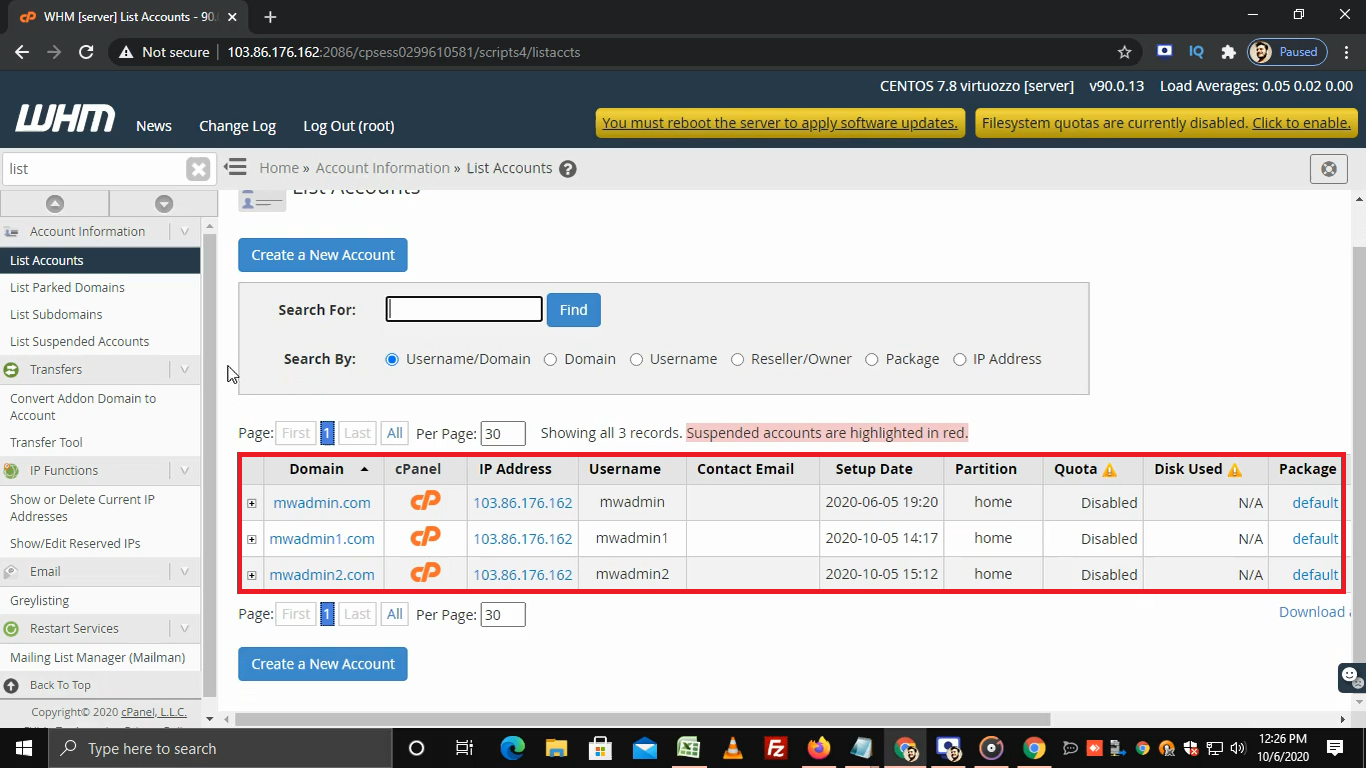
- Choose the account from the list.
- Click Modify.
- Scroll down to the Owner setting. It might sit under Reseller Settings.
- Pick the new owner from the drop-down list. You see the server owner (
root) and all resellers.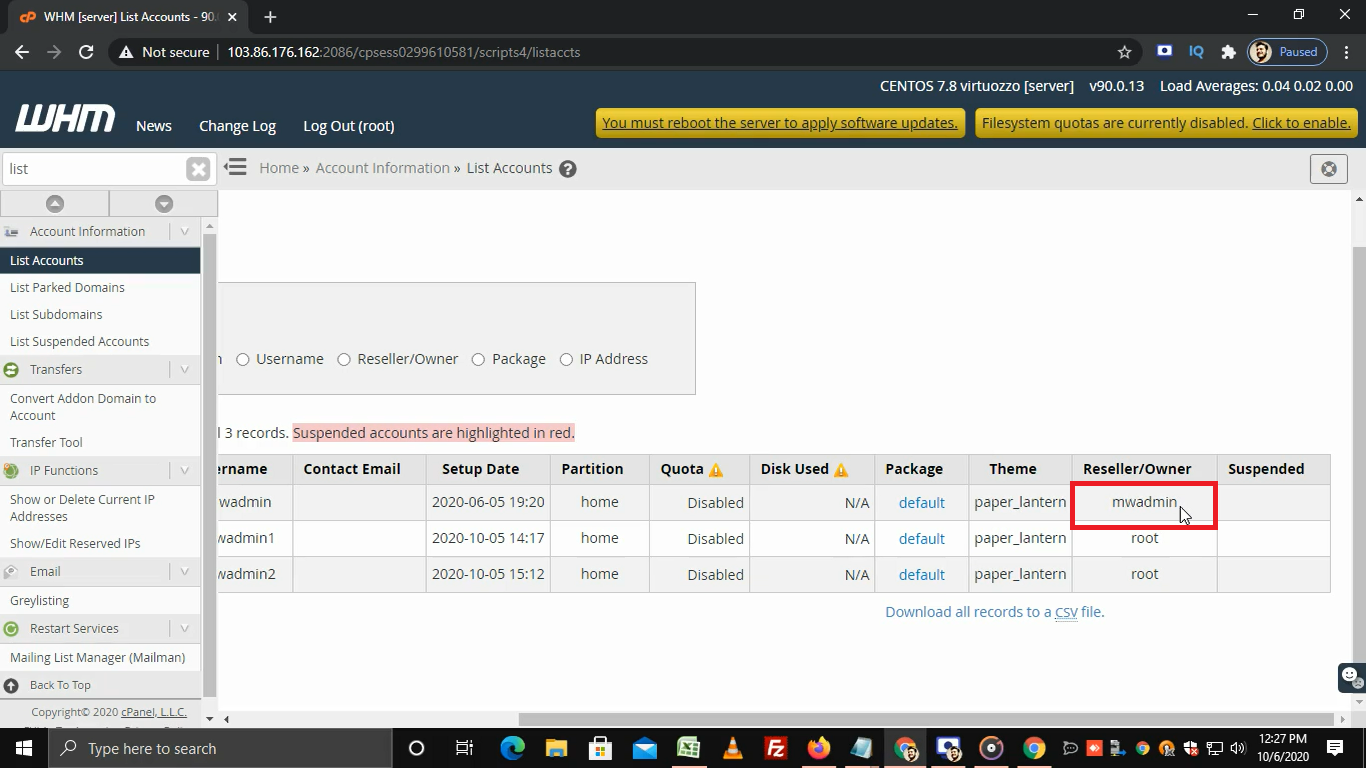
- Click Save.
The account now belongs to the new owner.
Another way
- Search WHM for Change Ownership of an Account or Reseller Center.
- Look for the option that moves accounts between resellers.
- Pick the account and the new owner.
- Confirm.
Menu names change between WHM versions. If you do not see these, search for the word "owner".
Check the change
- Open List Accounts in WHM.
- Find the account.
- Look at the Owner column. It should show the new owner.
- Ask the new owner to log in and check they can see the account.
Need help? Open a support ticket.
Quick recap
- The owner is the reseller or admin who manages an account.
- Change it from Modify an Account in WHM.
- Back up first.
- Check List Accounts afterwards.